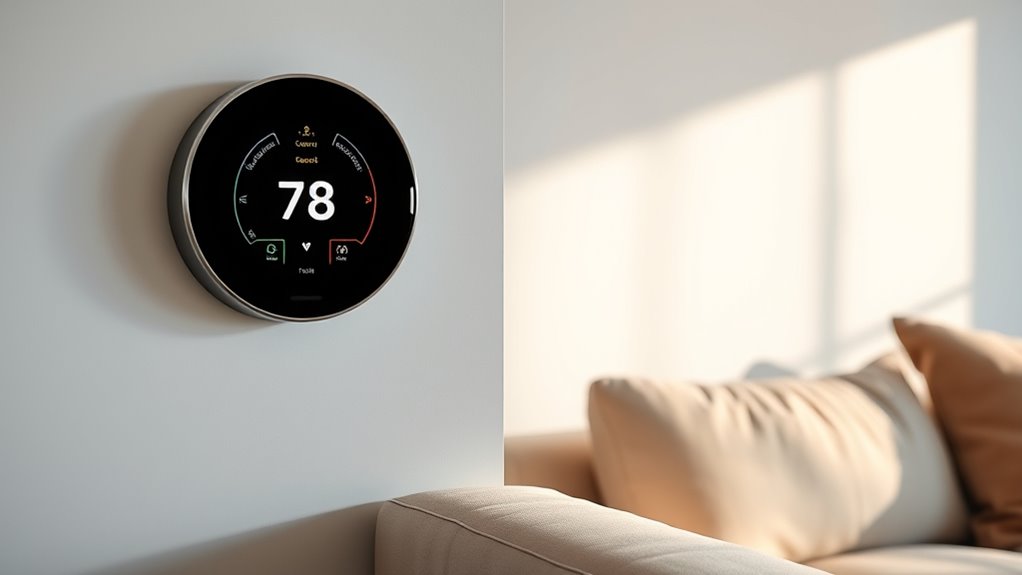

Smart thermostats with learning features vary in how much they automate, how they handle uneven room temperatures, and which smart-home systems they support. My best overall pick is the Google Nest Learning Thermostat (4th Gen) with its included Nest Temperature Sensor, pairing schedule learning with a way to address room-to-room differences. The ecobee Smart Thermostat Premium stands out for buyers who want a broader smart-home hub, while the Google Nest Learning Thermostat E is a simpler route into Nest’s learning approach. The main tradeoff is between hands-off schedule adaptation, added sensors and connected features, and compatibility with your existing equipment. Read on for the full breakdown and guidance on choosing a model that fits your home.

Get furniture and decor delivered free with Prime
- Fast, free delivery on millions of items
- Prime Video, Amazon Music and more included
- Member-only deals all year
Complete the kit


Key Takeaways
- The Nest Learning Thermostat (4th Gen) bundle ranks first because it combines adaptive scheduling with a room sensor, addressing both when the system runs and where temperature is measured.
- Learning is not the same as basic programming. The standard Google Nest Thermostat offers smart scheduling features, but buyers seeking a thermostat that learns their routine should compare its capabilities carefully with the dedicated Nest Learning models.
- ecobee’s two models separate by breadth. The Enhanced focuses on core comfort and smart control, while the Premium adds a more expansive connected-home and sensor package.
- Compatibility and ecosystem can outweigh extra features. The Aqara W200’s Apple-oriented adaptive approach may suit an Apple household, while Google Nest and ecobee options fit different control preferences.
- Bundles and appearance affect fit, not learning quality alone. The Nest 3rd Gen models differ in finish and bundle, and trim-kit bundles can help with installation appearance without changing the underlying thermostat’s learning behavior.
| Google Nest Learning Thermostat E 3rd Generation Bundle |  | Best for Straightforward Schedule Learning | Model number: T4001ES-A | Connectivity: Wi-Fi | Power source: Battery powered | VIEW ON AMAZON | See Our Full Breakdown |
| Google Nest Learning Thermostat (3rd Gen), Stainless Steel |  | Best for Voice-Controlled Nest Homes | Generation: 3rd | Color and material: Stainless steel; metal | Connectivity: Wi-Fi and Bluetooth | VIEW ON AMAZON | See Our Full Breakdown |
| ecobee Smart Thermostat Enhanced |  | Best for Occupancy-Based Comfort | Connectivity: Wi-Fi | Power source: Corded electric | Voltage: 24 volts | VIEW ON AMAZON | See Our Full Breakdown |
| Aqara Smart Thermostat W200 with Apple Adaptive Temperature |  | Best for Matter-Centered Smart Homes | Display: 4-inch full-color touchscreen | Connectivity: Matter 1.4 and dual-band Wi-Fi at 2.4 GHz and 5 GHz | Built-in smart-home functions: Zigbee hub and Thread border router | VIEW ON AMAZON | See Our Full Breakdown |
| Google Nest Learning Thermostat (4th Gen) with Nest Temperature Sensor (2nd Gen) – Obsidian |  | Best Overall for Learning Plus Room Sensing | Model: Nest Learning Thermostat (4th Gen) with Nest Temperature Sensor (2nd Gen) | Color and material: Obsidian; aluminum | Display: 60% larger touchscreen with Dynamic Farsight | VIEW ON AMAZON | See Our Full Breakdown |
| ecobee Smart Thermostat Premium with Wi-Fi, Siri, Alexa, and SmartSensor |  | Best for Room-by-Room Comfort | Connectivity: Wi-Fi | Voice assistants: Siri and Alexa built in | Included sensor: SmartSensor | VIEW ON AMAZON | See Our Full Breakdown |
| Google Nest Smart Thermostat, Charcoal | 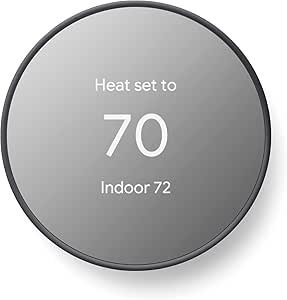 | Best for Simple App-Based Scheduling | Color: Charcoal | Connectivity: Wi-Fi (2.4 GHz and 5 GHz) and Bluetooth Low Energy | Compatible platforms: Google Home, Android, iOS, Google Assistant, and Matter-certified voice assistants | VIEW ON AMAZON | See Our Full Breakdown |
| Google Nest Thermostat – Programmable Smart Learning Thermostat with Trim Kit Bundle, White |  | Best for Hands-Off Schedule Learning | Connectivity: Wi-Fi | Compatibility: 95% of heating and cooling systems | Control: App and voice | VIEW ON AMAZON | See Our Full Breakdown |
| smart thermostats with learning feature | Connectivity | Power source | Display | Voltage |
|---|---|---|---|---|
| Google Nest Learning Thermosta | Wi-Fi | Battery powered | — | 24V AC |
| Google Nest Learning Thermosta | Wi-Fi and Bluetooth | Hardwired | — | 24 volts |
| ecobee Smart Thermostat Enhanc | Wi-Fi | Corded electric | 4-inch LCD | 24 volts |
| Aqara Smart Thermostat W200 wi | Matter 1.4 and dual-band Wi-Fi at 2.4 GHz and 5 GHz | — | 4-inch full-color touchscreen | — |
| Google Nest Learning Thermosta | Wi-Fi and Matter compatible | Battery powered; one CR2 battery included | 60% larger touchscreen with Dynamic Farsight | — |
| ecobee Smart Thermostat Premiu | Wi-Fi | — | — | — |
| Google Nest Smart Thermostat | Wi-Fi (2.4 GHz and 5 GHz) and Bluetooth Low Energy | — | 2-inch LCD | 24 volts |
| Google Nest Thermostat | Wi-Fi | Battery powered | LCD | — |
More Details on Our Top Picks
Google Nest Learning Thermostat E 3rd Generation Bundle
The Nest Learning Thermostat E 3rd Generation Bundle suits buyers who want a thermostat to learn their routine without building a more elaborate smart-home setup. It studies schedule and temperature preferences, then pairs those adjustments with Home/Away Assist to reduce heating or cooling when the home is empty. The Nest app adds remote adjustments and HVAC alerts, a useful combination if you want both automation and basic system monitoring.
Compared with the Nest Learning Thermostat (4th Gen) with Nest Temperature Sensor (2nd Gen), this bundle lacks an included room sensor, so it is less suited to homes with uneven temperatures between rooms. It does offer broad stated HVAC compatibility and included installation hardware. The tradeoff is that full remote control and alerts rely on Wi-Fi and a smartphone, while room-specific control means buying a sensor separately.
Pros:- Learns schedule and preferred temperatures to automate daily adjustments.
- Home/Away Assist can reduce heating or cooling while the home is empty.
- Nest app provides remote control and HVAC alerts.
- Includes mounting hardware and adaptors, with stated compatibility across 95% of heating and cooling systems.
Cons:- Nest Temperature Sensors for room-specific control are sold separately.
- Remote control and notifications depend on Wi-Fi and a smartphone.
- The supplied data does not identify a distinct advantage over the newer 4th-generation Nest beyond its included installation hardware.
Best for: Nest buyers who want schedule learning, away-based adjustments, and HVAC alerts on a broadly compatible system.
Not ideal for: Households with persistent hot or cold rooms that want a room sensor included, or buyers who need full functionality without Wi-Fi and a smartphone.
- Model number:T4001ES-A
- Connectivity:Wi-Fi
- Power source:Battery powered
- Voltage:24V AC
- Control method:App control
- Mounting:Wall mount
- Stated system compatibility:95% of heating and cooling systems
- Included components:Mounting hardware and adaptors for various systems
Our verdict“Choose this Nest bundle for learned schedules and away-based savings, but pick the 4th Gen bundle if an included room sensor matters more.”
Google Nest Learning Thermostat (3rd Gen), Stainless Steel
The Nest Learning Thermostat (3rd Gen), Stainless Steel is a good fit for buyers who want familiar Nest schedule learning with voice control as well as app access. It learns preferred temperatures and routines, while energy insights and HVAC alerts add information beyond the day-to-day temperature setting. Support for both Alexa and Google Assistant makes it easier to fit into a mixed voice-assistant household than a thermostat tied to one assistant.
Compared with the Nest Learning Thermostat E 3rd Generation Bundle, this version lists Bluetooth alongside Wi-Fi and adds explicit voice-control support, but the supplied details do not list the E bundle’s adaptors or 95% compatibility figure. Like that model, it requires a separately sold Nest Temperature Sensor for room-specific control. Its hardwired power is also a different fit from battery-powered options such as the Nest Learning Thermostat (4th Gen); buyers should check wiring needs before choosing.
Pros:- Learns schedules and preferred temperatures for automatic adjustments.
- Supports app, remote, and compatible Alexa or Google Assistant voice control.
- Provides energy usage insights and HVAC alerts.
- Metal construction and a digital display give it a distinct stainless-steel finish.
Cons:- Nest Temperature Sensor is sold separately for room-specific temperature control.
- Remote features and notifications depend on working Wi-Fi and internet access.
- Hardwired power may be a less suitable fit than the battery-powered 4th Gen Nest for some installations.
Best for: Nest households that want a learning thermostat with app and Alexa or Google Assistant voice control.
Not ideal for: Buyers who need an included room sensor, want battery power, or have not confirmed that their existing wiring suits a hardwired thermostat.
- Generation:3rd
- Color and material:Stainless steel; metal
- Connectivity:Wi-Fi and Bluetooth
- Wi-Fi bands:2.4 GHz and 5 GHz
- Power source:Hardwired
- Voltage:24 volts
- Control methods:Remote, app, and voice
- Compatible assistants:Amazon Alexa and Google Assistant
Our verdict“Pick this model if you want Nest learning with broad voice-assistant support and have verified that its hardwired setup fits your home.”
ecobee Smart Thermostat Enhanced
The ecobee Smart Thermostat Enhanced takes a more occupancy-focused route than the schedule-learning Nest models. It adjusts temperature around occupancy, schedule, and humidity, which may suit homes where people are not always following the same routine. Its compatibility with Alexa, Google Assistant, Apple HomeKit, and SmartThings also gives it a wider stated smart-home mix than the Nest Learning Thermostat (3rd Gen).
The included Power Extender Kit can help in homes without a C-wire, while the trim kit gives installers more flexibility around the wall plate. Those inclusions make it a practical alternative to the Aqara Smart Thermostat W200, which requires a separate adapter for stable power according to its product details. The tradeoff is that ecobee SmartSensors for room-by-room comfort are sold separately, and system compatibility still needs checking before installation.
Pros:- Adjusts temperature based on occupancy, schedule, and humidity.
- Works with Alexa, Google Assistant, Apple HomeKit, and SmartThings.
- Includes a Power Extender Kit for homes without a C-wire.
- Includes a trim kit and has a stated three-year warranty.
Cons:- SmartSensors for room-by-room comfort are sold separately.
- HVAC compatibility should be confirmed before installation.
- Its learning approach is based on occupancy, schedule, and humidity rather than the Nest models’ stated learning of preferred temperatures.
Best for: Households with variable occupancy that want humidity-aware adjustments and compatibility with several major smart-home platforms.
Not ideal for: Buyers who want room-by-room sensing included or have an HVAC system they have not checked against ecobee compatibility.
- Connectivity:Wi-Fi
- Power source:Corded electric
- Voltage:24 volts
- Display:4-inch LCD
- Compatible platforms:Amazon Alexa, Android, Apple HomeKit, Google Assistant, and iOS
- Compatible HVAC systems:Air conditioner, boiler, furnace, heat pump, and humidifier
- Included accessories:Power Extender Kit, trim kit, and lithium-ion battery
- Warranty:3 years
Our verdict“Choose the ecobee Enhanced if occupancy and humidity should shape automatic adjustments and you want broad platform support without buying into Nest.”
Aqara Smart Thermostat W200 with Apple Adaptive Temperature
The Aqara Smart Thermostat W200 stands apart from the Nest and ecobee picks: its strongest case is not traditional preference learning, but presence-aware automation and smart-home coordination. A 4-inch touchscreen, mmWave presence detection, Matter 1.4, and built-in Zigbee and Thread functions make it a more ambitious hub-style option than the Nest Learning Thermostat (3rd Gen). It can fit buyers who want temperature control alongside a broader connected-device setup.
Its presence detection may help automation respond to occupancy, while Apple Adaptive Temperature adds an Apple-specific route to temperature adjustment. Those capabilities have dependencies: Apple features need compatible HomePod or Apple TV hardware and software, and the thermostat has no C-wire support out of the box. Unlike the ecobee Smart Thermostat Enhanced, which includes a Power Extender Kit, the W200 requires a separate adapter for stable power. Its stated HVAC compatibility is also narrower than the Nest E bundle’s.
Pros:- Matter 1.4 support links it with Apple Home, Google Home, Alexa, and SmartThings.
- Built-in Zigbee hub and Thread border router add smart-home coordination beyond thermostat control.
- mmWave radar provides presence detection for occupancy-based automation.
- Large 4-inch color touchscreen supports clear on-device control.
Cons:- No C-wire support out of the box; a separate adapter is required for stable power.
- Apple Adaptive Temperature and Clean Energy Guidance depend on compatible Apple hardware and software.
- Smart display features for doorbells are limited to specified Aqara models.
Best for: Smart-home enthusiasts building around Matter, Apple Home, or multiple device protocols who want presence-driven HVAC automation.
Not ideal for: Buyers seeking simple learned schedules, a ready-to-install C-wire solution, or guaranteed support for HVAC systems outside its stated compatibility range.
- Display:4-inch full-color touchscreen
- Connectivity:Matter 1.4 and dual-band Wi-Fi at 2.4 GHz and 5 GHz
- Built-in smart-home functions:Zigbee hub and Thread border router
- Presence sensor:mmWave radar
- Smart-home compatibility:Apple Home, Google Home, Amazon Alexa, Samsung SmartThings, and Home Assistant
- HVAC support:Furnaces, air conditioners, heat pumps, boilers, and PTAC units
- Stated compatibility:Approximately 85%
- Power note:Separate adapter required for stable power
Our verdict“Choose the W200 for presence-aware, Matter-based home automation, not if your priority is straightforward schedule learning or simple wiring.”
Google Nest Learning Thermostat (4th Gen) with Nest Temperature Sensor (2nd Gen) – Obsidian
The Nest Learning Thermostat (4th Gen) with Nest Temperature Sensor (2nd Gen) is the most complete fit here for buyers who want learned schedules and a way to address uneven room temperatures. It learns preferences, adds Matter compatibility, and includes the sensor rather than leaving room-specific control as a separate purchase, as with the Nest Learning Thermostat E 3rd Generation Bundle and the 3rd Gen stainless-steel model. That included sensor gives this package a practical advantage in homes where the thermostat’s hallway reading does not match occupied rooms.
The larger touchscreen and Dynamic Farsight improve visibility, while stated compatibility with Google Assistant, Alexa, and Siri offers flexibility beyond the voice support listed for the 3rd Gen Nest. It also supports installation without a C-wire in most homes. The tradeoff is that Wi-Fi and the app remain important for full functionality, and the product description’s potential energy savings are not a guaranteed result. Its advanced bundle makes more sense for buyers who will use room sensing than for those who only need basic schedule automation.
Pros:- Learns schedules and preferences to automate heating and cooling.
- Includes a 2nd Gen Nest Temperature Sensor for room-specific control.
- Larger touchscreen with Dynamic Farsight improves at-a-glance visibility.
- Supports Matter and lists Google Assistant, Alexa, and Siri compatibility.
Cons:- Full functionality relies on Wi-Fi and the smartphone app.
- The stated potential energy savings are not guaranteed for every household.
- The included room sensor adds less value for homes with even temperatures throughout.
Best for: Households that want Nest schedule learning, an included room sensor for hot and cold spots, and a larger display.
Not ideal for: Buyers who only need basic schedule automation, do not plan to use room sensing, or want full functionality without Wi-Fi and a smartphone.
- Model:Nest Learning Thermostat (4th Gen) with Nest Temperature Sensor (2nd Gen)
- Color and material:Obsidian; aluminum
- Display:60% larger touchscreen with Dynamic Farsight
- Connectivity:Wi-Fi and Matter compatible
- Voice assistants:Google Assistant, Alexa, and Siri
- System compatibility:24V systems, including gas, electric, oil, forced air, heat pump, and radiant
- Power source:Battery powered; one CR2 battery included
- Included sensor:Nest Temperature Sensor (2nd Gen)
Our verdict“Choose this 4th Gen bundle if you want Nest learning with room sensing included; skip it if basic schedule automation is enough.”
ecobee Smart Thermostat Premium with Wi-Fi, Siri, Alexa, and SmartSensor
Occupancy sensing and the included SmartSensor make this ecobee a strong fit for homes where one central thermostat cannot reflect the temperature in every room. It can adjust settings around household routines and rooms in use, while the built-in air quality monitor adds information beyond scheduling. Compared with the Google Nest Smart Thermostat, Charcoal, which focuses on away adjustments and app-created schedules, this model brings a room sensor and broader built-in home features. Siri and Alexa voice control and compatible ecobee doorbell camera functions may also reduce the need for separate devices. The tradeoff is that some features depend on additional services or hardware: Siri needs an Apple home hub, smoke alarm sound alerts require a subscription, and video features need a compatible ecobee doorbell. Its wider feature set suits buyers who will use those extras, not people seeking a simple learning thermostat.
Pros:- Included SmartSensor helps account for occupancy and room use beyond the thermostat location
- Built-in air quality monitoring adds information about indoor conditions
- Siri and Alexa are built in for voice control
- Power Extender Kit and trim kit are included, and the thermostat carries a 3-year warranty
Cons:- Siri features require an Apple home hub
- Smoke alarm sound alerts require an ecobee Smart Security subscription
- Doorbell video and two-way talk require a compatible ecobee Smart Doorbell Camera
Best for: Households with rooms that run at different temperatures and buyers who want occupancy-based adjustment, air quality monitoring, and voice features in one thermostat.
Not ideal for: Buyers seeking a simple thermostat without optional subscriptions or add-on hardware, especially those who do not use Apple or ecobee devices.
- Connectivity:Wi-Fi
- Voice assistants:Siri and Alexa built in
- Included sensor:SmartSensor
- Air quality monitor:Built in
- HVAC compatibility:Compatible with 95% of HVAC systems
- Installation accessories:Power Extender Kit and trim kit included
- Energy certification:ENERGY STAR
- Warranty:3 years
Our verdict“Choose the ecobee Premium if room-by-room comfort and integrated home features matter more to you than keeping setup and ongoing requirements simple.”
Google Nest Smart Thermostat, Charcoal
Automatic away adjustments and app-based schedules make this Nest a straightforward way to reduce heating or cooling when nobody is home, without the extra room sensor and monitoring features of the ecobee Smart Thermostat Premium. It supports remote and voice control through compatible platforms, and its DIY installation is designed to take about 30 minutes or less, giving it an approachable role for buyers who want core smart controls rather than a feature-heavy setup. Compared with the white Google Nest Thermostat bundle in this lineup, the key appeal here is a clearly specified mix of Wi-Fi, Bluetooth Low Energy, Google Home, and Matter-certified voice assistant support. The limitation is that this model is described around away adjustment and user-created schedules, not learning a preferred schedule over time. Some HVAC setups also need a C wire or power accessory, and remote features rely on Wi-Fi and internet access.
Pros:- Automatically adjusts settings when you leave
- Remote scheduling and control are available through the Google Home app
- Supports voice control and Matter-certified voice assistants
- DIY installation is designed to take about 30 minutes or less
Cons:- Some HVAC systems require a C wire or compatible power accessory
- Remote controls and notifications depend on internet access and Wi-Fi
- Its listed features emphasize schedules and away adjustment rather than learning temperature preferences
Best for: Google Home users who want app scheduling, automatic away adjustments, and a thermostat intended for straightforward DIY installation.
Not ideal for: Buyers specifically seeking a thermostat that learns their preferred schedule over time, or homes where adding a C wire or power accessory is impractical.
- Color:Charcoal
- Connectivity:Wi-Fi (2.4 GHz and 5 GHz) and Bluetooth Low Energy
- Compatible platforms:Google Home, Android, iOS, Google Assistant, and Matter-certified voice assistants
- Display:2-inch LCD
- Power:Battery powered; two included AA batteries
- Voltage:24 volts
- Control:Remote and voice control
- Temperature control:Heating and cooling
- Specific use:Heat pump
Our verdict“Pick this charcoal Nest for accessible Google Home scheduling and away control, but choose the ecobee Premium if room sensing is a priority or the white Nest bundle if learned preferences matter most.”
Google Nest Thermostat – Programmable Smart Learning Thermostat with Trim Kit Bundle, White
Learning your schedule and preferred temperatures is this Nest’s clearest advantage for buyers who want less manual programming. Home/Away Assist can also adjust settings when the house is empty, extending the routine-based approach beyond a set timetable. Compared with the charcoal Google Nest Smart Thermostat, this model is explicitly positioned around learning preferences rather than relying chiefly on schedules entered in the app. Its claimed compatibility with 95% of heating and cooling systems and app or voice control make it a flexible option for many homes. The tradeoff is that learning and remote access depend on a working Wi-Fi connection and a compatible smartphone or tablet, while energy savings vary with household use and other conditions. The bundle description also says a trim plate is not included, despite listing easy installation; buyers who need one should verify what arrives before planning the installation.
Pros:- Learns schedule and temperature preferences to automate routine adjustments
- Home/Away Assist can change settings when the home is empty
- App and voice control allow remote adjustments
- Listed as compatible with 95% of heating and cooling systems
Cons:- Learning and remote control require Wi-Fi and a compatible smartphone or tablet
- A trim plate is not included, which may affect installation on some walls
- Energy savings are not guaranteed and depend on household and system conditions
Best for: Busy households that want the thermostat to learn preferred temperatures and adjust automatically when residents leave.
Not ideal for: Buyers without reliable Wi-Fi or a compatible smartphone or tablet, and anyone who needs a trim plate included for their wall setup.
- Connectivity:Wi-Fi
- Compatibility:95% of heating and cooling systems
- Control:App and voice
- Power source:Battery powered
- Display:LCD
- Mounting:Wall mount
- Color:White
- Shape:Round
Our verdict“Choose this white Nest if you want learned temperature routines and Home/Away adjustments, provided your setup works with the listed app requirements and does not need an included trim plate.”

How We Picked
I ranked these thermostats by how well their learning and adaptive features can help a household maintain comfort with less schedule editing. I also weighed the usefulness of room sensors, clarity of everyday controls, smart-home compatibility, installation considerations, and whether the product’s feature set is a good match for its intended buyer. A learning label alone was not enough: I distinguished dedicated learning models from thermostats whose strengths center on connected control or adaptive temperature functions.
The order favors a balanced fit for buyers who want learning plus practical temperature coverage, which puts the Nest Learning Thermostat (4th Gen) bundle first. The ecobee Premium follows for buyers who value broader connected-home functions; the simpler ecobee Enhanced and Nest Learning models serve narrower needs. The Aqara W200 earns a distinct place for Apple-focused households, while the standard Nest Thermostat and trim-kit bundle rank lower for this specific search because their main appeal is streamlined smart control or installation presentation rather than the fullest learning-focused package. HVAC compatibility and regional feature availability can change which model is right for an individual home.
| smart thermostats with learning feature | Connectivity | Power source |
|---|---|---|
| Google Nest Learning Thermosta | Wi-Fi | Battery powered |
| Google Nest Learning Thermosta | Wi-Fi and Bluetooth | Hardwired |
| ecobee Smart Thermostat Enhanc | Wi-Fi | Corded electric |
| Aqara Smart Thermostat W200 wi | Matter 1.4 and dual-band Wi-Fi at 2.4 GHz and 5 GHz | — |
| Google Nest Learning Thermosta | Wi-Fi and Matter compatible | Battery powered; one CR2 battery included |
| ecobee Smart Thermostat Premiu | Wi-Fi | — |
| Google Nest Smart Thermostat | Wi-Fi (2.4 GHz and 5 GHz) and Bluetooth Low Energy | — |
| Google Nest Thermostat | Wi-Fi | Battery powered |
Factors to Consider When Choosing Smart Thermostats With Learning Features
Choosing a learning thermostat is less about picking the model with the most automation and more about matching its learning method to your household, heating and cooling system, and daily routines. I would check these factors before deciding, since a mismatch can leave useful features unused or make a supposedly simple setup more involved.
Check HVAC Compatibility Before Comparing Smart Features
Start with the equipment your thermostat will control: heating stages, cooling stages, heat pump, accessories, and wiring all affect compatibility. A model can have excellent learning features and still be a poor fit if your system needs terminals or controls it does not support. Check the manufacturer’s compatibility information against your system’s exact configuration, not just the thermostat wires you see at the wall. Some homes also need a common wire or a power accessory, which can add installation work. If your setup includes multiple zones or specialized equipment, confirm support before choosing a bundle. This step can rule out a tempting option early and prevent smart-home features from distracting from the basic job of controlling your HVAC system.
Decide Whether You Want Schedule Learning or Adaptive Comfort
“Learning” can describe different behaviors, so identify what you want the thermostat to adapt. Some buyers mainly want a schedule that adjusts around repeated manual changes; others care more about occupancy, remote adjustments, or temperature preferences tied to a smart-home platform. Those functions are not interchangeable, and a thermostat with smart scheduling may not learn in the same way as a dedicated learning model. Think about whether your week follows a stable routine or changes often. Frequent shift work, shared households, and irregular travel can make a fixed learned pattern less useful than clear app controls and easy overrides. Choose the behavior you will actually rely on, rather than treating every automation label as equivalent.
Plan for Uneven Temperatures Across Rooms
A thermostat measures conditions where it is installed, which may not reflect a hot bedroom or a chilly living space. Remote sensors can help a system respond to temperatures in other rooms, but they do not fix poor insulation, blocked vents, or an HVAC system that cannot distribute air evenly. Before paying for a sensor bundle, decide which rooms matter and at what times: a bedroom overnight calls for different scheduling than a home office during the day. Check whether sensors are included, sold separately, or limited to certain models. Avoid assuming that adding a sensor means every room will stay at one temperature simultaneously. Sensor-based control is most useful when you have a clear comfort problem and realistic expectations about how your system works.
Match the Thermostat to Your Smart-Home Ecosystem
Voice assistants, apps, and connected-home routines can shape daily use as much as the learning algorithm. If your household already relies on Apple, Google, or Alexa services, check which controls and integrations the thermostat supports in your region. A feature listed for one platform may not behave the same way through another, and some functions can depend on compatible devices or account settings. Decide whether you want the thermostat to be a simple control point or part of a larger smart-home setup. Buying into an unfamiliar ecosystem just for one feature can create extra apps and setup steps. For a mixed-platform household, prioritize the controls everyone can use reliably over a feature that only one person will access.
Know When to Pay for More Features
Higher-feature models make sense when their added capabilities solve a real household need, such as monitoring another room or bringing more connected-home controls into one device. They make less sense if you will use only basic scheduling and remote temperature changes. Compare what comes in the box with what requires a separate sensor or accessory, and check whether the included extras fit the rooms and routines you care about. A trim kit can improve the finished appearance or cover marks left by an older thermostat, but it does not improve learning performance. Likewise, premium integrations may add little value if your household does not use those services. Pay for a feature you can name a use for, not simply a longer specification list.
Set Expectations for Setup and Household Learning
Learning features need useful input, and several people changing the temperature without a shared routine can confuse the pattern a thermostat is meant to follow. Agree on preferred settings and use overrides deliberately, especially during the first weeks of operation. Check whether the device supports a schedule you can edit alongside its automatic adjustments, since many households want both control and automation. App setup, account requirements, Wi-Fi coverage, and permissions can also affect how smooth everyday use feels. If you prefer predictable behavior, choose a model that lets you review and change its schedule easily. A thermostat should reduce repeated work, not make your household guess why the system changed its settings.
Frequently Asked Questions
Does a smart thermostat with learning features need weeks of use before it is helpful?
Learning models may need repeated schedule patterns and temperature adjustments before their automation reflects your routine. You can still use basic controls and programmed schedules while that pattern develops. The time it takes to become useful depends on how consistent your household’s habits are and how the specific model learns. If your schedule changes often, prioritize easy manual control and editable schedules instead of expecting automation to predict every day. Check the product’s instructions for how it handles overrides and learning adjustments.
Will a learning thermostat lower my energy use automatically?
A thermostat can adjust heating and cooling schedules, but it cannot guarantee lower energy use or a particular bill. Results depend on your HVAC equipment, local weather, insulation, setpoints, and how people in the home respond to changes. Automation may help avoid heating or cooling an empty home, but comfort settings and system efficiency still matter. Review the schedule and usage information after installation rather than assuming the default behavior is right for your household. Choose based on the control features you need, not a promise of a specific saving.
Should I choose a thermostat bundle that includes a room sensor?
A sensor bundle is a stronger fit if the thermostat’s wall location does not represent the rooms where comfort matters most. It can give the system information about another space, such as a bedroom at night, subject to the model’s sensor controls. It will not correct airflow problems or make separate zones out of a single-zone HVAC system. If temperatures are already consistent, a sensor may add little to your routine. Before buying, confirm which sensor is included and whether its scheduling behavior supports the rooms and times you care about.
Can I use these thermostats with any heating and cooling system?
No. Compatibility varies by model and by the details of your HVAC setup, including system type, wiring, and the number of heating or cooling stages. Heat pumps and systems with accessories can require specific support, so a generic check of the thermostat terminals may not be enough. Compare your system’s configuration with the manufacturer’s compatibility guidance before ordering. If the wiring or equipment type is unclear, ask an HVAC professional to identify it. Confirming compatibility first is more useful than choosing a model based on features it may not be able to use in your home.
Which should I prioritize: learning features or smart-home compatibility?
Prioritize the feature you expect to use every day. If you want the thermostat to adapt a recurring routine, look closely at how its learning model handles schedule changes and manual overrides. If voice control, connected routines, or one shared app matters more, confirm the thermostat works with the services your household already uses. Do not assume a thermostat’s learning and integrations are equally strong across platforms. For households with varied preferences, simple controls and a schedule everyone can understand may be more useful than deeper automation.
Conclusion
For the broadest mix of schedule learning and room-temperature flexibility, I recommend the Google Nest Learning Thermostat (4th Gen) with Nest Temperature Sensor as best overall. The Google Nest Learning Thermostat E is my best value pick for buyers who want a simpler Nest learning setup, while the ecobee Smart Thermostat Premium is the best premium fit for households that want added connected-home features and sensor support. Beginners who want straightforward smart control rather than the fullest learning package should start with the Google Nest Smart Thermostat. For Apple-focused homes, the Aqara Smart Thermostat W200 is the specific-need choice; for a simpler ecobee feature set, compare the Smart Thermostat Enhanced. Check HVAC compatibility first, then choose the model whose learning, sensors, and ecosystem match how your household actually lives.
Halloween Picks

Haunted Hill Farm 2-Ft. Zombie Raccoon Halloween Animatronic

8.5 Foot Halloween Inflatable Haunted House Castle with Skeleton, Ghost & Skulls

MGparty 14.5 ft Halloween Inflatable Walk-In Pumpkin House with LED Lights
As an affiliate, we earn on qualifying purchases.