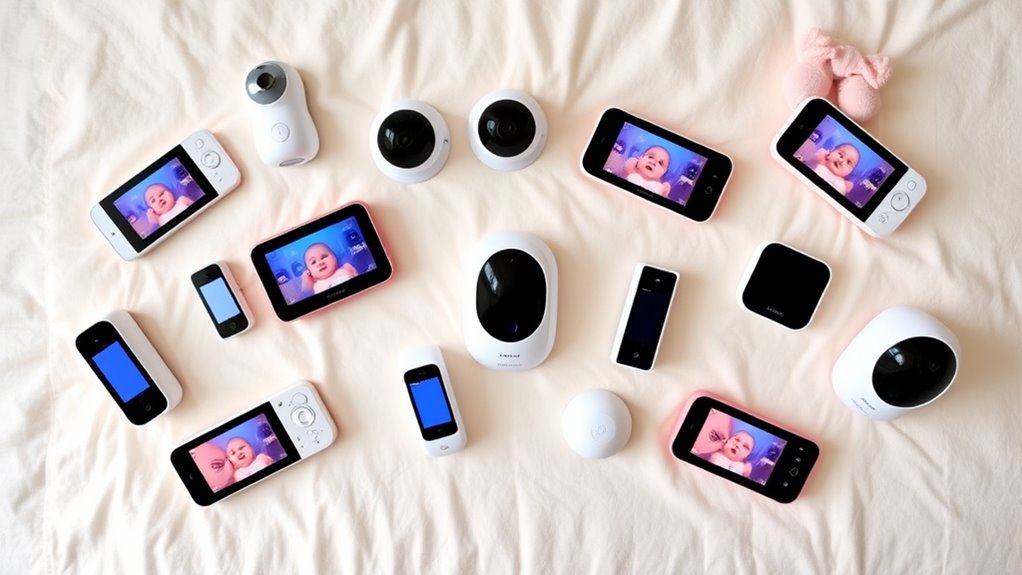

The Nanit Smart Baby Video Monitor with Wall Mount is my best overall pick for families who want a connected camera with a clear 1080p view, while the VTech 2K Smart WiFi Baby Monitor stands out for sharper video and a dedicated screen. For a two-camera setup, the VTech VM901-2 adds split-screen viewing that can make monitoring separate spaces easier. These smart baby monitors differ most in how much they rely on Wi-Fi, whether they include a parent display, and whether they add sleep or wellness features. A camera-only system can offer a flexible app experience, while a bundle with a screen may be simpler for quick checks and less dependent on a phone. Read on for the full breakdown and advice on choosing the setup that fits your nursery and routines.

Get furniture and decor delivered free with Prime
- Fast, free delivery on millions of items
- Prime Video, Amazon Music and more included
- Member-only deals all year
Complete the kit


Key Takeaways
- The lineup splits between app-first cameras and kits with parent displays: Nanit, Momcozy, and Owlet Dream Sight lean on connected viewing, while several VTech options pair Wi-Fi with a dedicated screen.
- Higher resolution is not the only measure of a useful view: the 2K VTech and Owlet Dream Sight offer more image detail, but camera placement, mounting height, and night viewing also shape what caregivers can see.
- Two-camera monitoring favors the VTech VM901-2: its split-screen design addresses households watching two spaces, a different need from single-camera models.
- Nanit’s mounting bundles solve different setup problems: wall and floor-stand kits can suit distinct room layouts, so buyers should choose based on placement before paying for a mounting style.
- The Owlet Dream Sock is the specialist outlier: it adds a wearable monitoring approach rather than competing as a camera-only choice, making it a fit for buyers who specifically want that type of system.
| ARENTI Baby Monitor C3 Kit with 3MP PTZ Camera and 5-Inch Wireless Display |  | Best for Flexible Local Monitoring | Camera resolution: 3 MP | Display size: 5 inches | Pan range: 355° | VIEW ON AMAZON | See Our Full Breakdown |
| Dr.Care VistaView 5-Inch 1080p Smart Wi-Fi Baby Monitor with Camera and Clip Mount |  | Best for Long Parent-Unit Runtime | Display: 5 inches | Camera resolution: 1080p | Camera rotation: 300° | VIEW ON AMAZON | See Our Full Breakdown |
| Nanit Smart Baby Video Monitor with Camera and Wall Mount, 1080p Wi-Fi |  | Best for Sleep-Tracking Features | Video resolution: 1080p HD | Connectivity: Wi-Fi; local network viewing supported | Audio: Two-way audio | VIEW ON AMAZON | See Our Full Breakdown |
| VTech Smart WiFi Baby Monitor (VM901-2) – 2 Cameras, 1080p Split Screen, 5″ HD Parent Unit, Pan-Tilt-Zoom, Night Vision |  | Best for Monitoring Two Rooms | Cameras: 2 | Resolution: 1080p | Parent unit screen: 5-inch HD | VIEW ON AMAZON | See Our Full Breakdown |
| Momcozy Smart WiFi Baby Monitor with 5-Inch 1080p Camera and Wall Mount |  | Best for Sharing Access with Family | Display: 5-inch | Camera resolution: 1080p | Connectivity: 2.4 GHz Wi-Fi or dedicated BM04 parent unit | VIEW ON AMAZON | See Our Full Breakdown |
| VTech Smart WiFi Baby Monitor with 2K Camera and 5.5-Inch Screen |  | Best for a Large Parent-Unit View | Camera resolution: 2K | Parent unit screen: 5.5-inch HD | Zoom: 24x | VIEW ON AMAZON | See Our Full Breakdown |
| VTech VM901 Smart WiFi Baby Monitor with 1080p Camera and 5-Inch Screen |  | Best for a Dedicated Screen with App Access | Model: VM901 | Camera resolution: 1080p | Parent unit screen: 5-inch HD | VIEW ON AMAZON | See Our Full Breakdown |
| 1080p Wi-Fi Baby Monitor with Camera, Audio, and 4-Inch Screen |  | Best for Flexible Wi-Fi and Local Monitoring | Camera video resolution: 720p; supports up to 1080p display | Display: 4-inch IPS screen | Camera movement: 340° pan and tilt | VIEW ON AMAZON | See Our Full Breakdown |
| Owlet Dream Sight Smart Baby Monitor with 2K HD Wi-Fi Camera |  | Best for Nursery Insights and Owlet Pairing | Video resolution: 2K HD | Night vision: Yes | Zoom: 4x | VIEW ON AMAZON | See Our Full Breakdown |
| Owlet Dream Sock Smart Baby Monitor |  | Best for Wearable Health and Sleep Tracking | Intended age: 1–18 months | Intended weight: 6–30 lbs | Monitored readings: Pulse rate and oxygen levels | VIEW ON AMAZON | See Our Full Breakdown |
| Nanit Smart Baby Video Monitor System with Floor Stand and 8-Inch Display |  | Best for App-and-Display Flexibility | Video resolution: 1080p HD | Display: 8-inch touchscreen | Setup options: Floor stand or wall mount | VIEW ON AMAZON | See Our Full Breakdown |
| Nanit Smart Baby Video Monitor with Camera and Floor Stand, 1080p Wi-Fi |  | Best for App-First Sleep Tracking | Resolution: 1080p HD | Connectivity: Wi-Fi | Night vision: Infrared | VIEW ON AMAZON | See Our Full Breakdown |
| smart baby monitor | Connectivity | Night vision |
|---|---|---|
| ARENTI Baby Monitor C3 Kit wit | — | 8 × 940 nm infrared lights |
| Dr.Care VistaView 5-Inch 1080p | — | — |
| Nanit Smart Baby Video Monitor | Wi-Fi; local network viewing supported | Infrared |
| VTech Smart WiFi Baby Monitor | Wi-Fi | Automatic |
| Momcozy Smart WiFi Baby Monito | 2.4 GHz Wi-Fi or dedicated BM04 parent unit | — |
| VTech Smart WiFi Baby Monitor | Wi-Fi and MyVTech Baby Plus app | Automatic |
| VTech VM901 Smart WiFi Baby Mo | Wi-Fi and free MyVTech Baby app | Automatic |
| 1080p Wi-Fi Baby Monitor with | Wi-Fi app and FHSS connection | — |
| Owlet Dream Sight Smart Baby M | Dual-band Wi-Fi (2.4 GHz and 5 GHz) and Bluetooth | Yes |
| Owlet Dream Sock Smart Baby Mo | Bluetooth and 2.4 GHz Wi-Fi | — |
| Nanit Smart Baby Video Monitor | Wi-Fi; iOS and Android app; Alexa and Google Home compatibility | Infrared |
| Nanit Smart Baby Video Monitor | Wi-Fi | Infrared |
More Details on Our Top Picks
ARENTI Baby Monitor C3 Kit with 3MP PTZ Camera and 5-Inch Wireless Display
The ARENTI C3 suits parents who want a dedicated screen plus app access without making cloud recording central to the setup. Its 3MP camera, broad 355° pan range, and up to 6× digital zoom offer more room control than the Dr.Care VistaView, whose camera tops out at 2×/4× zoom. Cry and movement alerts and feeding reminders add practical prompts for routine check-ins, while two-way audio supports quick reassurance. The tradeoff is that the listed 256 GB local-storage capacity requires a separate memory card, and its 20 fps video is not the smoothest option here. Its IP30 rating also does not support treating it as meaningfully water resistant. Choose it for flexible camera control and local storage, not a weather-protected camera.
Pros:- Includes both a dedicated 5-inch display and app access.
- 355° pan, tilt, and up to 6× digital zoom help cover a wider nursery area.
- Cry and movement alerts pair with feeding reminders for routine monitoring.
- Supports local storage up to 256 GB with a separately purchased card.
Cons:- Memory card for local recording is not included.
- 20 fps video may look less fluid than higher-frame-rate feeds.
- IP30 rating offers limited protection despite the water-resistant listing.
Best for: Parents who want a dedicated 5-inch monitor, app access, broad camera movement, and the option to record locally.
Not ideal for: Buyers who expect included storage, higher frame-rate video, or a camera suitable for damp environments.
- Camera resolution:3 MP
- Display size:5 inches
- Pan range:355°
- Tilt range:-15° to 78°
- Digital zoom:Up to 6×
- Night vision:8 × 940 nm infrared lights
- Wireless technology:2.4 GHz FHSS
- Maximum local storage:256 GB
Our verdict“Choose the ARENTI C3 if you want flexible PTZ control and local recording alongside a dedicated screen, and can supply your own memory card.”
Dr.Care VistaView 5-Inch 1080p Smart Wi-Fi Baby Monitor with Camera and Clip Mount
The VistaView makes sense for caregivers who want a portable parent unit with a removable battery and a broad set of room alerts. Its stated runtime reaches 11 hours of streaming or 15 hours in VOX mode, which gives it an advantage over the ARENTI C3 when moving around the house away from an outlet matters. It also tracks motion, sound, temperature, and humidity, and adds split-screen viewing and two-way talk. The 1080p camera is a clear, familiar baseline, while the ARENTI offers higher stated resolution and greater digital zoom. Storage is another tradeoff: SD recording needs a separately purchased card, and cloud recording is optional. This is a better fit for battery flexibility and environmental alerts than for buyers seeking included storage or especially expansive camera movement.
Pros:- Removable 5000mAh battery is rated for up to 11 hours of streaming.
- Offers split-screen viewing and 1080p video.
- Motion, sound, temperature, and humidity alerts cover several nursery conditions.
- Supports SD card recording and includes a crib mount.
Cons:- SD card for local recording is not included.
- Cloud recording is optional rather than part of the core setup.
- Camera movement is less extensive than the ARENTI C3’s stated pan range.
Best for: Caregivers who carry the parent unit around the home and want a removable battery plus sound, motion, temperature, and humidity alerts.
Not ideal for: Parents who want a memory card included, greater camera coverage than 300° pan and 65° tilt, or a monitor without optional cloud features.
- Display:5 inches
- Camera resolution:1080p
- Camera rotation:300°
- Camera tilt:65°
- Zoom:2×/4×
- Battery:5000mAh removable
- Battery life:Up to 11 hours streaming; up to 15 hours in VOX mode
- SD card support:Up to 128 GB; card not included
- Security:256-bit AES encryption; optional Wi-Fi OFF mode
Our verdict“Pick the VistaView if you value a removable, long-running parent-unit battery and multiple room alerts more than included storage or maximum camera movement.”
Nanit Smart Baby Video Monitor with Camera and Wall Mount, 1080p Wi-Fi
Nanit stands apart for families drawn to app-based sleep tracking and coaching, not just a live nursery feed. It combines 1080p video, infrared night vision, two-way audio, and customizable sound, motion, temperature, and humidity alerts. Core live viewing and alerts work without a subscription, so the monitor remains useful even if you skip the paid plan. That makes its value proposition different from the VTech VM901-2, which emphasizes two-camera split-screen viewing rather than sleep insights. Nanit also supports multiple caregivers and local Wi-Fi viewing during internet outages, though local-network access is not the same as remote viewing without internet. The main compromise is that advanced sleep insights, video history, and automatic milestone captures require a paid subscription. Pick it for app-led sleep tools; choose a multi-camera system if room coverage comes first.
Pros:- 1080p streaming with infrared night vision and two-way audio.
- Customizable motion, sound, temperature, and humidity alerts.
- Core live-streaming and alert features work without a subscription.
- Supports multiple caregivers and local Wi-Fi viewing during internet outages.
Cons:- Advanced sleep insights, video history, and automatic milestone captures require a paid plan.
- App and Wi-Fi-centered setup may not suit buyers who prefer a standalone parent unit.
- Includes one camera, unlike the two-camera VTech VM901-2.
Best for: Parents who want app-based sleep tracking and coaching alongside customizable alerts and live video.
Not ideal for: Families who want video history, advanced sleep insights, or milestone captures without paying for a subscription, or who need two cameras in the box.
- Video resolution:1080p HD
- Connectivity:Wi-Fi; local network viewing supported
- Audio:Two-way audio
- Night vision:Infrared
- Alerts:Motion, sound, room temperature, and humidity
- Mounting options:Wall mount or floor stand
- Security:256-bit AES encryption and two-factor authentication
- Sleep plan trial:3 months of Nanit Insights Sleep Plan
Our verdict“Choose Nanit if sleep tracking and app-based alerts matter more to you than bundled multi-room coverage or subscription-free access to recorded insights.”
VTech Smart WiFi Baby Monitor (VM901-2) – 2 Cameras, 1080p Split Screen, 5″ HD Parent Unit, Pan-Tilt-Zoom, Night Vision
The VM901-2 earns its place for families who need to watch two rooms on one system. Both 1080p cameras can appear at once on the 5-inch parent unit or in the MyVTech Baby app, and each camera has independent pan-tilt-zoom control. That bundled coverage is more convenient than buying into the single-camera Nanit wall-mount monitor, which instead puts its emphasis on sleep tracking. Automatic night vision, temperature alerts, and two-way talk cover everyday check-ins, while the free app lets multiple caregivers share access. The tradeoff is that remote viewing depends on a stable Wi-Fi connection; this is less suited to homes with unreliable wireless service. The parent unit may also feel bulky beside a bed. Choose this VTech for simultaneous room coverage, not for a compact handheld setup.
Pros:- Two 1080p cameras are included for monitoring separate rooms.
- Split-screen viewing shows both camera feeds on the parent unit or app.
- Independent pan-tilt-zoom control helps adjust each room’s view.
- Free app supports multiple caregivers and adds temperature alerts and two-way talk.
Cons:- Remote viewing requires a stable Wi-Fi connection.
- The parent unit may be bulky for a small bedside surface.
- Two-camera coverage adds equipment compared with single-camera options such as Nanit.
Best for: Families monitoring a baby and an older child’s room, or two nursery areas, who want both feeds visible at once.
Not ideal for: Caregivers who need a compact bedside parent unit or dependable remote app viewing in a home with unstable Wi-Fi.
- Cameras:2
- Resolution:1080p
- Parent unit screen:5-inch HD
- Connectivity:Wi-Fi
- App:MyVTech Baby (free)
- Pan, tilt, and zoom:Yes; independent per camera
- Night vision:Automatic
- Two-way talk:Yes
- Temperature alerts:Yes
Our verdict“Choose the VM901-2 if you need simultaneous views of two rooms and can rely on steady Wi-Fi for remote access.”
Momcozy Smart WiFi Baby Monitor with 5-Inch 1080p Camera and Wall Mount
Momcozy is the clearest match for households where many caregivers need access to the same feed: its app supports sharing with up to 20 family members. Parents can also use the dedicated 5-inch BM04 unit at home and the app when away, combining a local viewing option with remote checks. Motion and safe-zone alerts, plus continuous or motion-activated recording, give it a stronger sharing-and-recording focus than the VTech VM901-2, which instead includes two cameras for split-screen room monitoring. The limits are practical: Wi-Fi pairing requires 2.4 GHz, and app motion alerts are available only in the app. Night vision may also fail to clearly illuminate the baby beyond 5 m from the crib, so placement matters. Pick Momcozy for broad family access, not for long-distance night coverage.
Pros:- Offers both a dedicated 5-inch parent unit and app viewing.
- Supports shared video access for up to 20 family members.
- Motion and safe-zone alerts help flag activity around the monitored area.
- Can record continuously or only when motion is detected.
Cons:- Wi-Fi pairing supports 2.4 GHz networks only.
- App motion alerts are not available on the dedicated parent unit.
- Night vision may not clearly illuminate the baby beyond 5 m from the crib.
Best for: Families coordinating care among several relatives or caregivers who want app sharing alongside a dedicated parent unit.
Not ideal for: Households using only 5 GHz Wi-Fi, caregivers who need motion alerts on the parent unit, or nurseries where the camera must sit more than 5 m from the crib.
- Display:5-inch
- Camera resolution:1080p
- Connectivity:2.4 GHz Wi-Fi or dedicated BM04 parent unit
- App sharing:Up to 20 family members
- Recording:Continuous or motion-activated
- Recommended camera height:At least 0.6 m (24 inches) above the baby
- Maximum horizontal distance from crib:5 m (16 feet)
- Certification:FCC
Our verdict“Choose Momcozy if many family members need app access and you can place the camera within its stated night-vision distance.”
VTech Smart WiFi Baby Monitor with 2K Camera and 5.5-Inch Screen
The VTech pairs a 5.5-inch HD parent screen with a 2K camera, making it a strong fit for caregivers who want more detail without relying on a phone for every check. Its 24x zoom and wide-angle, pan-and-tilt view give more flexibility for checking the crib than the Owlet Dream Sight’s 4x zoom, while the Owlet offers temperature and humidity tracking this VTech does not list. Movement and sound alerts, two-way talk, lullabies, and a multicolor night light add useful ways to respond from a distance. The main tradeoff is that remote app access depends on internet; the product information also leaves battery life and range unspecified. Choose it for a substantial screen and feature-rich camera, not for clearly documented off-grid performance.
Pros:- 2K camera with automatic night vision
- Large 5.5-inch HD parent-unit screen
- 24x zoom, wide-angle view, and pan-and-tilt camera
- Movement and sound alerts, two-way talk, lullabies, and multicolor night light
Cons:- Remote app access requires an internet connection
- Battery life and connection range are not specified in the product information
Best for: Caregivers who want a large dedicated screen, detailed camera view, and app access for checking in away from home.
Not ideal for: Families who need clearly stated battery life or range, or who need remote app viewing when internet service is unavailable.
- Camera resolution:2K
- Parent unit screen:5.5-inch HD
- Zoom:24x
- Connectivity:Wi-Fi and MyVTech Baby Plus app
- Night vision:Automatic
- Camera view:Wide-angle, pan, and tilt
- Alerts:Movement and sound
- Soothing and communication:Multicolor night light, lullabies, and two-way talk
Our verdict“Pick this VTech if a large parent screen and high-detail camera matter more than documented battery and range details.”
VTech VM901 Smart WiFi Baby Monitor with 1080p Camera and 5-Inch Screen
The VM901 keeps the setup straightforward: caregivers can check the 5-inch parent unit at home or use the MyVTech Baby app for remote viewing when a signal is available. That dual approach is its main advantage over app-centered options such as the Owlet Dream Sight, since a dedicated screen remains part of the package. Its 1080p camera, automatic night vision, and remote pan, tilt, and zoom cover the basics for repositioning the view, while motion and temperature alerts add nursery updates beyond video. Compared with the newer VTech 2K model in this roundup, the VM901 has a smaller screen and lower camera resolution. The tradeoff is a less detailed picture, and temperature alerts may prompt notifications when the room moves outside a caregiver’s preferred range.
Pros:- Dedicated 5-inch HD screen and remote app viewing
- 1080p camera with automatic night vision
- Remote pan, tilt, and zoom
- Motion and temperature alerts plus two-way talk
Cons:- Remote app viewing depends on a usable signal
- 1080p resolution is lower than the 2K VTech model in this roundup
- Temperature alerts may generate notifications for room conditions caregivers already monitor
Best for: Families who want both a dedicated parent screen and app viewing, with camera movement and room-temperature alerts.
Not ideal for: Buyers who prioritize the highest camera resolution or want remote viewing without a reliable internet signal.
- Model:VM901
- Camera resolution:1080p
- Parent unit screen:5-inch HD
- Connectivity:Wi-Fi and free MyVTech Baby app
- Camera movement:Remote pan, tilt, and zoom
- Night vision:Automatic
- Alerts:Motion and temperature
- Two-way talk:Yes
Our verdict“Choose the VM901 for a practical mix of a dedicated screen, app access, and remote camera control rather than a 2K picture.”
1080p Wi-Fi Baby Monitor with Camera, Audio, and 4-Inch Screen
This monitor stands out for offering two ways to watch: an app over Wi-Fi and an FHSS connection that does not need Wi-Fi. That gives it a useful fallback absent from the VTech VM901’s described setup, although app use is limited to 2.4 GHz networks. The included 4-inch IPS screen, cry detection, temperature alerts, two-way talk, and lullabies make it a flexible all-in-one choice. A listed up-to-14-hour screen battery life also gives buyers a concrete runtime figure that the 2K VTech model does not provide. The catch is the camera’s actual video resolution: it is 720p, even though the display supports up to 1080p. Pan and tilt cover a broad area, but no mounting stand is included, so placement takes extra planning.
Pros:- Supports both Wi-Fi app use and an FHSS connection without Wi-Fi
- Up to 14 hours of screen use per charge
- 340° pan-and-tilt camera with night vision
- Cry and temperature alerts, two-way talk, and preset lullabies
Cons:- Camera video is 720p, despite support for up to 1080p display
- App connectivity works only with 2.4 GHz Wi-Fi
- No mounting stand is included
Best for: Caregivers who want an included screen, an app option, and a local FHSS connection when Wi-Fi is unavailable.
Not ideal for: Buyers who require native 1080p camera video, need 5 GHz app Wi-Fi, or want a mounting stand in the box.
- Camera video resolution:720p; supports up to 1080p display
- Display:4-inch IPS screen
- Camera movement:340° pan and tilt
- Connectivity:Wi-Fi app and FHSS connection
- Wi-Fi band:2.4 GHz only
- Night vision range:8 meters
- Screen battery life:Up to 14 hours
- Alerts and audio:VOX cry detection, temperature alerts, two-way talk, and preset lullabies
- Connection range:Up to 1,000 ft
Our verdict“Pick this model if local FHSS viewing and stated screen runtime matter more than native 1080p video or included mounting hardware.”
Owlet Dream Sight Smart Baby Monitor with 2K HD Wi-Fi Camera
The Dream Sight is geared toward families who want more than a live camera feed: it combines 2K video with sound, motion, and crying alerts, plus temperature and humidity tracking. Compared with the VTech 2K monitor, it adds environmental readings and Dream Sock compatibility, but offers 4x zoom rather than the VTech’s 24x. Its dual-band Wi-Fi support can work with either 2.4 GHz or 5 GHz networks, and encrypted connectivity adds a stated security layer for app streaming. Video clips in the Owlet Dream App may help caregivers review events they missed live. The tradeoffs are a dependence on Wi-Fi for streaming and app features, and some features or insights require an Owlet360 upgrade. This makes more sense for an Owlet-connected setup than for someone seeking a simple standalone monitor.
Pros:- 2K HD video with night vision
- Customizable sound, motion, and crying alerts
- Temperature and humidity tracking
- Dream Sock compatibility and video clips in the Owlet Dream App
Cons:- Streaming and app features require Wi-Fi
- Zoom is 4x, substantially less than the 24x VTech 2K monitor
- Some features and insights require an Owlet360 upgrade
Best for: Owlet families who want a 2K camera, nursery temperature and humidity tracking, and compatibility with the Dream Sock.
Not ideal for: Caregivers who need monitoring without Wi-Fi or prefer a standalone camera experience without upgrade-dependent features.
- Video resolution:2K HD
- Night vision:Yes
- Zoom:4x
- Connectivity:Dual-band Wi-Fi (2.4 GHz and 5 GHz) and Bluetooth
- Alerts:Sound, motion, and crying
- Environmental monitoring:Temperature and humidity
- Security:256-bit encryption
- App:Owlet Dream App
- Dream Sock compatibility:Yes
Our verdict“Choose Dream Sight if you want nursery measurements and Owlet ecosystem compatibility alongside a 2K camera.”
Owlet Dream Sock Smart Baby Monitor
The Dream Sock serves a different purpose from camera monitors such as the Owlet Dream Sight: it tracks an infant’s pulse rate and oxygen levels through a wearable sock and sends alerts when readings leave preset zones. It also records sleep trends and wake windows, giving caregivers health and sleep information rather than a view of the crib. The fit is deliberately limited to healthy infants aged 1–18 months who weigh 6–30 pounds, so it is not a general-purpose monitor for every baby or age. Up to 16 hours of battery life supports overnight use, while the base station and phone can receive alerts. Compared with the video options in this roundup, it cannot show movement or surroundings. It also requires 2.4 GHz Wi-Fi for connected features and is compatible only in the United States.
Pros:- Tracks pulse rate and oxygen levels with alerts to the base station and phone
- Provides sleep trends and wake-window information
- Up to 16 hours of sock battery life
- Uses 256-bit encryption and elliptic curve authentication
Cons:- Does not provide a camera view like the Dream Sight or VTech monitors
- Works with 2.4 GHz Wi-Fi only
- Compatible only in the United States and limited to the stated age and weight range for healthy infants
Best for: U.S. families with a healthy infant in the specified age and weight range who want wearable pulse, oxygen, and sleep tracking.
Not ideal for: Caregivers seeking video monitoring, families outside the United States, or anyone whose infant falls outside the stated health, age, or weight limits.
- Intended age:1–18 months
- Intended weight:6–30 lbs
- Monitored readings:Pulse rate and oxygen levels
- Battery life:Up to 16 hours
- Connectivity:Bluetooth and 2.4 GHz Wi-Fi
- Data security:256-bit encryption and elliptic curve authentication
- Regional compatibility:United States only
Our verdict“Choose the Dream Sock for wearable health and sleep tracking within its specified limits, not as a replacement for a video monitor.”
Nanit Smart Baby Video Monitor System with Floor Stand and 8-Inch Display
This Nanit pairs 1080p app streaming with an included 8-inch touchscreen display, giving caregivers a dedicated viewing option alongside phone access. That makes it a stronger fit for households that would rather not rely on a phone for every check-in than the Nanit camera-only floor-stand model, which depends on the app for remote viewing. The display can also show video over the local network during internet outages, though initial setup still requires internet access. Sleep and positioning tracking, two-way audio, and temperature and humidity readings extend its use beyond basic video. The tradeoff is that advanced sleep insights, video history, and milestone captures require a subscription, while the display runs for only 3–6 hours per charge. Choose it for a dedicated screen; skip it if phone-only viewing suits your routine.
Pros:- Includes an 8-inch touchscreen as well as Nanit app streaming.
- Supports local-network viewing during internet outages after setup.
- Combines two-way audio and infrared night vision with sleep and positioning tracking.
- Monitors nursery temperature and humidity.
Cons:- Advanced sleep insights, video history, and milestone captures require a subscription.
- Initial camera setup requires internet access.
- Display battery lasts 3–6 hours, so frequent charging may be needed for portable use.
Best for: Caregivers who want both an app and a dedicated large screen, plus local-network viewing when the internet is unavailable.
Not ideal for: Families seeking long-lasting portable display use or advanced sleep history without a subscription.
- Video resolution:1080p HD
- Display:8-inch touchscreen
- Setup options:Floor stand or wall mount
- Audio:Two-way audio and background audio
- Night vision:Infrared
- Sensors:Temperature and humidity
- Connectivity:Wi-Fi; iOS and Android app; Alexa and Google Home compatibility
- Offline viewing:Local-network viewing during internet outages
- Display battery life:3–6 hours
Our verdict“Choose this Nanit if you want a dedicated large display alongside app access; choose the camera-only floor-stand model if a separate screen is unnecessary.”
Nanit Smart Baby Video Monitor with Camera and Floor Stand, 1080p Wi-Fi
This camera-and-floor-stand Nanit suits parents who want phone-based monitoring with sleep insights and nursery condition tracking, but do not need an included parent display. It offers 1080p video, infrared night vision, two-way audio, and motion and sound alerts through the Nanit app. Compared with the Nanit system with the 8-inch display, this package keeps viewing centered on a phone rather than adding a dedicated screen; that means fewer components, but also no separate display for caregivers who prefer one. Sleep features may require an Insights trial or membership, and remote monitoring depends on Wi-Fi and the app. Floor-stand or wall-mount setup gives families placement choices, while multi-caregiver access controls help share monitoring. I’d pick it for an app-first household that values connected alerts, not for anyone seeking an offline viewing route or standalone screen.
Pros:- Streams 1080p video with infrared night vision through the app.
- Offers two-way audio and customizable motion and sound alerts.
- Tracks sleep and nursery temperature and humidity.
- Supports multiple caregivers with access controls and stated security protections.
Cons:- Some sleep features require an Insights trial or membership.
- Remote monitoring requires Wi-Fi and the Nanit app.
- Does not include a dedicated display like the Nanit 8-inch system.
Best for: App-first families who want sleep tracking, customizable alerts, and shared caregiver access without a dedicated parent display.
Not ideal for: Caregivers who want a separate screen or remote monitoring that does not depend on Wi-Fi and the Nanit app.
- Resolution:1080p HD
- Connectivity:Wi-Fi
- Night vision:Infrared
- Audio:Two-way audio
- Smart home compatibility:Alexa and Google Home
- Monitoring features:Sleep tracking, motion and sound detection, temperature and humidity tracking
- Mounting options:Floor stand or wall mount
- Security:256-bit AES encryption and two-factor authentication
Our verdict“Pick this camera-only Nanit if you prefer app-based sleep and alert features, but choose its 8-inch-display sibling if a dedicated screen matters.”
How We Picked
I ranked these smart baby monitors by how well their features solve everyday monitoring needs: seeing and hearing the baby clearly, checking in without unnecessary steps, and fitting the layout of a real nursery. I compared camera resolution, night viewing, pan-tilt-zoom where listed, parent-screen inclusion, multi-camera viewing, mounting options, and the role of app connectivity. I also weighed how much setup complexity each system may ask of a household and whether its distinguishing feature serves a broad need or a more specialized one.
The order favors versatile systems that combine useful viewing with a practical way to check in, rather than treating the highest resolution or longest feature list as an automatic win. Models with dedicated displays have an advantage for quick nursery checks, while app-led cameras can suit caregivers who prefer phone access. Specialty options rank according to how clearly they serve their intended buyer, and closely related models are separated by their bundles and use cases rather than by assumed performance differences.
Factors to Consider When Choosing Smart Baby Monitors
Before choosing a monitor, I would map the product to the way your household will actually check in. A connected feature can be helpful, but it also brings setup, network, and privacy decisions; a dedicated screen can simplify viewing but adds another device to keep charged and placed.
Decide Whether You Want a Parent Screen, an App, or Both
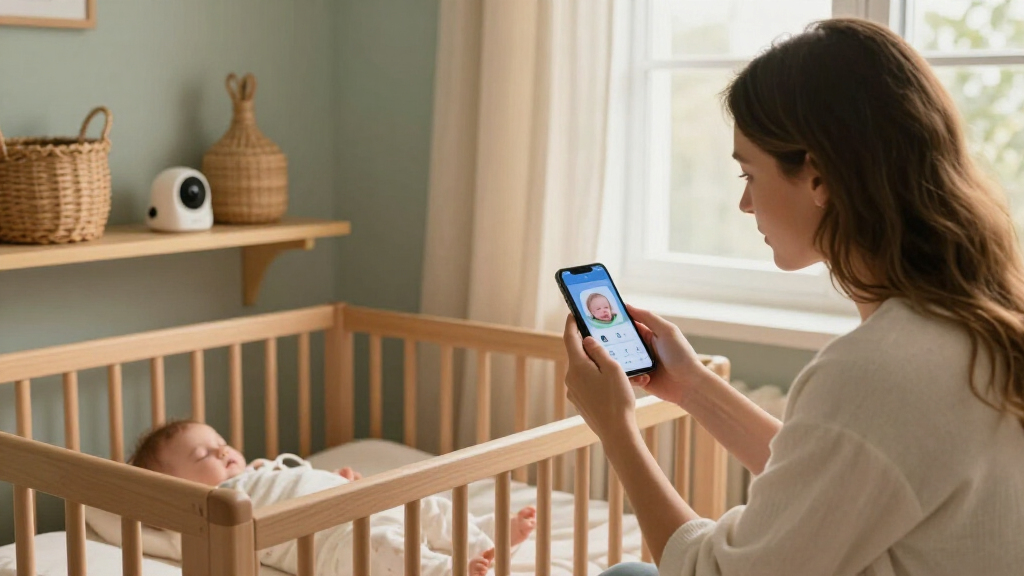
A dedicated parent unit is useful when you want a quick glance without opening a phone app, and it can keep monitoring separate from calls and notifications. App viewing can be more convenient when caregivers are away from the nursery, but it depends on a compatible phone and a reliable connection. Hybrid kits offer a middle path, though they may cost more in complexity: you will manage both a screen and connected setup. Think about who needs access, where they will watch from, and whether multiple caregivers need their own app access. A common mistake is buying for the features you might use occasionally rather than the viewing method you will reach for repeatedly. Check what continues to work if Wi-Fi or internet access is interrupted, since local viewing and remote access are not the same thing.
Match Camera Resolution to Viewing Distance and Placement
Resolution affects how much image detail a camera can show, but it cannot compensate for a poor angle or a camera placed too far away. Higher-resolution models may be appealing if you want a closer look in the app, yet many caregivers benefit more from a stable, unobstructed view of the sleep space. Night vision, glare, and how the camera frames the crib matter during low-light checks. Before choosing a 1080p or 2K model, consider whether you will view on a phone, a small parent screen, or a larger display. A sharper feed may be less noticeable on a small screen, while a well-positioned camera can improve the usefulness of either resolution. Avoid aiming a camera in a way that compromises safe sleep or leaves cords within reach.
Choose Mounting Around Your Room, Not the Product Photo
Wall mounts, clip mounts, and floor stands solve different placement challenges, so first check the crib’s position, nearby furniture, and available wall space. A wall mount can keep the camera in a fixed overhead position, while a clip may suit a temporary or adjustable setup. A floor stand can help when drilling is not practical, but it needs a stable footprint and enough room to stay out of the way. Bundles with a stand or mount can be convenient, yet a supplied mounting style is not automatically the right one for every nursery. Measure the intended camera position and consider how the setup will change as the room layout evolves. Keep cords secured and out of reach, and follow the manufacturer’s mounting and placement instructions.
Buy Extra Cameras Only When Multi-Room Viewing Matters
A multi-camera system can help when caregivers need to watch more than one child or room, but it may add setup work and make the display busier. Split-screen viewing is convenient for simultaneous checks, while cycling between feeds may be enough if you rarely need both views at once. Confirm how the system handles multiple cameras before buying an extra unit; not every monitor presents feeds the same way. Also consider whether each camera needs its own mount, power outlet, and Wi-Fi setup. Buyers sometimes pay for a second camera before deciding where it will go or how often it will be used. For one child in one sleep space, a well-placed single camera may be the simpler choice.
Separate Video Monitoring From Wellness and Sleep Features
Some products focus on camera viewing, while others add wearables or sleep-related insights. Those features may appeal to families seeking a particular kind of monitoring, but they can bring additional setup, charging, fit, or ongoing-use requirements. Decide which information you expect to act on before choosing a specialty system. A wearable product is not interchangeable with a camera: one approach tracks through a device worn by the baby, while the other provides a visual and audio feed. Avoid assuming that more data automatically means greater peace of mind, and review product guidance carefully for intended use and limitations. If you mainly need to see and hear the nursery, a straightforward camera system may be a better match.
Check Connectivity, Privacy, and Household Compatibility
Smart features rely on more than a camera: the monitor may need a stable home network, an app, account setup, and compatible devices. Verify the product’s current app and device requirements before buying, especially if caregivers use different phones or operating systems. Remote access and viewing within the home can have different connection requirements, so identify which one matters most to your family. Look for clear information about account security, software updates, and who can be invited to view the feed. A dedicated parent unit can reduce reliance on a phone, but it does not necessarily remove every network dependency. Treat setup and privacy as ongoing parts of ownership, not boxes to tick once during installation.
Frequently Asked Questions
Should I choose a baby monitor with a dedicated screen or one that uses an app?
I would choose a dedicated screen if quick checks without unlocking a phone are a priority or if caregivers prefer a separate device. An app-first monitor may suit families who want to check in from their phones, including when they are away from the nursery, provided the network and app requirements fit their routine. Hybrid systems offer both approaches, but bring more devices and setup steps. Check whether local viewing still works during an internet interruption, rather than assuming every Wi-Fi monitor behaves the same way. The best choice depends on where and how often each caregiver will watch.
Is a 2K baby monitor worth choosing over a 1080p model?
2K can provide more image detail, but the practical difference depends on camera placement, screen size, lighting, and how you use the feed. If you mostly glance at a small parent display, higher resolution may matter less than a clear angle and dependable night viewing. A phone-based viewer may make extra detail more apparent when you zoom in, though that does not replace a good camera position. Compare the full setup, including whether a parent screen or suitable mount is included, rather than choosing by resolution alone. I would pay more attention to 2K when detailed phone viewing is a regular need.
Do I need two cameras if I have more than one child?
Two cameras are most useful when you want to monitor separate sleep spaces at the same time or switch between rooms without moving equipment. A split-screen display can make simultaneous checks easier, but the view may be smaller than a full-screen feed. If children share one room, one camera may cover both sleep spaces depending on the room layout and camera angle. Before buying a two-camera bundle, check how feeds are displayed and whether the cameras can be placed where you need them. The right setup depends on room separation and viewing habits, not just the number of children.
Should I choose a wall mount, clip mount, or floor stand?
Choose based on the nursery layout and the position needed for a clear view, not just on what looks easiest to install. Wall mounting can provide a fixed overhead angle, while a clip can be useful when you need a less permanent setup. A floor stand avoids drilling but needs stable floor space and careful placement away from walkways. Measure the location and check cord routing before purchasing a bundle, especially if furniture or the crib may move. Follow the manufacturer’s installation directions and keep cords secured well out of reach.
Is a wearable monitor a replacement for a camera?
No: a wearable system and a camera answer different monitoring needs. A camera lets caregivers see and hear the sleep space, while a wearable product is designed around a device worn by the baby and its related monitoring features. A wearable can add setup and ongoing use requirements, such as fitting and charging, so consider whether those tasks suit your household. It may not provide the same visual context as a camera, and a camera does not provide the same wearable measurements. Read product instructions and limitations, and choose based on the type of information you actually want rather than treating either system as a universal substitute.
Conclusion
For most households, I would start with the Nanit Smart Baby Video Monitor with Wall Mount as the best overall choice for connected camera viewing. The 1080p Wi-Fi Baby Monitor with Camera, Audio, and 4-Inch Screen is my best value-style pick for buyers who want a straightforward camera-and-screen format, while the Nanit System with Floor Stand and 8-Inch Display is the best premium-style option for families seeking a more complete viewing setup. For beginners, I would favor a model with a dedicated parent unit, such as the VTech VM901, rather than starting with a camera-only app system. Choose the VTech VM901-2 for two-camera monitoring, the VTech 2K model for higher-resolution viewing with a screen, or the Owlet Dream Sock if you specifically want a wearable approach. Match the monitor to your room, connection needs, and preferred way to check in; the feature list matters less than a setup your household can use comfortably.