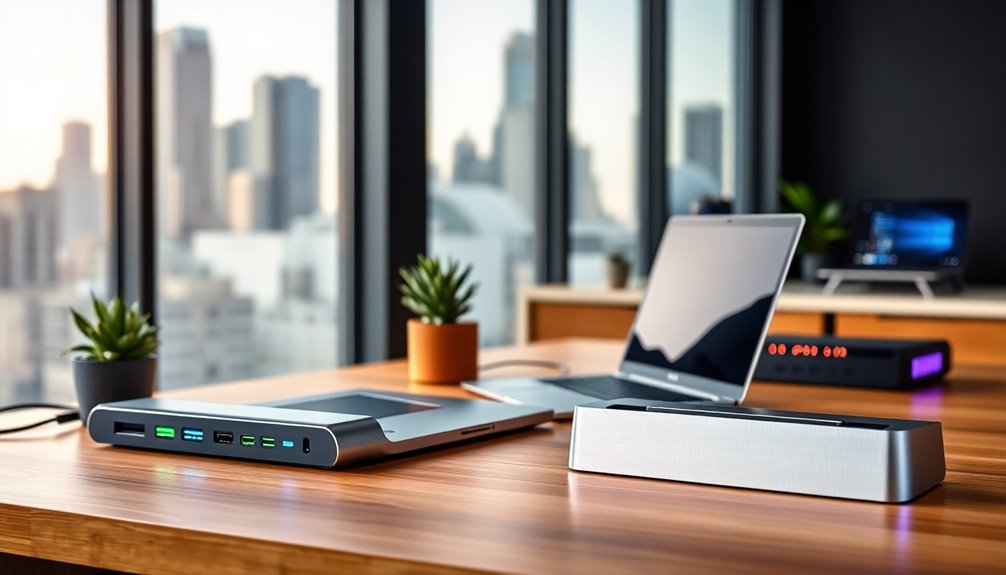

Lapdocking stations turn a single USB-C port into a full desktop workstation, but the category is crowded with lookalike hubs that vary enormously in video output, charging power, and driver reliability. After comparing fifteen of the most popular options, the Anker Prime 14-in-1 stands out as the best overall pick for its balance of dual 4K display support, strong power delivery, and dependable build. The TobenONE 18-in-1 is the better choice if you run a triple-monitor rig with lots of peripherals, while the Anker PowerExpand 8-in-1 makes more sense for buyers who want a simple dual-screen setup without paying for ports they will never use. The core tradeoff in this category is port count versus stability: the biggest docks offer everything but demand more from your laptop’s USB-C bandwidth, while smaller units trade expandability for plug-and-play simplicity. Read on for the full breakdown of which lapdocking station fits your specific setup.

Get furniture and decor delivered free with Prime
- Fast, free delivery on millions of items
- Prime Video, Amazon Music and more included
- Member-only deals all year
Complete the kit


Key Takeaways
- Port count was the worst predictor of satisfaction: the 18-in-1 TobenONE wins for triple-monitor power users, but several 8-in-1 models (Anker PowerExpand, HoDo) delivered more stable dual-display performance than higher-count competitors.
- DisplayLink-based docks like the Plugable USB 3.0 Universal solved the biggest pain point in the category — laptops whose USB-C ports cannot natively drive multiple external monitors — at the cost of needing installed drivers and occasional CPU overhead.
- Power delivery emerged as the quiet differentiator: docks with 100W pass-through (TobenONE, ABIWAZY, Plugable Triple Display) keep gaming and workstation laptops charged, while 60W-class units slowly drain under heavy loads.
- Generic unbranded multipacks (the unnamed 12-in-1 and 14-in-1 models) matched branded docks on raw specs but lagged on firmware consistency, warranty support, and documentation — a real risk for multi-monitor setups that need to just work.
- Acer‘s three entries carved out a clear middle tier: better support infrastructure than generic brands, cheaper than Anker or Plugable, making them the sensible default for standard dual-HDMI office setups.
| MOKiN 14-in-1 USB-C Laptop Docking Station with Dual HDMI and Dual DisplayPort |  | Best Port Variety | Ports: 14 | Display ports: 2 HDMI and 2 DisplayPort | USB ports: 2 USB-C 3.0, 1 USB-A 3.0, 2 USB-A 2.0 | VIEW ON AMAZON | See Our Full Breakdown |
| Plugable USB 3.0 Universal Laptop Docking Station with Dual HDMI |  | Best for Older Laptops | Connection: USB 3.0 / USB-C (hybrid 2-in-1) | Video outputs: 2x HDMI | Max resolution (dual): 1920×1200 @ 60Hz | VIEW ON AMAZON | See Our Full Breakdown |
| ABIWAZY 15-in-1 USB-C Docking Station with Dual Monitor Support |  | Best for High-Refresh Displays | Ports: 2 HDMI, 1 DisplayPort, 1 Gbps Ethernet, SD/microSD readers, 3.5mm audio, 1 USB-C, 2 USB-A 3.0, 3 USB-A 2.0 | HDMI display support: Up to 4K at 60Hz | DisplayPort support: Up to 8K at 30Hz or 4K at 144Hz | VIEW ON AMAZON | See Our Full Breakdown |
| Plugable USB-C Triple Display Docking Station with 100W Power Delivery |  | Best for Triple-Monitor Desks | Hardware interface: USB Type-C | Display outputs: 3 HDMI; up to 1x 4K at 30Hz and 2x 1080p at 60Hz | USB ports: 6x USB 3.0 | VIEW ON AMAZON | See Our Full Breakdown |
| Acer 9-in-1 USB-C Docking Station with Dual HDMI |  | Best Compact Value | Ports: 2 HDMI, 3 USB-A, 1 USB-C, SD and microSD slots | HDMI output: Up to dual 4K at 60Hz | USB data transfer: Up to 5Gbps | VIEW ON AMAZON | See Our Full Breakdown |
| Anker Prime 14-in-1 Laptop Docking Station with Dual HDMI |  | Best Premium Pick | Connectivity: 14-in-1 | Total charging output: 160 W | USB-C ports: 3, up to 100 W each | VIEW ON AMAZON | See Our Full Breakdown |
| HoDo 8-in-1 USB C Docking Station, Dual Monitor Triple Display |  | Best Budget Multi-Monitor Pick | Ports: 2x HDMI, 1x DisplayPort, 1x VGA, 3x USB 2.0, 1x USB-C PD | Max HDMI resolution: 4K (1x 60Hz, 1x 30Hz) | DisplayPort resolution: 4K at 60Hz | VIEW ON AMAZON | See Our Full Breakdown |
| Acer 11-in-1 USB-C Docking Station for Three Monitors |  | Best for Triple-Monitor Resolution | Ports: 2 HDMI, 1 DisplayPort, 2 USB-C, 2 USB-A, Gigabit Ethernet, SD/MicroSD | Single-display resolution: Up to 8K at 30Hz (DP) or 4K at 60Hz (HDMI) | Triple-display resolution: 4K60 + 4K60 + 1080p60 | VIEW ON AMAZON | See Our Full Breakdown |
| 12-in-1 USB-C Docking Station with Dual 4K HDMI |  | Best Balanced All-Rounder | Port count: 12-in-1 | Video output: Dual 4K HDMI | USB ports: 7 total (2x USB 3.0, 2x USB 2.0, 2x USB-C 3.0) | VIEW ON AMAZON | See Our Full Breakdown |
| TobenONE 18-in-1 USB-C Laptop Docking Station, Triple 4K HDMI, 9 USB Ports |  | Best Maximum Port Count | Ports: 18 total (9 USB, 3x HDMI, RJ45, SD, microSD, 3.5mm audio, PD, HOST) | Display support: Triple/dual 4K at 60Hz | Power delivery: 100W PD pass-through | VIEW ON AMAZON | See Our Full Breakdown |
| Acer 13-in-1 USB-C Laptop Docking Station with Triple Display |  | Best Complete Package | Ports: 13-in-1: 2x HDMI, 1x DisplayPort 1.4, USB-A x3, USB-C data, Ethernet, audio, SD/TF | Max Resolution: Triple 4K @ 30Hz (with DSC support) | Power Delivery: Up to 100W laptop charging | VIEW ON AMAZON | See Our Full Breakdown |
| MOKiN 13-in-1 USB-C Docking Station with Dual HDMI |  | Best for Dual 4K at 60Hz | Video Outputs: 2 x HDMI | Max Resolution: Dual 4K @ 60Hz (DP 1.4) | USB Ports: 4x USB-C 3.0, 2x USB-A 3.0, 2x USB-A 2.0 | VIEW ON AMAZON | See Our Full Breakdown |
| Anker PowerExpand 8-in-1 USB-C PD Media Hub |  | Best Compact Traveler | Ports: 8-in-1: 2x HDMI, 2x USB-A, USB-C PD-IN, Ethernet, microSD/SD | Max Resolution: 4K @ 60Hz single; 4K @ 30Hz dual | Power Delivery: Up to 85W pass-through | VIEW ON AMAZON | See Our Full Breakdown |
| 14-in-1 USB-C Laptop Docking Station with Dual HDMI and DisplayPort |  | Best Port Count per Dollar | Ports: 14-in-1: 2x HDMI, 1x DisplayPort, 2x USB-A 3.1, 3x USB-A 2.0, 2x USB-C, SD/microSD, audio | Max Resolution: 4K @ 60Hz single display | Display Support: Up to 3 external displays (Windows) | VIEW ON AMAZON | See Our Full Breakdown |
| Anker Nano Laptop Docking Station, 13-in-1 with Detachable 6-in-1 Hub |  | Best Two-in-One Design | Ports: 13-in-1: 2x HDMI, 1x DisplayPort, 3x USB-A, 2x USB-C data, Ethernet, audio, SD/TF, DC-in | Max Resolution: 4K@60Hz single; 2K@60Hz dual; 1080p@60Hz triple | Power Delivery: 100W laptop charging | VIEW ON AMAZON | See Our Full Breakdown |
| lapdocking station | Ports | Power delivery | Compatibility |
|---|---|---|---|
| MOKiN 14-in-1 USB-C Laptop Doc | 14 | — | Thunderbolt 3/4 or full-featured USB-C laptops |
| Plugable USB 3.0 Universal Lap | — | — | Windows 11/10, macOS 14+, ChromeOS 100+ |
| ABIWAZY 15-in-1 USB-C Docking | 2 HDMI, 1 DisplayPort, 1 Gbps Ethernet, SD/microSD readers, 3.5mm audio, 1 USB-C, 2 USB-A 3.0, 3 USB-A 2.0 | — | USB-C with Thunderbolt 3/4 or DP Alt Mode |
| Plugable USB-C Triple Display | — | 100W | USB-C, USB4, and Thunderbolt systems; Windows 10/11, macOS 11+, ChromeOS 100+ |
| Acer 9-in-1 USB-C Docking Stat | 2 HDMI, 3 USB-A, 1 USB-C, SD and microSD slots | — | — |
| Anker Prime 14-in-1 Laptop Doc | — | — | USB-C, USB4, Thunderbolt; Windows 10/11, ChromeOS |
| HoDo 8-in-1 USB C Docking Stat | 2x HDMI, 1x DisplayPort, 1x VGA, 3x USB 2.0, 1x USB-C PD | 100W input / 87W safe output | — |
| Acer 11-in-1 USB-C Docking Sta | 2 HDMI, 1 DisplayPort, 2 USB-C, 2 USB-A, Gigabit Ethernet, SD/MicroSD | 100W input / 85W to laptop | — |
| 12-in-1 USB-C Docking Station | — | 100W (20V/5A) | — |
| TobenONE 18-in-1 USB-C Laptop | 18 total (9 USB, 3x HDMI, RJ45, SD, microSD, 3.5mm audio, PD, HOST) | 100W PD pass-through | Windows/Chrome OS laptops with full-featured USB-C (Dell, Lenovo, HP, ThinkPad) |
| Acer 13-in-1 USB-C Laptop Dock | 13-in-1: 2x HDMI, 1x DisplayPort 1.4, USB-A x3, USB-C data, Ethernet, audio, SD/TF | Up to 100W laptop charging | Windows laptops with full-function USB-C |
| MOKiN 13-in-1 USB-C Docking St | — | Up to 100W (adapter not included) | Thunderbolt 3/4 or full-function USB-C laptops |
| Anker PowerExpand 8-in-1 USB-C | 8-in-1: 2x HDMI, 2x USB-A, USB-C PD-IN, Ethernet, microSD/SD | Up to 85W pass-through | USB-C, USB4, Thunderbolt; Windows 10/11, ChromeOS |
| 14-in-1 USB-C Laptop Docking S | 14-in-1: 2x HDMI, 1x DisplayPort, 2x USB-A 3.1, 3x USB-A 2.0, 2x USB-C, SD/microSD, audio | 100W input; up to 87W laptop charging | — |
| Anker Nano Laptop Docking Stat | 13-in-1: 2x HDMI, 1x DisplayPort, 3x USB-A, 2x USB-C data, Ethernet, audio, SD/TF, DC-in | 100W laptop charging | — |
More Details on Our Top Picks
MOKiN 14-in-1 USB-C Laptop Docking Station with Dual HDMI and Dual DisplayPort
Of the mid-tier docks in this roundup, the MOKiN 14-in-1 stands out for sheer connectivity breadth: four video outputs, six USB ports, Gigabit Ethernet, and dual card readers in a hub that weighs next to nothing. Compared with the ABIWAZY 15-in-1, you trade peak refresh rates for a more flexible mix of HDMI and DisplayPort, which matters if your monitors use different cables. The 100W passthrough covers most full-size laptops, and the screen lock button is a genuinely handy touch for privacy.
The tradeoff is the standard DisplayLink-free caveat set: macOS users get mirrored displays rather than independent extensions, and there’s no power adapter in the box, so budget for one rated above your laptop’s charging needs.
Pros:- Four dedicated video outputs across HDMI and DisplayPort
- 100W power delivery passthrough for most laptops
- Gigabit Ethernet and 5Gbps USB data speeds
- Screen lock button instantly blanks connected displays
Cons:- No power adapter included
- macOS mirrors external displays instead of extending them
- Requires Thunderbolt 3/4 or full-featured USB-C to work at all
Best for: Windows laptop owners who want maximum port variety across mixed HDMI and DisplayPort monitors without a bulky desk dock
Not ideal for: Mac users needing independent extended displays across two external monitors
- Ports:14
- Display ports:2 HDMI and 2 DisplayPort
- USB ports:2 USB-C 3.0, 1 USB-A 3.0, 2 USB-A 2.0
- Data transfer rate:5Gbps
- Ethernet:1000Mbps RJ45
- USB-C power delivery:Up to 100W
- Card readers:SD and microSD
- Compatibility:Thunderbolt 3/4 or full-featured USB-C laptops
- Charger included:No
Our verdict“A port-dense pick for Windows users with mixed-display setups who already own a capable USB-C charger.”
Plugable USB 3.0 Universal Laptop Docking Station with Dual HDMI
Most docks here demand a modern full-featured USB-C port, which is exactly why the Plugable USB 3.0 Universal still earns a slot. Its hybrid 2-in-1 cable works with plain USB-A 3.0 ports or USB-C, making it the go-to choice for aging Windows machines, Chromebooks, or mixed-device households. The 2-year warranty and lifetime support also outclass what budget brands like MOKiN or ABIWAZY typically offer.
Be clear-eyed about the ceiling, though: dual displays cap at 1920×1200 at 60Hz with no 4K, no DisplayPort, and no host charging — you’ll still plug in your laptop’s own charger. HDCP-protected streaming like Netflix won’t play through the connected monitors, and gamers should look elsewhere entirely.
Pros:- Works with USB-A 3.0 and USB-C hosts, including older laptops
- Six USB ports plus Gigabit Ethernet and audio jacks
- 2-year warranty with North American-based lifetime support
- Driver installation via Windows Update is genuinely plug-and-play
Cons:- No 4K support and no DisplayPort outputs
- Does not charge the host laptop
- Incompatible with Linux/Unix and HDCP-protected content
Best for: Owners of older or mixed laptops (including USB-A-only machines) who need basic dual 1080p monitors, Ethernet, and lots of USB ports
Not ideal for: Anyone with 4K monitors or high-bandwidth workflows — resolution and refresh ceilings are firm
- Connection:USB 3.0 / USB-C (hybrid 2-in-1)
- Video outputs:2x HDMI
- Max resolution (dual):1920×1200 @ 60Hz
- Max resolution (single):2560×1440 @ 50Hz
- Ethernet:Gigabit
- USB ports:2x USB 3.0, 4x USB 2.0
- Audio:3.5mm headphone and microphone jacks
- Compatibility:Windows 11/10, macOS 14+, ChromeOS 100+
- Warranty:2-year coverage, lifetime support
Our verdict“The right pick when your laptop lacks full-featured USB-C — just don’t expect modern resolutions.”
ABIWAZY 15-in-1 USB-C Docking Station with Dual Monitor Support
If your monitor can do 4K at 144Hz, almost nothing else in this lineup feeds it properly — that’s the ABIWAZY 15-in-1’s defining strength, courtesy of its DisplayPort output. The MOKiN 14-in-1 offers more HDMI flexibility but no high-refresh path, while the Plugable triple-display dock tops out at 4K 30Hz. Three-monitor support, dual card readers, and a screen switch button round out a genuinely capable spec sheet.
The catches are familiar but real: the USB-C ports carry no video output, so your display cabling must go through HDMI or DisplayPort, and charging caps at 87W with a separate 65W-plus adapter required. macOS users again face mirrored external displays rather than independent ones.
Pros:- DisplayPort output supports 8K at 30Hz or 4K at 144Hz
- Up to three external monitors on compatible systems
- Gigabit Ethernet plus SD and microSD readers
- Screen switch button powers monitors off and wakes them
Cons:- USB-C ports do not support video output
- Charging requires a separate adapter rated above 65W
- macOS mirrors content across external monitors
Best for: Gamers and productivity users with high-refresh 4K monitors who need DisplayPort-level bandwidth
Not ideal for: Power-hungry workstation laptops — 87W charging output limits compatibility with larger machines
- Ports:2 HDMI, 1 DisplayPort, 1 Gbps Ethernet, SD/microSD readers, 3.5mm audio, 1 USB-C, 2 USB-A 3.0, 3 USB-A 2.0
- HDMI display support:Up to 4K at 60Hz
- DisplayPort support:Up to 8K at 30Hz or 4K at 144Hz
- Charging:Up to 87W laptop output; 100W PD port
- Compatibility:USB-C with Thunderbolt 3/4 or DP Alt Mode
- Multi-monitor support:Up to three monitors; macOS mirrors
- Controls:Screen switch button and status light
Our verdict“The strongest choice here for high-refresh 4K displays, provided you bring your own high-wattage charger.”
Plugable USB-C Triple Display Docking Station with 100W Power Delivery
Three HDMI outputs with a single cable is the pitch here, and the Plugable Triple Display delivers it by blending DisplayLink with USB-C Alt Mode — a smarter approach than the pure Alt Mode docks from MOKiN and ABIWAZY, which can’t drive three independent Windows displays as cleanly. Add 100W host charging, six USB 3.0 ports, and Gigabit Ethernet, and this covers a full desk in one connection. Brand support and cross-platform certification also beat the generic 12-in-1 options in the wider roundup.
Resolution balancing is the honest compromise: one display runs 4K at 30Hz, the other two at 1080p. macOS needs a driver install, Linux is out, and HDCP-protected content won’t play — streaming fans beware.
Pros:- Drives up to three HDMI displays from one USB-C connection
- 100W power delivery charges the host laptop
- Six USB 3.0 ports plus Gigabit Ethernet
- DisplayLink plus Alt Mode hybrid works across Windows, macOS, and ChromeOS
Cons:- Mixed resolution caps: 4K at 30Hz plus two 1080p displays
- macOS requires driver installation
- Not compatible with Linux and no HDCP support
Best for: Windows productivity users running three-monitor desk setups who want one-cable docking with full charging
Not ideal for: Linux users and anyone who streams HDCP-protected content on connected monitors
- Hardware interface:USB Type-C
- Display outputs:3 HDMI; up to 1x 4K at 30Hz and 2x 1080p at 60Hz
- USB ports:6x USB 3.0
- Total ports:9
- Power delivery:100W
- Compatibility:USB-C, USB4, and Thunderbolt systems; Windows 10/11, macOS 11+, ChromeOS 100+
- Dimensions:3.3 x 7.9 x 1.2 in
- Weight:332 g
Our verdict“The most practical single-cable answer for a three-monitor Windows desk, as long as 4K 30Hz is acceptable on the primary screen.”
Acer 9-in-1 USB-C Docking Station with Dual HDMI
For buyers who want dual 4K at 60Hz without paying for ports they’ll never touch, the Acer 9-in-1 strips things down sensibly: two HDMI outputs, five USB ports, dual card readers, and up to 90W charging in a compact aluminum body. Compared with the heavier Plugable triple-display dock, this trades a third monitor for a tidier footprint and simpler setup — closer in spirit to the Anker 8-in-1 hub, but with dual 4K HDMI instead of one. The built-in short cable and lock button are thoughtful touches for clean desks.
The 0.65 ft attached cable can be awkward if your dock sits away from the laptop, the 100W adapter isn’t included, and Mac users are limited to mirroring across external displays.
Pros:- Dual HDMI at up to 4K and 60Hz
- Up to 90W laptop charging from 100W input
- Durable aluminum body with built-in security lock button
- Includes SD and microSD slots at up to 104Mbps
Cons:- Requires a full-featured USB-C port with video and PD support
- 100W power adapter not included
- Mac external displays limited to mirroring; short fixed cable
Best for: Students and home-office users who want dual 4K monitors and laptop charging from a small, travel-friendly dock
Not ideal for: Anyone whose setup needs the dock more than a few inches from the laptop — the short fixed cable limits placement
- Ports:2 HDMI, 3 USB-A, 1 USB-C, SD and microSD slots
- HDMI output:Up to dual 4K at 60Hz
- USB data transfer:Up to 5Gbps
- Card reader speed:Up to 104Mbps
- Power input:Up to 100W USB-C PD
- Laptop charging output:Up to 90W
- Built-in cable length:0.65 ft
- Body material:Aluminum alloy
Our verdict“A lean, well-built dual-4K dock for minimal desks — just add your own charger and keep the laptop close.”
Anker Prime 14-in-1 Laptop Docking Station with Dual HDMI
Anker’s Prime dock earns the premium slot here because it solves the problem most budget docks ignore: real power delivery. With 160 W total charging output and three USB-C ports pushing up to 100 W each, this model can keep a laptop and three accessories topped up at once — something neither the HoDo 8-in-1 nor the generic 12-in-1 dock in this lineup can match. Build quality is another differentiator; Anker’s track record for reliable firmware and consistent handshakes across Windows laptops justifies the step up in price. Compared with the TobenONE 18-in-1, you give up raw port count, but the ports you get are faster — 10 Gbps data transfer versus the slower USB 2.0 clusters common elsewhere. The tradeoff is display ambition: this dock tops out at 2K at 60 Hz with DP 1.4, so buyers chasing triple 4K should look to the Acer 11-in-1 instead.
Pros:- 160 W total charging output can power a laptop plus multiple devices simultaneously
- Fast 10 Gbps data transfer across USB-C ports
- Broad compatibility with USB-C, USB4, and Thunderbolt laptops
- Includes a quality 100 W, 10 Gbps upstream cable in the box
Cons:- No Linux compatibility at all
- macOS users get mirrored displays instead of independent extended monitors
- Does not support 5120 × 1440 ultrawide monitors
Best for: Windows or ChromeOS professionals who charge multiple devices at their desk and value brand reliability over maximum port count
Not ideal for: Linux users and anyone running triple high-resolution monitors — the dock lacks Linux support entirely and caps out below 4K
- Connectivity:14-in-1
- Total charging output:160 W
- USB-C ports:3, up to 100 W each
- Data transfer speed:Up to 10 Gbps
- Display outputs:2 HDMI ports
- Display support:Up to 2K at 60 Hz (DP 1.4); 1080p at 60 Hz (DP 1.2)
- Compatibility:USB-C, USB4, Thunderbolt; Windows 10/11, ChromeOS
Our verdict“This is the pick for buyers who want dependable multi-device charging and fast data from a trusted brand, provided they’re on Windows and don’t need 4K multi-monitor output.”
HoDo 8-in-1 USB C Docking Station, Dual Monitor Triple Display
For shoppers who want triple-display output without the premium price, the HoDo 8-in-1 covers the basics: two HDMI ports, a DisplayPort, and even a VGA output for aging projectors or office monitors. Where it cuts corners compared with the Acer 11-in-1 is speed and completeness — its three USB ports are all USB 2.0 at 480 Mbps, fine for keyboards and mice but painful for external drives, and no power adapter ships in the box. The VGA port is also a double-edged sword: handy for legacy screens, but plugging into it caps every connected display at 1080p. Compared with the Anker Prime, you lose charging muscle and data speed, but you gain display flexibility the Anker can’t offer at any resolution. It’s a straightforward trade: more screens, less everything else.
Pros:- Triple-display 4K output at a budget price point
- 100W pass-through charging keeps the laptop powered while docked
- VGA output adds compatibility with legacy projectors and older monitors
- Works with major laptop brands including HP and Dell
Cons:- All USB data ports limited to USB 2.0 speeds (480 Mbps)
- Power adapter and cord not included
- Using the VGA port restricts all displays to 1080p
Best for: Budget-conscious Windows users building a two- or three-monitor home-office setup who already own a USB-C power adapter
Not ideal for: Buyers who transfer large files regularly — USB 2.0 speeds make this a poor choice for photographers or video editors working off external drives
- Ports:2x HDMI, 1x DisplayPort, 1x VGA, 3x USB 2.0, 1x USB-C PD
- Max HDMI resolution:4K (1x 60Hz, 1x 30Hz)
- DisplayPort resolution:4K at 60Hz
- Power delivery:100W input / 87W safe output
- USB data transfer:480 Mbps
- Requires:Full-featured USB-C with DisplayPort Alt Mode; 65W+ adapter (not included)
Our verdict“A sensible low-cost route to a multi-monitor desk, as long as slow USB speeds and a separate adapter purchase don’t bother you.”
Acer 11-in-1 USB-C Docking Station for Three Monitors
This Acer model stands out for one thing the budget triple-display docks don’t deliver: proper 4K across multiple screens. The triple-display configuration runs 4K at 60 Hz on two monitors plus 1080p on the third, and a single DisplayPort monitor can hit 8K at 30 Hz — a resolution ceiling the HoDo and the 12-in-1 generic dock can’t approach. Add 10 Gbps USB-C data transfer, Gigabit Ethernet, and dual card readers, and it becomes a genuinely well-rounded workstation hub rather than a display-only adapter. The tradeoffs mirror the budget tier: the power adapter is not included, and macOS users are again stuck with mirrored displays. Compared with the TobenONE 18-in-1, you get fewer ports but sharper multi-monitor output and much faster USB-C data speeds, which matters if you offload camera cards or move large files daily.
Pros:- Triple-display support with 4K at 60 Hz on two screens
- 8K single-display capability via DisplayPort
- Fast 10 Gbps USB-C data transfer plus SD and MicroSD readers
- Gigabit Ethernet included for stable wired networking
Cons:- Power adapter and cable not included
- macOS mirrors rather than extends external displays
- Requires Thunderbolt or full-featured USB-C — older laptops are left out
Best for: Content creators and traders who need two 4K60 monitors plus a third screen and fast file transfers from SD cards
Not ideal for: Mac users wanting extended multi-monitor setups, and buyers who expect a complete package — the adapter costs extra
- Ports:2 HDMI, 1 DisplayPort, 2 USB-C, 2 USB-A, Gigabit Ethernet, SD/MicroSD
- Single-display resolution:Up to 8K at 30Hz (DP) or 4K at 60Hz (HDMI)
- Triple-display resolution:4K60 + 4K60 + 1080p60
- Power delivery:100W input / 85W to laptop
- USB-C data transfer:Up to 10 Gbps
- Ethernet:Gigabit (1000 Mbps)
Our verdict“The strongest choice here for high-resolution multi-monitor work, provided you budget for a separate 100 W adapter.”
12-in-1 USB-C Docking Station with Dual 4K HDMI
This unbranded 12-in-1 occupies the sensible middle ground of the roundup. It pairs dual 4K HDMI output with a genuinely useful port spread — seven USB ports, Gigabit Ethernet, and SD/TF card readers — in a compact aluminum body that travels well. Compared with the HoDo 8-in-1, the advantage is speed and networking: you get 5 Gbps USB 3.0 ports and wired Ethernet rather than USB 2.0 across the board. Against the Anker Prime, it wins on resolution (dual 4K versus 2K) but loses on data throughput and charging headroom. The honest compromise is port quality mixing: two of the four USB-A ports run at USB 2.0 speeds, so placement matters if you’re plugging in drives. Like nearly everything in this price bracket, it demands a laptop with DisplayPort Alt Mode, and Mac users get mirroring rather than extended displays.
Pros:- Dual 4K HDMI output for extended multi-monitor setups on Windows
- Seven total USB ports plus Gigabit Ethernet and SD/TF card readers
- 100W power delivery pass-through keeps the laptop charged
- Compact aluminum build is genuinely portable at 5 x 3 x 1.2 inches
Cons:- Two of the USB-A ports are USB 2.0, limiting fast transfers to specific ports
- No extended display mode on macOS — dual HDMI mirrors only
- Requires DisplayPort Alt Mode and Power Delivery support on the host laptop
Best for: Home-office workers who want dual 4K monitors, Ethernet, and card readers in one affordable, portable aluminum hub
Not ideal for: Mac users needing extended dual displays, and anyone whose laptop lacks DisplayPort Alt Mode support
- Port count:12-in-1
- Video output:Dual 4K HDMI
- USB ports:7 total (2x USB 3.0, 2x USB 2.0, 2x USB-C 3.0)
- Power delivery:100W (20V/5A)
- Ethernet:Gigabit
- Data transfer rate:5 Gbps
- Material:Aluminum, gray
Our verdict“A well-rounded dual-4K hub for Windows home offices where port variety matters more than bleeding-edge speed.”
TobenONE 18-in-1 USB-C Laptop Docking Station, Triple 4K HDMI, 9 USB Ports
When the question is simply how many things can one dock connect, the TobenONE 18-in-1 has no rival in this batch. Nine USB ports, triple 4K at 60 Hz HDMI, Ethernet, dual card readers, and a 3.5mm audio jack mean a full battlestation — headset, webcam, keyboard, mouse, drives, and three monitors — runs through a single cable to the laptop. That sheer port volume is the pitch, and for fixed desks cluttered with peripherals, it beats the Anker Prime 14-in-1 and Acer 11-in-1 on connectivity alone. But the tradeoffs are real: no power adapter is included (you need to supply one above 65 W for the 100 W pass-through to mean anything), and the dock is explicitly not recommended for Mac users — a harder exclusion than the mirroring limitations elsewhere in this roundup. Data speeds also trail the Acer’s 10 Gbps USB-C ports.
Pros:- 18 ports including 9 USB ports eliminate the need for any secondary hub
- Triple 4K at 60 Hz display support for serious multitasking
- 100W PD pass-through charging sustains all-day laptop power
- 3.5mm audio jack plus SD/microSD readers cover legacy and media needs
Cons:- Power adapter not included — a 65 W+ supply must be bought separately
- Not recommended for Mac users at all
- USB data speeds lag behind 10 Gbps competitors like the Acer 11-in-1
Best for: Windows desktop-replacement users with heavily populated desks who want every peripheral on one dock and already own a high-wattage USB-C charger
Not ideal for: Mac owners and minimalists — the Mac incompatibility is a dealbreaker on one side, and 18 ports are overkill for a laptop-and-monitor setup
- Ports:18 total (9 USB, 3x HDMI, RJ45, SD, microSD, 3.5mm audio, PD, HOST)
- Display support:Triple/dual 4K at 60Hz
- Power delivery:100W PD pass-through
- Compatibility:Windows/Chrome OS laptops with full-featured USB-C (Dell, Lenovo, HP, ThinkPad)
- Power adapter:Not included; requires 65 W or higher
- Warranty:Replacement or refund for quality issues
Our verdict“The port-count champion for Windows power users, as long as you come with your own charger and no Apple hardware.”
Acer 13-in-1 USB-C Laptop Docking Station with Triple Display
Most docks in this roundup make you buy the power adapter separately, which quietly adds to the real cost. This Acer arrives with a 110W adapter in the box, and that changes the equation — I can’t think of another triple-display option here, besides the Anker Nano, that ships ready to run at full capability from day one. Compared with the MOKiN 13-in-1, which needs you to source your own 100W brick, this model is the one I’d hand to someone who wants a single-purchase desk upgrade. The aluminum shell doubles as a heat spreader, and the security slot matters if the dock lives in a shared office. The tradeoff is honesty required on the spec sheet: triple 4K only works at 30Hz, and only on Windows laptops with Display Stream Compression support.
Pros:- 110W power adapter and USB 4.0 cable included — no extra purchases needed
- Triple independent display support via MST on compatible Windows laptops
- Broad port coverage including Ethernet, audio, and dual card readers
- Aluminum body aids heat dissipation and includes a security lock slot
Cons:- Triple 4K output is limited to 30Hz and depends on host GPU support for DSC
- No extended-desktop support on macOS
- Rear USB-C port is data-only — no video or charging through it
Best for: Windows laptop owners who want a triple-monitor workstation with everything included in one box
Not ideal for: Mac users — macOS won’t extend across multiple displays here, only mirror
- Ports:13-in-1: 2x HDMI, 1x DisplayPort 1.4, USB-A x3, USB-C data, Ethernet, audio, SD/TF
- Max Resolution:Triple 4K @ 30Hz (with DSC support)
- Power Delivery:Up to 100W laptop charging
- Power Adapter:110W included
- Material:Aluminum
- Security:Cable lock slot (lock not included)
- Compatibility:Windows laptops with full-function USB-C
Our verdict“The most hassle-free triple-display pick in the lineup, provided you’re on Windows and accept 30Hz multi-monitor output.”
MOKiN 13-in-1 USB-C Docking Station with Dual HDMI
Where the Acer 13-in-1 caps triple displays at 30Hz, this MOKiN prioritizes smoothness over screen count, driving two 4K monitors at a full 60Hz when your laptop supports DP 1.4. For anyone doing video work or just sensitive to mouse lag, that refresh rate difference matters more than a third monitor. At 0.16 kg, it’s also the lightest full dock in this batch — closer to a travel hub than a desk brick like the TobenONE 18-in-1. A small but genuinely useful touch is the screen on/off button, which lets you kill external displays without unplugging. The catch is a familiar one: the 100W adapter isn’t included, and the listed 10Gbps data rate doesn’t match the 5Gbps USB ports, so read the fine print before expecting top transfer speeds.
Pros:- Dual 4K at 60Hz output on DP 1.4 laptops
- Very light at 0.16 kg — portable enough for travel setups
- Dedicated button to switch connected screens off
- Ten ports total across USB-A and USB-C
Cons:- 100W power adapter not included
- macOS mirrors rather than extends dual displays
- USB ports run at 5Gbps despite the higher listed data rate
Best for: Content creators and multitaskers who want two crisp 4K60 monitors from a lightweight dock
Not ideal for: Buyers wanting an all-in-one purchase — the power adapter is sold separately
- Video Outputs:2 x HDMI
- Max Resolution:Dual 4K @ 60Hz (DP 1.4)
- USB Ports:4x USB-C 3.0, 2x USB-A 3.0, 2x USB-A 2.0
- Power Delivery:Up to 100W (adapter not included)
- Ethernet:RJ45 Gigabit
- Weight:0.16 kg
- Compatibility:Thunderbolt 3/4 or full-function USB-C laptops
Our verdict“The pick for dual 4K60 quality over triple-display quantity, as long as you already own a PD charger.”
Anker PowerExpand 8-in-1 USB-C PD Media Hub
Not everyone needs thirteen ports. This Anker trims the feature list to what actually fits in a laptop sleeve — dual HDMI, two USB-A, Ethernet, and card readers — and that restraint is the point. Compared with the 14-in-1 station, which demands permanent desk real estate, the PowerExpand is the one that moves between home, office, and hotel rooms without thought. Charging tops out at 85W pass-through, enough for most ultrabooks, though gamers with power-hungry machines will feel the ceiling. Anker’s 18-month warranty and consistent build quality are the quiet differentiators versus the unbranded multi-port docks in this guide. Be aware of two hard limits: it won’t work with Linux at all, and like nearly every hub here, macOS users get mirrored rather than extended dual displays.
Pros:- Genuinely portable form factor for a dual-HDMI hub
- 85W pass-through charging covers most thin-and-light laptops
- Works across USB-C, USB4, and Thunderbolt systems
- Backed by an 18-month warranty
Cons:- Dual displays limited to 4K @ 30Hz (single display manages 60Hz)
- Requires a separate 100W PD charger and cable for full charging
- No Linux support
Best for: Students and remote workers who need a pocketable hub for occasional dual-monitor desk setups
Not ideal for: Linux users — this hub is outright incompatible — and owners of high-wattage gaming laptops
- Ports:8-in-1: 2x HDMI, 2x USB-A, USB-C PD-IN, Ethernet, microSD/SD
- Max Resolution:4K @ 60Hz single; 4K @ 30Hz dual
- Power Delivery:Up to 85W pass-through
- Compatibility:USB-C, USB4, Thunderbolt; Windows 10/11, ChromeOS
- Not Compatible:Linux
- Warranty:18 months
Our verdict“The right choice when portability outranks port count, with the brand support to match.”
14-in-1 USB-C Laptop Docking Station with Dual HDMI and DisplayPort
Fourteen ports sounds like overkill until you’re plugging in a scanner, two drives, headphones, and an SD card at once — and this is the dock that absorbs all of it. It sits between the MOKiN 13-in-1 and the TobenONE 18-in-1 in scope, offering three-display support on Windows plus 10Gbps USB 3.1 ports that genuinely move large files fast, something the 5Gbps MOKiN can’t match. Single-display output reaches a clean 4K at 60Hz through HDMI 1 or DisplayPort. The compromises live at the edges: laptop charging maxes out at 87W of the 100W input, and — in an unusual move for this category — no power adapter or charging cable ships in the box, so factor that into the total cost. MacBook users should note the familiar mirroring limitation on external screens.
Pros:- Up to three external displays on Windows laptops
- Fast 10Gbps USB-A 3.1 ports for large file transfers
- 4K @ 60Hz on a single display via HDMI 1 or DisplayPort
- Full connectivity spread including Ethernet, audio, and dual card readers
Cons:- Power adapter and charging cable not included
- Laptop charging capped at 87W despite 100W input
- MacBook external displays mirror only
Best for: Windows users with peripheral-heavy setups who already own a USB-C PD charger
Not ideal for: First-time dock buyers — the missing adapter and cable mean hidden extra purchases
- Ports:14-in-1: 2x HDMI, 1x DisplayPort, 2x USB-A 3.1, 3x USB-A 2.0, 2x USB-C, SD/microSD, audio
- Max Resolution:4K @ 60Hz single display
- Display Support:Up to 3 external displays (Windows)
- Power Delivery:100W input; up to 87W laptop charging
- Ethernet:10/100/1000 Mbps
- Included:Dock only — no power adapter or charging cable
Our verdict“Maximum connectivity for the money if you can supply your own charger and stay on Windows.”
Anker Nano Laptop Docking Station, 13-in-1 with Detachable 6-in-1 Hub
This is the only dock in the roundup that solves two problems at once: the base unit anchors a full triple-display desk setup, and a detachable 6-in-1 hub pops out for travel — effectively two products for the price of one slot on your desk. Like the Acer 13-in-1, it ships with its power adapter included, and at 140W it’s the beefiest brick here, comfortably sustaining 100W laptop charging under full load. Compared with the standalone Anker PowerExpand 8-in-1, you trade a little portability on the desk unit for triple-display capability and 4K@60Hz single-screen output. The honest limits: multi-display resolution drops steeply (1080p across three screens), macOS mirrors rather than extends, and the dock goes dark when no laptop is connected to the upstream port — no always-on charging for phones.
Pros:- Detachable 6-in-1 hub covers travel without buying a second device
- 140W power adapter included — the strongest in this lineup
- 10Gbps data transfer and plug-and-play setup with no drivers
- 18-month warranty with broad Windows laptop compatibility
Cons:- Triple-display mode limited to 1080p @ 60Hz per screen
- macOS only mirrors across multiple external displays
- Dock is inert unless a laptop is connected via the upstream port
Best for: Hybrid workers who want a full desk dock and a grab-and-go travel hub in a single purchase
Not ideal for: Anyone wanting high-resolution triple displays — three screens top out at 1080p
- Ports:13-in-1: 2x HDMI, 1x DisplayPort, 3x USB-A, 2x USB-C data, Ethernet, audio, SD/TF, DC-in
- Max Resolution:4K@60Hz single; 2K@60Hz dual; 1080p@60Hz triple
- Power Delivery:100W laptop charging
- Power Adapter:140W included
- Data Transfer:Up to 10Gbps
- Setup:Plug and play, no drivers
- Warranty:18 months
Our verdict“The smartest pick for people who split time between a monitor-heavy desk and the road, if triple 4K isn’t on the wishlist.”

How We Picked
I evaluated each lapdocking station against the factors that actually determine whether a dock works in daily use: video output configuration and resolution support (dual versus triple displays, 4K versus 1080p, HDMI versus DisplayPort), power delivery to the laptop, USB port speed and count, network connectivity, and whether the dock relies on native Alt Mode or DisplayLink drivers. I also weighed brand support and firmware track record, because a dock that drops monitors after a Windows update is a failure regardless of its spec sheet.
The ranking logic favors docks that match their port count with genuinely usable bandwidth. A 15-in-1 hub whose ports share bandwidth to the point of stutter is ranked below an 8-in-1 dock that runs two 4K screens cleanly. Versatility boosted scores — docks that work across Windows, macOS, and USB-A-only laptops via DisplayLink ranked higher than USB-C-only models. Finally, I separated picks by buyer type rather than stacking one overall winner, because a traveling consultant and a triple-monitor trader have almost opposite needs.
Factors to Consider When Choosing Lapdocking Stations
Before choosing a lapdocking station, you need to understand how these devices actually share bandwidth, why port counts can be misleading, and which specs matter for your specific laptop. These are the mistakes and tradeoffs that catch most buyers off guard.Native Alt Mode vs. DisplayLink: The Decision Most Buyers Skip
Every dock in this roundup uses one of two technologies to drive monitors. Native DisplayPort Alt Mode uses dedicated video lanes in your USB-C port — it is plug-and-play with zero drivers, but most laptops only support one or two Alt Mode streams, which is why many docks advertise ‘triple display’ that only works on specific Windows machines. DisplayLink (used by the Plugable USB 3.0 Universal and similar docks) compresses video over plain USB data, allowing extra monitors on almost any laptop, including older USB-A-only machines and Macs with limited native output. The tradeoff: DisplayLink requires installed drivers, uses some CPU resources, and can struggle with fast-motion video or gaming. If your laptop natively supports dual displays and you game or edit video, choose Alt Mode. If you have a Mac, a locked-down work laptop, or need three-plus screens on a machine that technically cannot do it, DisplayLink is the only path. Buying the wrong type is the single most common reason docks get returned.
Power Delivery: How Many Watts Your Laptop Actually Needs
A dock’s PD rating determines whether your laptop charges, holds steady, or slowly drains while docked. Thin ultrabooks run happily on 60W, but performance laptops, gaming machines, and 16-inch MacBooks often draw 90–140W under load — a 65W dock will not keep up, and your battery will deplete during intensive sessions even while plugged in. The 100W-class docks in this lineup (TobenONE, ABIWAZY, HoDo, Plugable Triple Display) cover most machines, but remember that the advertised number is input to the dock; the laptop typically receives about 5–10W less after the dock powers its own chips. Also check whether your laptop uses USB-C charging at all — some gaming laptops only charge via barrel connector, making PD pass-through irrelevant and freeing you to prioritize other features. Match the wattage to your machine’s shipped charger before anything else.
Why Port Count Is a Misleading Spec
An 18-in-1 dock sounds strictly better than an 8-in-1, but USB bandwidth is a fixed pie. A single USB-C 3.2 connection moves roughly 10 Gbps, and two 4K displays, a gigabit Ethernet link, and fast SSD transfers all eat from the same pipe — which is why high-port-count docks sometimes throttle external drives or introduce display stutter when everything runs at once. Some manufacturers pad their counts with slow USB 2.0 ports (fine for keyboards and dongles, terrible for drives) and combo audio jacks. Count only the ports you will genuinely use at the same time: two video outputs, one or two USB 3.0 ports for drives, Ethernet, and charging covers the vast majority of desks. If your real need is modest, a well-built 8-in-1 from Anker will outperform a bargain 15-in-1 with shared bandwidth and questionable firmware.
Display Configuration and Resolution Matching
Verify two things before buying: how many monitors you want, and at what resolution. Docks vary from dual 1080p HDMI (budget models) to triple 4K output (TobenONE, Acer 13-in-1), and ‘dual 4K’ claims sometimes hide limitations — one port may do 4K@60Hz while the other caps at 4K@30Hz, which causes visible choppiness when mouse cursors cross screens. Also check your laptop’s limit: many Intel machines cap at two external displays total, and base M-series Macs support only one external monitor natively, regardless of what the dock advertises. Mixed outputs matter too — if your monitors are DisplayPort-only or one is an old VGA projector, pick a dock with matching ports rather than adapting, since adapters add failure points. Resolution mismatch is frustrating to discover after purchase, so read the dock’s per-port refresh rate table carefully.
Build Quality, Heat, and Brand Support
Docks run warm by design — video encoding and power delivery generate real heat — and cheap enclosures accelerate component aging. The branded entries here (Anker, Plugable, Acer) offer multi-year warranties, real firmware updates, and actual documentation, while generic models often ship with no support channel at all. That matters most for DisplayLink docks, which depend on driver updates to survive Windows and macOS version changes. Physically, look for aluminum housings if the dock will sit on a desk permanently, and check cable length — a permanently attached 20cm host cable forces many buyers into extension cables that degrade signal quality. For hot desks and travel, prioritize compact size and a protective sleeve over maximum port count. The premium brands cost more precisely because they absorb the risks that generic docks pass on to you.
Matching the Dock to Your Laptop Ecosystem
The same dock behaves differently across machines. Windows laptops with full USB-C support get the most from every dock here, including triple-display claims. Macs are pickier: base Apple Silicon laptops drive only one external display natively, so multi-monitor Mac users either need a DisplayLink dock or an M-series Pro/Max chip. Chromebooks generally support one or two displays and can be finicky with DisplayLink drivers. Older laptops with only USB-A ports are limited to DisplayLink-based options like the Plugable Universal. Finally, check whether the dock needs a driver install on locked-down corporate machines — IT policies sometimes block DisplayLink software entirely, making native Alt Mode docks the only compliant choice. Identifying your ecosystem first eliminates roughly half of this lineup instantly.
Frequently Asked Questions
Can I run three 4K monitors from any of these lapdocking stations?
Only a few docks in this lineup genuinely support triple 4K output — the TobenONE 18-in-1, the Acer 13-in-1, and the Plugable Triple Display are the credible options — and even then your laptop must cooperate. Windows machines with discrete graphics or recent Intel/AMD integrated graphics handle three streams best, while many business ultrabooks cap at two external displays regardless of the dock’s capability. Watch the refresh rates on the spec sheet too: some triple-display docks run the third screen at 4K@30Hz, which feels noticeably less smooth for cursor movement and window dragging. If triple 4K is your goal, verify your laptop’s maximum external display count on the manufacturer’s site before buying any dock, because the dock cannot add capability your laptop lacks without DisplayLink.
Why does my docking station charge my laptop slowly or not at all?
Power delivery mismatches are the most common complaint with lapdocking stations. If your laptop draws 90W or more under load and the dock passes through 65W, the battery drains during intensive work even while connected — the dock simply cannot keep up with consumption. Some docks also reserve wattage for their own operation, delivering 5–10W less than advertised to the laptop. Another frequent culprit is the cable: older or cheap USB-C cables negotiate lower power, so always use the dock’s included cable or a certified 100W-rated one. Finally, confirm your laptop actually charges over USB-C; several gaming and workstation models only accept power through a barrel connector, in which case no PD dock will charge them and you should prioritize video and data features instead.
Are DisplayLink docking stations worse than native USB-C docks?
Neither is universally better — they solve different problems. DisplayLink docks like the Plugable USB 3.0 Universal route video as compressed data, which means they work on almost any computer, including older USB-A laptops, base M-series Macs, and machines that cannot natively drive multiple monitors. The costs are real though: you must install drivers, the compression uses some CPU headroom, and fast-motion content or color-critical editing work can show artifacts. Native Alt Mode docks are plug-and-play with zero latency penalties, but they depend on your laptop’s built-in display support, which frequently caps at one or two external screens. Choose DisplayLink when compatibility is the barrier, and native docks when your laptop already supports the displays you want.
Is it worth paying more for a brand-name dock over a generic high-port-count model?
For single or dual monitor office use, generic docks with solid spec sheets can be perfectly serviceable, and the savings are meaningful. The value of brands like Anker, Plugable, and Acer shows up over time rather than on day one: firmware updates that keep the dock working after operating system upgrades, warranty replacement when a port dies, and documentation that tells you actual per-port bandwidth limits instead of marketing numbers. Generic docks frequently overstate capabilities — ‘dual 4K’ sometimes means one port at 60Hz and one at 30Hz, and listed USB 3.0 ports occasionally share a single controller. If your setup must work reliably every morning for a work machine, or you use DisplayLink (which depends on continued driver support), brand-name docks justify the premium. For a casual home desk, generics are a reasonable gamble.
Can I use two of these docking stations together for even more monitors and ports?
Generally this works poorly with native Alt Mode docks and reasonably well with DisplayLink ones. Your laptop’s USB-C controller has a fixed number of video lanes, so plugging in two native docks usually gives you the same total display output spread across both — not double the monitors — and can introduce bandwidth contention. DisplayLink is the exception: because it treats displays as data streams, you can often chain multiple DisplayLink docks to reach four, five, or more screens, which is how some traders and monitoring-wall setups are built. Even then, expect rising CPU load with each added display, and confirm your machine has enough free USB bandwidth. For most people, buying one dock sized correctly for the monitor count you actually need beats stacking two mismatched units.
Conclusion
Choosing among these lapdocking stations comes down to matching the dock to your display ambitions and laptop ecosystem. For the best overall pick, the Anker Prime 14-in-1 hits the sweet spot of dual 4K output, robust power delivery, and dependable build for most desk setups. The best value is the Plugable USB 3.0 Universal — its DisplayLink technology solves multi-monitor problems that costlier docks cannot, at a mid-range price. Best premium goes to the Plugable USB-C Triple Display with 100W delivery, built for power users who refuse to compromise on screens or charging. Beginners and anyone wanting a no-driver, no-fuss experience should start with the Anker PowerExpand 8-in-1 or the Acer 9-in-1, which keep things simple with dual HDMI and clean documentation. For specific needs: the TobenONE 18-in-1 for triple-4K battle stations, the Anker Nano 13-in-1 with its detachable hub for travelers who want one accessory for desk and road, and the ABIWAZY or MOKiN 14-in-1 for budget-minded users who need maximum ports per dollar. Whatever you pick, verify your laptop’s native display limit and charging wattage first — that single check prevents nearly every disappointment in this category.
Evergreen bestsellers Picks

Bose QuietComfort Wireless Bluetooth Headphones with Active Noise Cancellation, Mic, USB‑C Charging, Deep Bass, 24‑Hour Battery – White Smok

KitchenAid Artisan Series 5-Quart Tilt-Head Stand Mixer, Dried Rose (KSM150PS)

Bose QuietComfort Wireless Noise-Cancelling Over-Ear Headphones, Black
As an affiliate, we earn on qualifying purchases.