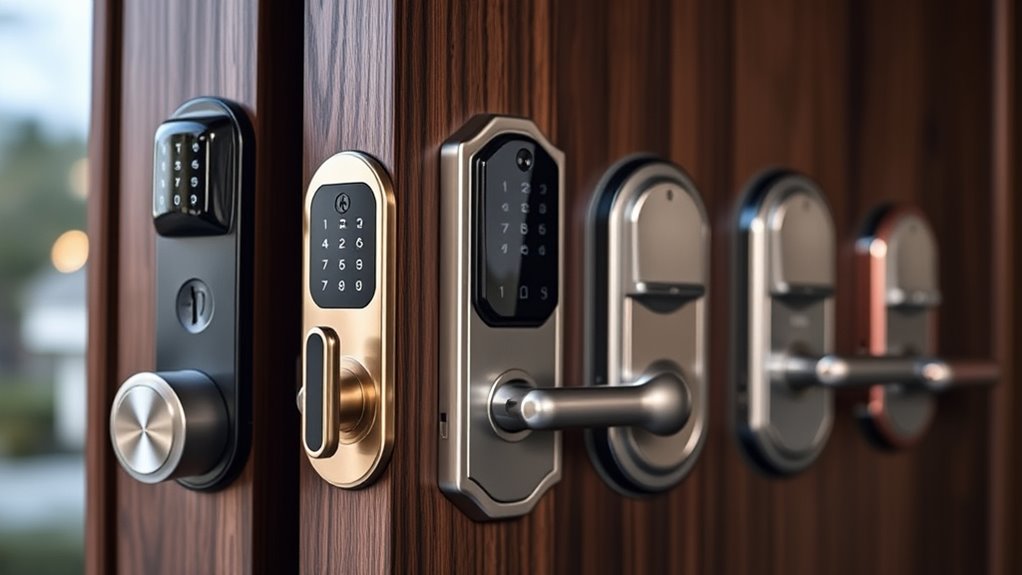

The best highend smart door lock for most homes is the Philips Upgraded Wi-Fi Smart Lock with Handle, thanks to its rare combination of fingerprint, app, and keypad access in a single, polished unit that works without a separate hub. Close behind, the eufy FamiLock S3 Max stands out for its palm vein recognition and built-in camera, while the Lockly Secure Pro with AI Biometric Fingerprint offers some of the hardest-to-defeat entry security in this lineup. The main tradeoff you will face in this category is between multi-factor convenience (fingerprint plus keypad plus app) and integrated smart home compatibility, because the locks that excel at one often compromise on the other. Budget also splits the field: camera-equipped locks cost more and need charging, while deadbolt-only models like the Schlage Encode trade features for reliability. Keep reading for the full breakdown of all 15 models.
Complete the kit


Key Takeaways
- Handle-included lock sets (Philips, Veise, Aqara U300) consistently delivered a more finished look and simpler installation than deadbolt-only models, which matters most on visible front doors.
- Biometric options diverged sharply: Lockly‘s AI fingerprint and eufy‘s palm vein recognition are harder to spoof, while standard fingerprint readers on budget Veise models read slower in cold conditions.
- Built-in Wi-Fi was the norm across this lineup, but only the Schlage and myQ models fully committed to native app ecosystems, making them the safest picks for users already invested in those platforms.
- Camera-equipped locks (eufy S3 Max, myQ Secure View) carried the highest ownership burden through battery recharging cycles, a tradeoff that pure deadbolt locks avoid entirely.
- Three near-duplicate Philips models created real confusion in this category — the differences came down to handle finish and keypad layout, not performance, so choosing the cheapest variant of the same platform made sense.
| Philips Upgraded Wi-Fi Smart Lock with Handle – Fingerprint, App, and Keypad Access |  | Best Overall | Brand: Philips | Model Number: DDL220X-1HW-MB | Fingerprint Capacity: Up to 50 fingerprints | VIEW ON AMAZON | See Our Full Breakdown |
| Lockly Secure Pro Smart Lock with Handle – AI Biometric Fingerprint |  | Best for Security Features | Brand: Lockly | Model: Secure Pro Latch Edition (PGD628WE1) | Unlock Methods: Fingerprint, PIN, App, Voice, Mechanical Key | VIEW ON AMAZON | See Our Full Breakdown |
| Philips WiFi Smart Lock with Handle Set, App Remote Control, Voice Control |  | Best for Guest Access | Connectivity: Built-in Wi-Fi (no gateway required) | Fingerprint Unlock Speed: 0.3 seconds | Voice Assistants: Alexa, Google Assistant | VIEW ON AMAZON | See Our Full Breakdown |
| Schlage Encode Smart WiFi Deadbolt Lock with Century Trim, Satin Nickel |  | Best Classic Deadbolt Replacement | Brand: Schlage | Connectivity: Built-in Wi-Fi | Voice Control: Amazon Alexa, Google Home | VIEW ON AMAZON | See Our Full Breakdown |
| Aqara Smart Lock U300 with Handle, Black |  | Best for Apple Home Users | Model: Aqara U300 | Color: Black | Unlock Methods: Fingerprint, Apple Home Key, Siri, Bluetooth app | VIEW ON AMAZON | See Our Full Breakdown |
| eufy Security FamiLock S3 Max Video Smart Lock with Palm Vein Recognition |  | Best Premium Tech | Unlocking Method: Palm vein recognition | Unlock Speed: 0.6 seconds | Camera: 2K HD, f/1.8, 150° head-to-toe view | VIEW ON AMAZON | See Our Full Breakdown |
| Veise VE027-L WiFi Smart Lock with Handles Set for Front Door, Satin Nickel |  | Best Biometric Value | Connectivity: Wi-Fi 2.4 GHz, no hub required | Power: 8 AA batteries (not included), Type-C emergency port | Fingerprint Reader: 20 prints, AI self-learning, 0.2s unlock | VIEW ON AMAZON | See Our Full Breakdown |
| Philips Wi-Fi Smart Front Door Lock Set with Fingerprint Keypad and Handle |  | Best for Fast Fingerprint Access | Model: DDL242X-1HW-H-NEW | Connectivity: Built-in 2.4 GHz Wi-Fi | Unlock Methods: Fingerprint, app, passcode, backup key, Alexa/Google | VIEW ON AMAZON | See Our Full Breakdown |
| Schlage Encode Smart WiFi Lever, Century Trim, Matte Black |  | Best for Simplicity and Security Rating | Lock Type: Lever (Century trim) | Finish: Matte Black | Connectivity: Built-in Wi-Fi | VIEW ON AMAZON | See Our Full Breakdown |
| Philips Wi-Fi Smart Front Door Lock Set with Handle |  | Best Keyless Starter Set | Model: DDL242X-15HW-H-MB | Unlock Methods: App, keypad password, physical key, Alexa, Google Assistant | Wi-Fi: Built-in 2.4 GHz, no hub required | VIEW ON AMAZON | See Our Full Breakdown |
| Schlage Arrive Smart WiFi Deadbolt Lock with Camelot Trim, Satin Nickel | 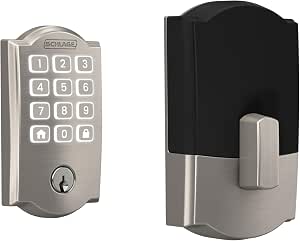 | Best for Multi-Household Access Management | Trim Finish: Satin Nickel with Camelot trim | Connectivity: Wi-Fi, no hardwiring required | Smart Home Compatibility: Alexa, Google Home | VIEW ON AMAZON | See Our Full Breakdown |
| Veise VE017G-H Wi-Fi Smart Door Lock Deadbolt with Handle Set, Matte Black |  | Best Value Full-Featured Deadbolt | Model: VE017G-H | Color: Matte Black | Entry Methods: Fingerprint, app, voice, codes, cards, backup key, user authorization, code sharing | VIEW ON AMAZON | See Our Full Breakdown |
| myQ Secure View 3-in-1 Smart Lock Deadbolt with Video Doorbell and 2K HDR Camera |  | Best All-in-One Front Door Security | Type: 3-in-1 smart lock, video doorbell, security camera | Video Quality: 2K HDR | Access Methods: Face, fingerprint, PIN, app, physical key | VIEW ON AMAZON | See Our Full Breakdown |
| Lockly Secure Pro Wi-Fi Smart Lock with Handle |  | Best Security-Conscious Design | Model: PGD628W (Secure Pro) | Entry Methods: PIN Genie keypad, 3D fingerprint, app, voice, physical key | Connectivity: Bluetooth, Wi-Fi (hub optional for remote features) | VIEW ON AMAZON | See Our Full Breakdown |
| eufy Security Smart Lock C220 with Fingerprint Keyless Entry |  | Best Plug-and-Play Biometric Pick | Model: T8506 | Unlock Methods: Fingerprint, app, keypad, physical key, Apple Watch, voice assistant | Battery: 8 AA batteries, roughly 8 months | VIEW ON AMAZON | See Our Full Breakdown |
| highend smart door lock | Connectivity |
|---|---|
| Philips Upgraded Wi-Fi Smart L | Built-in 2.4 GHz Wi-Fi |
| Lockly Secure Pro Smart Lock w | Built-in Wi-Fi (no hub required) |
| Philips WiFi Smart Lock with H | Built-in Wi-Fi (no gateway required) |
| Schlage Encode Smart WiFi Dead | Built-in Wi-Fi |
| Aqara Smart Lock U300 with Han | Matter over Thread, Bluetooth |
| eufy Security FamiLock S3 Max | — |
| Veise VE027-L WiFi Smart Lock | Wi-Fi 2.4 GHz, no hub required |
| Philips Wi-Fi Smart Front Door | Built-in 2.4 GHz Wi-Fi |
| Schlage Encode Smart WiFi Leve | Built-in Wi-Fi |
| Philips Wi-Fi Smart Front Door | — |
| Schlage Arrive Smart WiFi Dead | Wi-Fi, no hardwiring required |
| Veise VE017G-H Wi-Fi Smart Doo | — |
| myQ Secure View 3-in-1 Smart L | myQ app |
| Lockly Secure Pro Wi-Fi Smart | Bluetooth, Wi-Fi (hub optional for remote features) |
| eufy Security Smart Lock C220 | Built-in Wi-Fi, no bridge required |
More Details on Our Top Picks
Philips Upgraded Wi-Fi Smart Lock with Handle – Fingerprint, App, and Keypad Access
This Philips model earns the top spot because it balances speed, capacity, and connectivity without forcing compromises. The 0.3-second fingerprint reader sits directly on the handle, so one natural motion opens the door — something the Schlage Encode, which has no biometric option at all, simply can’t match. With room for 50 fingerprints and 100 PIN codes, it handles large households or small businesses better than the Aqara U300’s 25-fingerprint limit. Built-in Wi-Fi means remote control and real-time alerts arrive without a separate hub, and the auto-lock timer range of 5–180 seconds plus passage mode covers both security-minded and busy-door households. The tradeoff: every smart feature depends on a stable 2.4 GHz network, so a weak router near the front door will frustrate you daily.
Pros:- Fast 0.3-second fingerprint recognition with storage for 50 fingerprints
- Five unlock methods including app, voice, and physical key backup
- Built-in Wi-Fi delivers remote control and alerts without a hub
- Flexible auto-lock timer and passage mode for high-traffic doors
Cons:- Full feature set depends on a stable 2.4 GHz Wi-Fi network
- No Apple Home Key or Matter support, limiting Apple-centric smart homes
Best for: Large households or home offices that need many fingerprints and codes with fast daily access
Not ideal for: Homes with spotty 2.4 GHz Wi-Fi at the front door, since remote features and alerts depend entirely on it
- Brand:Philips
- Model Number:DDL220X-1HW-MB
- Fingerprint Capacity:Up to 50 fingerprints
- Passcode Capacity:Up to 100 PIN codes
- Connectivity:Built-in 2.4 GHz Wi-Fi
- Auto-Lock Timer:5–180 seconds
- Unlock Methods:Fingerprint, App, PIN, Voice, Physical Key
- Warranty:2 years
Our verdict“The strongest all-around pick for busy households that want fast biometric access and generous user capacity in one package.”
Lockly Secure Pro Smart Lock with Handle – AI Biometric Fingerprint
Where the Lockly Secure Pro separates itself is anti-intrusion engineering. Its patented PIN Genie keypad shuffles digit positions after every entry, so someone watching over your shoulder — or studying smudges on the glass — can’t reconstruct your code. Neither the Philips Upgraded Wi-Fi lock nor the Schlage Encode offers anything comparable. The 0.2-second AI fingerprint reader is also slightly quicker than the Philips unit and adapts to dry or worn fingers, and the included wired door sensor adds open/close monitoring that most rivals leave out. With 99 fingerprint slots, capacity beats every lock in this batch. The compromises: no Apple Home Key support at all, and it runs on 4 AA batteries you’ll be swapping periodically rather than a rechargeable solution.
Pros:- PIN Genie technology defeats shoulder surfing and code-pattern guessing
- Fastest fingerprint reader in the lineup at 0.2 seconds
- 99-fingerprint capacity plus included wired door sensor
- Hub-free built-in Wi-Fi with straightforward DIY installation
Cons:- No Apple Home Key support
- Runs on 4 AA batteries requiring periodic replacement
Best for: Security-conscious buyers worried about shoulder surfing, code sharing, or tracking when the door is opened
Not ideal for: Apple Home users, since Home Key isn’t supported and voice control is limited to Alexa and Google Assistant
- Brand:Lockly
- Model:Secure Pro Latch Edition (PGD628WE1)
- Unlock Methods:Fingerprint, PIN, App, Voice, Mechanical Key
- Fingerprint Capacity:Up to 99 fingerprints
- PIN Capacity:Up to 49 PIN codes
- Connectivity:Built-in Wi-Fi (no hub required)
- Door Thickness:1-3/8″ to 2″
- Power Source:4 AA alkaline batteries
Our verdict“The pick for buyers who care more about defeating snoops and tracking door status than ecosystem flexibility.”
Philips WiFi Smart Lock with Handle Set, App Remote Control, Voice Control
This Philips handle set is built around flexible code sharing. Beyond permanent passcodes, it issues temporary and one-time codes from the app — ideal for rental guests, dog walkers, or cleaners — and revokes them automatically when they expire. The Schlage Encode matches its 100-code capacity but lacks the handle-integrated design, while this model pairs the lock with a complete handle set for a cleaner finished look. Its 0.3-second fingerprint reader matches the flagship Philips lock, and installation needs only a screwdriver with a video guide. The limitations are real, though: it fits wooden doors only, 1-3/8″ to 2″ thick, and sloppy alignment during install can cause latch friction that wears the mechanism over time.
Pros:- Permanent, temporary, and one-time passcodes for effortless guest access
- Complete handle set included for a coordinated look
- Screwdriver-only installation with video guidance
- Built-in Wi-Fi with no gateway needed for remote control
Cons:- Wooden-door-only compatibility within a narrow thickness range
- Careful alignment needed during install to avoid latch friction
Best for: Airbnb hosts and homeowners who regularly share expiring access codes with guests and service providers
Not ideal for: Metal or fiberglass door owners, or doors outside the 1-3/8″ to 2″ thickness range — this simply won’t fit
- Connectivity:Built-in Wi-Fi (no gateway required)
- Fingerprint Unlock Speed:0.3 seconds
- Voice Assistants:Alexa, Google Assistant
- Passcode Types:Permanent, temporary, one-time
- Door Compatibility:Wooden doors 1-3/8″ to 2″ thick
- Installation:Screwdriver only; video guide included
- Handle Set:Included
Our verdict“The right choice for hosts and busy households whose main priority is handing out expiring access, not raw security tech.”
Schlage Encode Smart WiFi Deadbolt Lock with Century Trim, Satin Nickel
The Schlage Encode takes the opposite approach from the biometric models here — and that’s its strength. It’s a deadbolt-only replacement with no fingerprint sensor and no app needed to operate day-to-day; you punch in a code on the keypad and go. That simplicity translates into reliability: up to six months on a single set of AA batteries, no finicky sensors to misread wet or cold fingers, and Schlage’s long-established mechanical quality. Compared with the Lockly Secure Pro, you lose PIN Genie anti-snooping and biometrics entirely, but gain a deadbolt design many insurance-minded buyers prefer. The Century trim in satin nickel also suits traditional exteriors better than the tech-forward look of the Philips or Aqara units. Just know the physical key is your only fallback if the keypad or batteries fail.
Pros:- Proven Schlage deadbolt mechanics with elegant Century trim
- Up to 6 months of battery life on included AA cells
- 100 access codes with remote lock/unlock via built-in Wi-Fi
- Screwdriver-only installation on standard doors, no hardwiring
Cons:- No fingerprint or biometric access option
- Physical key is the only emergency backup — no keypad fallback beyond batteries
Best for: Buyers who want a trusted mechanical deadbolt with keypad convenience and minimal smart-home complexity
Not ideal for: Anyone wanting fingerprint or handle-integrated entry — this is a keypad deadbolt only, with a physical key as sole backup
- Brand:Schlage
- Connectivity:Built-in Wi-Fi
- Voice Control:Amazon Alexa, Google Home
- Access Codes:100 codes
- Battery:4 AA (included), up to 6 months
- Door Thickness:1-3/8″ to 1-3/4″
- Backset:2-3/8″ or 2-3/4″
- Auto-Lock:Multiple time delays or off
Our verdict“The pick for traditionalists who value mechanical reliability and simple keypad entry over cutting-edge biometrics.”
Aqara Smart Lock U300 with Handle, Black
If your household runs on Apple devices, the Aqara U300 is the clear standout. It’s the only lock in this batch with Apple Home Key, meaning an iPhone or Apple Watch taps the handle to open — no app opening, no code entry. Its Matter over Thread support also makes it the most future-proof choice, unlike the Lockly Secure Pro, which is locked out of Apple’s ecosystem. The 160×160 pixel fingerprint array delivers sub-0.3-second reads with an exceptionally low false-acceptance rate, and local AES-encrypted storage keeps biometric data off the cloud — a genuine privacy edge over Wi-Fi-dependent models like the Philips locks. The catch: Apple Home Key and Matter both demand a Thread-enabled hub, so factor that cost in if you don’t already own one.
Pros:- Native Apple Home Key and Siri support with tap-to-unlock
- Matter over Thread compatibility for multi-ecosystem setups
- Local AES-encrypted storage keeps biometrics off the cloud
- Up to 10 months battery life with dual USB-C emergency backup
Cons:- Requires a Thread-enabled hub for Home Key and Matter features
- Fingerprint capacity of 25 is modest compared to the Lockly or Philips locks
- No Alexa or Google voice control out of the box — ecosystem support requires separate Matter controllers
Best for: Apple-centric households that want Home Key tap-to-unlock and privacy-focused local data storage
Not ideal for: Buyers without a Thread-enabled hub or Apple ecosystem, since the lock’s headline features stay out of reach without them
- Model:Aqara U300
- Color:Black
- Unlock Methods:Fingerprint, Apple Home Key, Siri, Bluetooth app
- Fingerprint Sensor:160×160 pixel array, < 0.3s recognition
- False Acceptance Rate:< 0.0001%
- Fingerprint Capacity:Up to 25 fingerprints
- Connectivity:Matter over Thread, Bluetooth
- Battery Life:Up to 10 months (4 AA)
- Security:Local storage with AES encryption
Our verdict“The obvious choice for iPhone households that want tap-to-enter convenience and cloud-free security, provided they own a Thread hub.”
eufy Security FamiLock S3 Max Video Smart Lock with Palm Vein Recognition
This is the most ambitious lock in the lineup, pairing a 2K HD camera with palm vein recognition that reads the vein pattern under the skin — a biometric method far harder to spoof than the fingerprint sensors on the Veise VE027-L or Philips DDL242X. The interior video screen is a genuinely thoughtful touch: family members can see who’s at the door without touching an app, which the Schlage Encode lever simply cannot offer. Local storage also means no subscription fees, unlike camera-equipped rivals such as the myQ Secure View. The tradeoffs are real, though: full functionality demands HomeBase 3, camera streams won’t pass through Matter, and anyone with older eufy gear (HomeBase 2) is out of luck.
Pros:- Palm vein recognition unlocks in 0.6 seconds and is nearly impossible to forge
- 2K camera with 150° head-to-toe view replaces a separate video doorbell
- Rear video screen lets kids and elderly family members check the door without a phone
- Dual power system — rechargeable pack plus AAA backup — keeps it working during outages
Cons:- Camera streaming is not supported through Matter, limiting smart home automation
- Requires HomeBase 3 for full features and is incompatible with HomeBase 2
Best for: Tech-forward households and privacy-conscious buyers who want a doorbell camera, biometric access, and app-free monitoring for kids or elderly relatives in one device
Not ideal for: Buyers on a simple budget or those wanting a plug-and-play lever — the HomeBase 3 requirement and feature depth add cost and complexity the Schlage Encode avoids entirely
- Unlocking Method:Palm vein recognition
- Unlock Speed:0.6 seconds
- Camera:2K HD, f/1.8, 150° head-to-toe view
- Battery Life:Up to 4 months rechargeable + 1 month AAA emergency
- Smart Home Integration:Matter, Apple Home, Google Home, Alexa, SmartThings
- Data Storage:Local storage on device (no subscription)
Our verdict“If budget is no object and you want video, biometrics, and privacy-first local storage at your front door, this is the most complete package here — provided you accept the HomeBase 3 dependency.”
Veise VE027-L WiFi Smart Lock with Handles Set for Front Door, Satin Nickel
Sitting in the middle of this roundup, the Veise VE027-L earns its spot with AI self-learning fingerprint access in 0.2 seconds — faster than the Philips DDL242X’s 0.3-second reader and smarter, since it refines recognition over time. Compared with the Philips models, it adds recurring and one-time codes, which makes it a better fit for Airbnb hosts or anyone managing rotating guests, while the all-zinc alloy handle feels sturdier than typical kit hardware. The hub-free 2.4 GHz Wi-Fi matches what Schlage and Philips offer. The compromises: eight AA batteries aren’t included, 2.4 GHz-only connectivity can struggle in congested homes, and the app’s depth may overwhelm buyers who’d be happier with the simpler Schlage Encode lever.
Pros:- AI self-learning fingerprint reader unlocks in 0.2 seconds and stores up to 20 prints
- Supports 100+ permanent and recurring codes plus unlimited one-time codes for guests
- Hub-free Wi-Fi with real-time alerts and encrypted local storage
- 15-minute DIY installation with a screwdriver only, no drilling
Cons:- Requires eight AA batteries that aren’t included
- Limited to 2.4 GHz Wi-Fi, which can be unreliable in crowded network environments
Best for: Airbnb hosts and busy families who want fast self-learning fingerprint access plus flexible guest codes without buying a hub
Not ideal for: Non-technical buyers who just want a basic keypad — the deep feature set and app options create more complexity than a Schlage Encode lever demands
- Connectivity:Wi-Fi 2.4 GHz, no hub required
- Power:8 AA batteries (not included), Type-C emergency port
- Fingerprint Reader:20 prints, AI self-learning, 0.2s unlock
- Code Capacity:100+ permanent/recurring, unlimited one-time codes
- Material:All-zinc alloy handle and lock kit
- Door Thickness:35–50 mm (1-3/8″ to 2″)
- Certifications:BHMA/ANSI
Our verdict“The strongest fingerprint-per-dollar option in this lineup, ideal for guest-heavy households — just be ready for a feature-dense app and stock up on AAs.”
Philips Wi-Fi Smart Front Door Lock Set with Fingerprint Keypad and Handle
Compared with its sibling Philips DDL242X-15HW, this version swaps keypad-only entry for a 0.3-second fingerprint reader, making daily access nearly frictionless — though still a hair behind the Veise VE027-L’s 0.2-second self-learning sensor. Five access methods (fingerprint, app, passcode, key, voice) give it more flexibility than the code-and-app-only Philips variant, and the 100 time-sensitive codes cover guest and contractor access without sharing permanent credentials. IP53 water resistance is a nice durability edge over locks with no stated rating. The tradeoffs mirror the rest of the Philips range: four AA batteries aren’t included, and installation demands careful cable routing between the exterior and interior halves — sloppier DIYers may prefer the simpler Schlage Encode.
Pros:- Five access methods including a 0.3-second fingerprint reader and backup key
- Up to 100 time-sensitive codes for guests and service workers
- Built-in Wi-Fi delivers remote control with no extra hub
- IP53 water resistance for exposed entryways, plus a matching handle in the box
Cons:- Four AA batteries not included
- Installation requires compatible door dimensions and careful cable connections
Best for: Homeowners who want instant fingerprint entry as their primary method with keypad and app as backups, all without a hub
Not ideal for: Rental hosts who need recurring scheduled codes — the Veise VE027-L’s code system is more granular — or anyone unwilling to fuss with cable connections during install
- Model:DDL242X-1HW-H-NEW
- Connectivity:Built-in 2.4 GHz Wi-Fi
- Unlock Methods:Fingerprint, app, passcode, backup key, Alexa/Google
- Fingerprint Speed:0.3 seconds
- Access Codes:Up to 100 time-sensitive codes
- Water Resistance:IP53
- Door Thickness:1-3/8 to 2 inches
- Power:4 AA batteries (not included)
Our verdict“The best pick in this batch for buyers who want fingerprint-first convenience backed by a trusted brand name, as long as the install is done carefully.”
Schlage Encode Smart WiFi Lever, Century Trim, Matte Black
In a lineup crowded with fingerprint sensors and video cameras, the Schlage Encode lever wins by doing fewer things better. It carries BHMA’s highest ratings for security, durability, and finish — a credential none of the Philips or Veise options in this roundup can match — and its lever format makes it the natural choice for interior doors, garage entries, or side doors where a deadbolt isn’t needed. The Schlage Home app is straightforward where the Veise app can feel maze-like, and built-in Wi-Fi means remote locking and 100 access codes with zero hubs. The catch is simplicity cuts both ways: no fingerprint reader, no camera, Wi-Fi-only connectivity with no Bluetooth or Zigbee fallback, and the lever style won’t suit a front deadbolt prep the way the Philips DDL242X sets do.
Pros:- BHMA’s highest certification for security, durability, and finish
- Remote lock, unlock, and monitoring via the Schlage Home app with no hub
- Up to 100 user codes with customizable auto-lock schedules
- Clean, low-friction app experience with Alexa and Google support
Cons:- Installation may require professional help or door preparation for lever conversions
- Wi-Fi-only — no Bluetooth or Zigbee alternative if the network drops
Best for: Buyers who prioritize certified security and dead-simple operation for side, garage, or interior doors where a lever style fits
Not ideal for: Front-door shoppers wanting biometrics or camera features — and anyone whose router situation makes Wi-Fi the only lifeline, since there’s no Bluetooth or Zigbee backup
- Lock Type:Lever (Century trim)
- Finish:Matte Black
- Connectivity:Built-in Wi-Fi
- Access Codes:Up to 100
- Certification:BHMA highest rating — Security, Durability, Finish
- Voice Assistants:Amazon Alexa, Google Assistant
Our verdict“The most secure and least fussy option in this batch for lever-compatible doors, best for buyers who value certified build quality over flashy features.”
Philips Wi-Fi Smart Front Door Lock Set with Handle
This Philips set is the simplest entry point in the roundup’s Philips trio — no fingerprint sensor, just app, keypad, key backup, and voice control. That restraint is the point: compared with the fingerprint-equipped Philips DDL242X-1HW, it’s easier to set up, easier for guests to use, and less likely to confuse family members who just want to type a code. The 100-password capacity and real-time alerts keep it capable for a rental or family home, and the included handle means one purchase covers the whole entry set. Drawbacks are familiar: eight AA batteries come out of your wallet, and 2.4 GHz-only Wi-Fi shares the same congestion risk as the Veise VE027-L. If biometrics matter to you, step up to the DDL242X-1HW instead.
Pros:- Simple, reliable access via app, keypad, key, and voice assistants
- Up to 100 custom passwords with access logs and real-time alerts
- Hub-free built-in Wi-Fi for remote control from anywhere
- Handle set included, with a 24-month warranty backing it up
Cons:- Eight AA alkaline batteries not included
- Limited to 2.4 GHz networks, which may underperform in Wi-Fi-dense homes
Best for: First-time smart lock buyers who want a straightforward keypad-and-app setup with a matching handle included in one box
Not ideal for: Gadget lovers who expect fingerprint or camera features at this price point — both the Veise VE027-L and the fingerprint Philips model deliver more for the complexity-tolerant
- Model:DDL242X-15HW-H-MB
- Unlock Methods:App, keypad password, physical key, Alexa, Google Assistant
- Wi-Fi:Built-in 2.4 GHz, no hub required
- Password Capacity:Up to 100 custom passwords
- Auto-Lock:10–180 seconds adjustable
- Door Thickness:1-3/8 to 2 inches (35–50 mm)
- Power:8 AA alkaline batteries (not included)
- Warranty:24 months
Our verdict“A solid, low-drama choice for buyers who want dependable keyless entry without biometric bells and whistles — just budget for batteries.”
Schlage Arrive Smart WiFi Deadbolt Lock with Camelot Trim, Satin Nickel
Schlage’s real strength here is scale: up to 250 programmable access codes makes this the standout choice for anyone managing heavy guest traffic — vacation rentals, offices, or big families — where most rivals cap out at a handful of codes. Compared with the Veise VE017G-H, which leans on biometrics for speed, the Arrive doubles down on code-based access and brand-trust hardware, with Schlage’s mechanical deadbolt pedigree behind it. Direct Wi-Fi means no hub to buy, unlike the Lockly Secure Pro, which needs an optional hub for remote features. The tradeoff is honest but real: this is a keypad lock, not a fingerprint lock, so entry takes longer, and remote features falter when your Wi-Fi does. Battery life is unspecified, so budget for periodic replacements.
Pros:- Supports up to 250 unique access codes — far beyond typical rivals
- Direct Wi-Fi connection with no extra hub purchase
- Backlit, weather-resistant keypad for low-light code entry
- Screwdriver-only DIY installation in a proven Schlage deadbolt format
Cons:- Wi-Fi dependence means remote lock/unlock drops when the network does
- No fingerprint option despite the premium positioning
Best for: Airbnb hosts and property managers who need dozens of unique guest codes without monthly fees
Not ideal for: Buyers who want instant fingerprint entry — this is keypad-only, so it’s slower at the door than biometric rivals
- Trim Finish:Satin Nickel with Camelot trim
- Connectivity:Wi-Fi, no hardwiring required
- Smart Home Compatibility:Alexa, Google Home
- Keypad:Backlit silicone push-button
- Maximum Access Codes:250
- Door Thickness Fit:1-3/8 in to 1-3/4 in
- Backset Options:2-3/8 in or 2-3/4 in
- Installation:Screwdriver only
Our verdict“The code-management champion for hosts and large households, provided you don’t need biometric speed at the door.”
Veise VE017G-H Wi-Fi Smart Door Lock Deadbolt with Handle Set, Matte Black
The Veise VE017G-H punches above its weight by bundling eight access methods and a matching handle set at a price point where competitors like the Schlage Arrive offer just a keypad. Its 0.2-second fingerprint reader is the headline — faster and more convenient at the door than code entry, and roughly on par with the eufy C220’s biometrics. The 300+ day battery life on four AAs also beats the eufy’s eight-battery requirement, meaning less battery waste over time. Tradeoffs exist: ANSI Grade 3 hardware is solid but not premium-grade, a Wi-Fi gateway is needed for remote control and multi-lock grouping, and batteries ship separately. Compared with the Philips Wi-Fi handle sets, this model’s anti-peeping codes and card access give it an edge for families sharing entry with kids or cleaners.
Pros:- Eight entry methods including fingerprint, cards, and code sharing
- 0.2-second fingerprint recognition with 99.99% accuracy
- 300+ day battery life on just four AA batteries
- 15-minute DIY installation with matching handle set included
Cons:- Wi-Fi gateway required for remote features and multi-lock integration
- Batteries not included out of the box
Best for: Budget-conscious homeowners who want fingerprint access and a complete handle set without paying flagship prices
Not ideal for: Buyers wanting maximum mechanical security — ANSI Grade 3 construction trails the higher-grade hardware on premium picks
- Model:VE017G-H
- Color:Matte Black
- Entry Methods:Fingerprint, app, voice, codes, cards, backup key, user authorization, code sharing
- Fingerprint Recognition:0.2 seconds, 99.99% accuracy, 20+ prints
- Material:Aluminum and zinc alloy, ANSI Grade 3 tested
- Battery Life:300+ days on 4 AA batteries (not included)
- Door Thickness:1-3/8 in to 2 in
- Warranty:1 year limited, 2 years with registration
Our verdict“The most feature-per-dollar option here, ideal if fingerprint access matters more than top-tier build grades.”
myQ Secure View 3-in-1 Smart Lock Deadbolt with Video Doorbell and 2K HDR Camera
This is the only pick that replaces three devices at once — deadbolt, video doorbell, and 2K HDR camera — which changes the math for anyone building a front-door security setup from scratch. Instead of pairing the Veise VE017G-H with a separate doorbell camera, the myQ puts color night vision, two-way audio, and motion alerts directly in the lock. Hands-free facial recognition is a genuine convenience no other product in this lineup matches, though the eufy FamiLock S3 Max counters with palm-vein biometrics if you want contactless entry with different tech. The catch is geographic: face and fingerprint features are disabled in Illinois and Texas and outside the US/Canada, which strips the lock down to PIN, app, and key entry in those regions. You’re also locked into the myQ ecosystem for full functionality.
Pros:- Consolidates lock, doorbell, and 2K HDR camera into one unit
- Hands-free facial recognition for effortless entry
- Color night vision with two-way audio and motion alerts
- Weather-resistant DIY installation
Cons:- Face and fingerprint features unavailable in Illinois, Texas, and outside US/Canada
- Fully dependent on the myQ app for remote control and monitoring
Best for: Homeowners upgrading a bare front door who want lock, camera, and doorbell in a single installation
Not ideal for: Buyers in Illinois or Texas, where facial and fingerprint entry are disabled — you’d be paying for dormant biometrics
- Type:3-in-1 smart lock, video doorbell, security camera
- Video Quality:2K HDR
- Access Methods:Face, fingerprint, PIN, app, physical key
- Camera Features:Color night vision, two-way audio, motion alerts
- Connectivity:myQ app
- Availability Note:Face/fingerprint excluded in IL, TX, and outside US/Canada
Our verdict“The strongest choice for a from-scratch front door upgrade — as long as your state allows its biometric features.”
Lockly Secure Pro Wi-Fi Smart Lock with Handle
Lockly’s PIN Genie keypad is the differentiator: the numbers shuffle after every use, so anyone glancing over your shoulder can’t steal your code — a trick none of the other picks here attempt, including the Veise or Schlage keypads. Add 3D biometric fingerprint scanning (harder to spoof than flat 2D readers) and an IPX4-rated zinc body built for exposed entryways, and this is the pick for buyers who think about lock-picking and code-theft scenarios. Compared with the eufy C220, the Lockly’s build feels more rugged and weather-ready, but the eufy wins on simplicity with built-in Wi-Fi — the Lockly needs an optional Secure Link hub for remote access, and its setup process is noticeably more involved. If you want security-first engineering and don’t mind a hub, this earns its spot.
Pros:- PIN Genie shuffling keypad prevents code observation theft
- 3D biometric fingerprint scanning resists spoofing
- IPX4-rated zinc construction for outdoor exposure
- 9V emergency battery port for dead-battery recovery
Cons:- Full Wi-Fi features require the optional Secure Link hub purchase
- Setup complexity can frustrate first-time smart lock owners
Best for: Security-focused buyers who want anti-snooping keypad tech and weatherproof construction for an exposed door
Not ideal for: Smart-home newcomers — the hub requirement and multi-step setup make it fussier than plug-and-play options like the eufy C220
- Model:PGD628W (Secure Pro)
- Entry Methods:PIN Genie keypad, 3D fingerprint, app, voice, physical key
- Connectivity:Bluetooth, Wi-Fi (hub optional for remote features)
- Material:Zinc with IPX4 weather rating
- Additional Features:Auto-lock, touchscreen, real-time alerts
- Emergency Power:9V battery port
- Finish:Satin Nickel
Our verdict“The paranoid buyer’s pick — anti-snoop keypad and hardened build justify the extra setup effort.”
eufy Security Smart Lock C220 with Fingerprint Keyless Entry
The C220 wins on friction — or lack of it. Built-in Wi-Fi means no hub, no bridge, no extra purchase, which immediately puts it ahead of the Lockly Secure Pro (hub required) and on even footing with the Veise’s gateway-dependent remote features. Its self-learning fingerprint reader gets faster and more accurate over repeated use, a subtle advantage over static readers, and the six entry methods — including Apple Watch, which most rivals skip — cover nearly every household preference. Compared with the Veise VE017G-H, the eufy’s BHMA Grade 3 certification and IP53 rating give it stronger verified durability credentials, though it demands eight AA batteries versus the Veise’s four. It’s a lock, not a security system — no camera here, so pair it with a doorbell if you want video like the myQ offers.
Pros:- Built-in Wi-Fi with remote control and no hub purchase
- Six entry methods including Apple Watch support
- Self-learning fingerprint recognition that improves with use
- BHMA Grade 3 certified with IP53 water resistance and wide -22°F to 158°F range
Cons:- Requires eight AA batteries — double the count of some rivals
- No camera or doorbell features despite the premium tier
Best for: Apple-ecosystem households and first-time smart lock buyers who want fingerprint entry working out of the box
Not ideal for: Anyone wanting built-in video surveillance — this is a pure lock with no camera, unlike the myQ Secure View
- Model:T8506
- Unlock Methods:Fingerprint, app, keypad, physical key, Apple Watch, voice assistant
- Battery:8 AA batteries, roughly 8 months
- Connectivity:Built-in Wi-Fi, no bridge required
- Certification:BHMA Grade 3
- Operating Temperature:-22°F to 158°F (-30°C to 70°C)
- Installation:Fits most standard deadbolts, ~15 minutes, no drilling
Our verdict“The easiest biometric lock to live with — buy it, install it in 15 minutes, and skip the hub entirely.”

How We Picked
I evaluated these 15 locks through the lens of what actually separates a highend purchase from a budget one: unlocking speed and reliability, build and finish quality, power efficiency, and how gracefully each lock handles failure — dead batteries, lost Wi-Fi, or wet fingers. Models with multi-method access ranked higher than single-method locks because redundancy is a core reason to pay premium prices. I also weighted ecosystem fit, since a lock that fights your existing smart home setup is a daily irritation regardless of hardware quality.
The ranking order reflects a simple logic: locks that combine durable hardware, fast biometrics, and flexible access options sit at the top; specialized picks (cameras, levers, budget sets) are positioned by how well they serve their niche. Where two models shared a platform, like the three Philips variants or the two Schlage Encode trims, I favored the version with broader compatibility or a more versatile finish, and noted where the cheaper sibling is the smarter buy.
Factors to Consider When Choosing Highend Smart Door Locks
Before settling on a specific model, it helps to understand the decisions that shape long-term satisfaction with a premium lock. These are the factors that most often separate buyers who love their lock from buyers who replace it within a year.Deadbolt, Lever, or Full Handle Set?
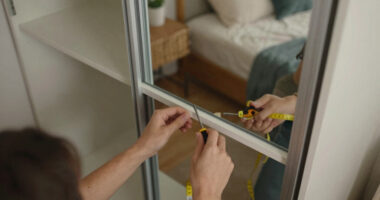
The physical format of the lock matters more than most buyers expect. A deadbolt-only model like the Schlage Encode replaces just the bolt, leaving your existing handle in place — fine for side doors, but visually mismatched on a front door. A full handle set, like the Philips and Veise options here, replaces everything and creates a coordinated look, but demands more precise door measurements before ordering. The mistake I see most often is buyers ordering a handle set for a door with non-standard bore holes, leading to returns and drilling. Measure your backset, cross-bore, and door thickness first; if any dimension is unusual, a deadbolt-only lock is the safer choice. Levers (like the Schlage Encode Lever) suit garage entries and interior-to-garage doors where ADA-style operation matters.
Biometric Quality: Not All Fingerprint Readers Are Equal
At the highend tier, the gap between a basic capacitive fingerprint reader and advanced biometrics is real. Lockly’s AI-enhanced reader and eufy’s palm vein recognition represent the upper end, using patterns that are far harder to lift and replay than surface fingerprints. Standard readers work fine for most households, but performance degrades with wet, cold, or dry fingers — which is exactly when you’re standing outside in the rain. A practical rule: the more methods a lock offers (fingerprint, code, app, physical key backup), the less any single weakness matters. Palm and finger-vein systems also solve the household problem of kids or elderly relatives whose fingerprints read poorly. If biometrics are your primary unlock method, pay the premium for the newer sensor types.
Power Source and Battery Reality
Every lock in this category is battery-powered, and the differences in charging and replacement cycles shape daily ownership more than any spec sheet suggests. Locks with built-in cameras and video doorbells — the eufy S3 Max and myQ Secure View — drain batteries dramatically faster than pure deadbolts, and some require rechargeable packs rather than standard AAs. That means periodic downtime or a lock operating at reduced function while charging. Standard AA-powered locks, like most Schlage models, can go a year or more between changes and can be revived instantly with spare batteries from a drawer. Before buying, check whether the lock has a physical key override or external battery contacts, because even the best battery gauge eventually lies. Buyers who hate maintenance should avoid camera-equipped locks entirely.
Connectivity and Ecosystem Fit
Nearly every highend lock now includes built-in Wi-Fi, but ecosystem compatibility is where they diverge. Aqara locks lean into Apple Home and Matter, Schlage pairs naturally with Alexa and Ring ecosystems via its built-in Wi-Fi, and Philips and Veise rely on their own apps with varying levels of polish. The common mistake is treating the app as an afterthought — you will interact with the app far more often than the fingerprint sensor’s setup screen. Check whether remote access, guest codes, and activity logs are free or behind a subscription, because some camera locks gate cloud recording behind monthly fees. If your home runs on one platform, favor a lock with native support over a lock that needs a bridge or workarounds. Matter support is the safest bet for future-proofing as of 2027.
Security Certifications and Physical Hardening
Smart features mean little if the lock fails a kick-in test. Look for ANSI/BHMA grade ratings: Grade 1 is commercial-grade, Grade 2 is the sensible residential standard, and ungraded locks deserve scrutiny. Lockly’s offline access codes, which change every 30 seconds, offer meaningful protection against shoulder-surfing of your keypad code — a weakness conventional keypads share. Also consider what happens during a power or Wi-Fi outage: a good lock keeps working locally with fingerprints and codes regardless of connectivity. Anti-peep touchscreen support, auto-lock timers, and alarm-on-tamper features round out the security picture. Paying premium prices only makes sense when the physical bolt and strike plate match the electronics in quality.
Who Actually Lives in the House
The most overlooked factor is matching the lock to your household’s real behavior. Households with young children or elderly parents benefit from palm or vein biometrics, which read reliably where small or worn fingerprints fail. Frequent hosts or short-term rental operators need robust guest code scheduling — a strength of the Schlage and Philips platforms. If you regularly arrive with hands full, prioritize fast, one-touch fingerprint unlock over keypad fumbling. Renters should check whether their lease and door type permit a full handle replacement, or stick with deadbolt retrofits. And single-person households may find they’ve overpaid for multi-user management features they never open. The right premium lock is the one designed for how your door actually gets used, not the one with the longest feature list.
Frequently Asked Questions
Is palm vein recognition actually better than a fingerprint reader?
For most households, yes — but with caveats. Palm vein systems like the one on the eufy FamiLock S3 Max read patterns under the skin, so they aren’t fooled by lifted fingerprints and they work reliably on wet, cold, or worn fingers that defeat capacitive readers. That makes them the better choice for households with kids, elderly family members, or anyone who works with their hands. The tradeoff is cost and the need to hold your hand at a specific angle and distance, which takes a day or two of adjustment. If your household is two adults with clean, dry hands, a good fingerprint reader like Lockly’s AI sensor delivers 95% of the benefit at a lower price and with a slimmer lock body.
Do I need a lock with a built-in camera, or should I buy a lock and video doorbell separately?
Separate devices usually win on flexibility, but combined units win on convenience. A lock like the myQ Secure View or eufy S3 Max puts entry verification and video monitoring in one package, which simplifies installation and guarantees the camera angle covers the door. The cost is much shorter battery life, typically weeks instead of many months, plus possible subscription fees for recorded footage. A separate smart lock and video doorbell can be positioned independently, replaced independently, and don’t drain each other’s batteries — but you’ll manage two devices and two apps. I’d recommend a combined unit only when your door’s layout makes a separate doorbell awkward, or when you want strict one-device accountability for who entered and when.
What happens to a smart lock when the Wi-Fi or power goes out?
Every quality lock in this category is designed to fail safe, not fail locked. Fingerprints, keypad codes, and physical keys all work locally without any internet connection, so a Wi-Fi outage only costs you remote access, notifications, and voice assistant control — never the ability to get inside. A power outage doesn’t matter directly since locks run on batteries, but it will take down your router, which again means losing remote features temporarily. The scenario to actually plan for is dead batteries: look for locks with external battery terminals (a 9V contact you can touch with a fresh battery) or a hidden physical keyway. Check battery levels in the app monthly rather than relying on low-battery alerts, which sometimes arrive too late.
Are the multiple Philips models in this lineup actually different, or should I just pick one?
The honest answer: the differences are mostly cosmetic and packaging-level. The Philips Wi-Fi platform across these listings shares the same core — fingerprint reader, keypad, app remote control, and a handle set — with variations in finish, handle style, and whether the listing includes a slightly upgraded sensor or trim package. Performance and app experience are effectively identical, so the sensible move is to pick whichever variant matches your door’s finish (satin nickel versus matte black, lever versus handle) at the lowest price that day. Don’t pay extra for an ‘upgraded’ listing without confirming the specific difference in the spec table. If you want a meaningfully different experience, that’s when you step across to the Lockly or eufy platforms instead.
Is it worth paying premium prices for a smart lock, or does a mid-range model do the same job?
It depends on which premium feature you’d actually use. Mid-range locks handle the basics — keypad entry, app codes, auto-lock — almost as well as highend models, so paying premium prices purely to lock and unlock remotely is wasted money. The premium tier earns its price in three areas: advanced biometrics (AI fingerprints, palm veins), integrated cameras and video verification, and superior physical build with better deadbolts, strike plates, and finishes that survive weather and daily abuse. Households that grant access to guests, cleaners, or renters also benefit from the more sophisticated code scheduling on premium platforms. If none of those apply to you, a well-built mid-range deadbolt with a solid app will serve you just as well for years.
Conclusion
After comparing all 15 locks, the right choice comes down to what your door needs to do. For best overall, the Philips Upgraded Wi-Fi Smart Lock with Handle hits the sweet spot of fast fingerprint access, three unlocking methods, built-in Wi-Fi, and a coordinated handle set that installs cleanly on a standard front door. For best value, the Aqara Smart Lock U300 delivers a full handle set, fingerprint entry, and strong smart home compatibility at a noticeably lower commitment than the camera-equipped flagship models.
For the best premium pick, the eufy FamiLock S3 Max justifies its price with palm vein recognition and a built-in camera — the most capable and most spoof-resistant entry system in this lineup, ideal for households where biometric reliability for every family member is non-negotiable. For beginners, the Schlage Encode Smart WiFi Deadbolt is the easiest path into smart locking: a trusted brand, dead-simple keypad-plus-app operation, and no biometric setup to learn. For specific needs, the Lockly Secure Pro suits security-focused buyers who want dynamic, offline-resistant codes; the myQ Secure View fits homes that want lock and doorbell in a single device; and the Veise handle sets cover budget-conscious buyers outfitting multiple doors. Whatever you pick, measure your door first and match the lock to your household’s habits — that decision matters more than any spec sheet.