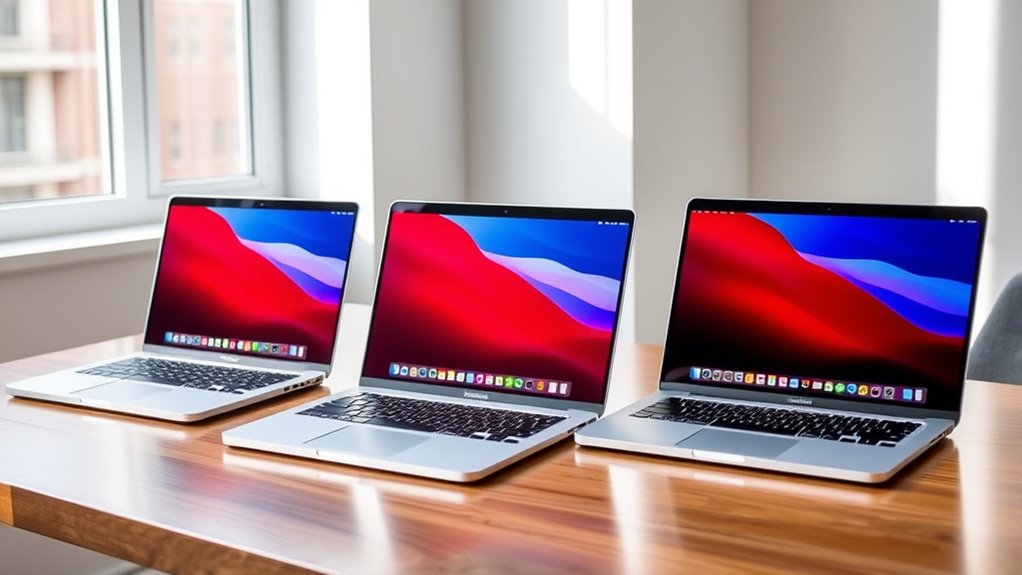

The best 14-inch MacBook Pro configuration for most people in this roundup is the 2024 M4 Pro with 24GB of memory, which balances newer-generation performance and room for demanding apps. The M4 with 16GB is a better fit for general work, while the M5 Pro with 48GB and 1TB targets heavier professional workloads. The main tradeoffs are chip capability versus memory and storage, plus the added uncertainty of choosing a renewed model. I compare all 10 configurations by their likely workload fit, upgrade headroom, and age. Read on for the full breakdown and guidance on choosing the right setup.

Get furniture and decor delivered free with Prime
- Fast, free delivery on millions of items
- Prime Video, Amazon Music and more included
- Member-only deals all year
Complete the kit


Key Takeaways
- The M4 Pro 24GB configurations are the strongest all-rounders here: they pair a newer chip generation with enough memory for many demanding workflows without jumping to the M3 Max or M5 Pro tiers.
- The standard M4 with 16GB is the clearest everyday-work pick: it offers a newer generation than the older M1 Pro and M3 options, while its lower memory ceiling makes it less suited to sustained heavy multitasking.
- Memory separates several similarly sized configurations: the 2021 M1 Pro with 32GB may suit memory-heavy work better than a newer 8GB M3, even though it uses an older chip.
- The M3 Max and M5 Pro configurations serve different premium needs: the M3 Max adds 36GB of memory and 1TB storage for graphics-heavy work, while the M5 Pro offers 48GB and 1TB for users prioritizing a newer Pro-tier setup and more memory.
- Renewed listings span a wide range of generations and specs: check the exact chip, memory, storage, condition, and return terms rather than treating all 14-inch MacBook Pros as equivalent.
| Apple 2023 14-inch MacBook Pro with M3 Pro, 18GB RAM, 512GB SSD, Space Black (Renewed) |  | Best for Creative Multitasking | Model year: 2023 | Processor: Apple M3 Pro, 12-core, up to 4.05 GHz | Graphics: Integrated Apple M3 Pro 14-core GPU | VIEW ON AMAZON | See Our Full Breakdown |
| Apple 2024 MacBook Pro with M4 Chip (14-inch, 16GB RAM, 512GB SSD) Space Black (Renewed) |  | Best for Everyday Pro Use | Model: MacBook Pro 14-inch, 2024 | Processor: Apple M4 chip | Memory: 16GB | VIEW ON AMAZON | See Our Full Breakdown |
| Apple MacBook Pro 14-inch (Late 2021) with M1 Pro, 16GB RAM, 512GB SSD, Silver (Renewed) |  | Best for Port Variety on a Tighter Spec | Model year: 2021 | Processor: Apple M1 Pro, 8-core, 3.1 GHz | Graphics: Integrated Apple M1 Pro 14-core GPU | VIEW ON AMAZON | See Our Full Breakdown |
| Apple 2024 MacBook Pro 14-inch with M4 Pro, 24GB RAM, 512GB SSD (Silver, Renewed) |  | Best Premium Workstation Configuration | Model year: 2024 | Chip: Apple M4 Pro | Memory: 24GB | VIEW ON AMAZON | See Our Full Breakdown |
| Apple 2024 MacBook Pro with M4 Pro Chip (14-inch, 24GB RAM, 512GB SSD) Space Black (Renewed) |  | Best for Space Black M4 Pro Buyers | Processor: M4 Pro or M4 Max, as stated in product data | Display: 14.2-inch Liquid Retina XDR | Memory: 24GB | VIEW ON AMAZON | See Our Full Breakdown |
| Apple 14-inch MacBook Pro with M5 Pro Chip, 48GB Memory, and 1TB SSD |  | Best for Heavy Multitasking | Chip: Apple M5 Pro | CPU: 15-core | GPU: 16-core integrated graphics | VIEW ON AMAZON | See Our Full Breakdown |
| Apple MacBook Pro 14-inch (2023), M3, 8GB RAM, 512GB SSD, Space Gray (Renewed) |  | Best for Light-Duty MacBook Pro Buyers | Model: MacBook Pro (Late 2023), MTL73LL/A | Chip: Apple M3, 8-core CPU, 10-core GPU | Memory: 8GB unified memory | VIEW ON AMAZON | See Our Full Breakdown |
| Apple MacBook Pro 14-inch (2021) with M1 Pro, 16GB RAM, 512GB SSD, Space Gray (Renewed) |  | Best for Core Pro Features on a Renewed Model | Model year: 2021 | Processor: Apple M1 Pro, 8-core, 3.2 GHz | GPU: 14-core Apple M1 Pro GPU | VIEW ON AMAZON | See Our Full Breakdown |
| Apple MacBook Pro 14.2-inch with M3 Max, 36GB RAM, 1TB SSD, Space Black |  | Best for GPU-Heavy Creative Work | Chip: Apple M3 Max, 14-core CPU | GPU: 30-core | Memory: 36GB unified RAM | VIEW ON AMAZON | See Our Full Breakdown |
| Apple 2021 MacBook Pro 14-inch with M1 Pro, 32GB RAM, 512GB SSD (Renewed) |  | Best for Memory on an Older Pro | Model year: 2021 | Processor: Apple M1 Pro, 8 cores, 3.2 GHz | Memory: 32GB DDR4 | VIEW ON AMAZON | See Our Full Breakdown |
| inch macbook pro configuration | Storage | Memory | Display | Processor |
|---|---|---|---|---|
| Apple 2023 14-inch MacBook Pro | 512GB SSD | 18GB LPDDR5 | 14-inch LCD, 3024 × 1964 | Apple M3 Pro, 12-core, up to 4.05 GHz |
| Apple 2024 MacBook Pro with M4 | 512GB SSD | 16GB | — | Apple M4 chip |
| Apple MacBook Pro 14-inch | 512GB SSD | 16GB unified memory | 14.2-inch Liquid Retina XDR, 3024 × 1964 | Apple M1 Pro, 8-core, 3.1 GHz |
| Apple 2024 MacBook Pro 14-inch | 512GB SSD | 24GB | 14.2-inch Liquid Retina XDR mini-LED, 3024 × 1964 | — |
| Apple 2024 MacBook Pro with M4 | 512GB SSD | 24GB | 14.2-inch Liquid Retina XDR | M4 Pro or M4 Max, as stated in product data |
| Apple 14-inch MacBook Pro with | 1TB SSD | — | 14-inch LED, 3024 × 1964 pixels, 120Hz | — |
| Apple MacBook Pro 14-inch | 512GB SSD | 8GB unified memory | 14.2-inch Liquid Retina XDR, 3024 × 1964 pixels | — |
| Apple MacBook Pro 14-inch | 512GB SSD | 16GB | 14-inch Liquid Retina XDR, 3024 × 1964 pixels | Apple M1 Pro, 8-core, 3.2 GHz |
| Apple MacBook Pro 14.2-inch wi | 1TB SSD per title and key features; listing hard-drive-size entry conflicts | 36GB unified RAM | 14.2-inch Liquid Retina XDR, 3024 × 1964 pixels | — |
| Apple 2021 MacBook Pro 14-inch | 512GB SSD | 32GB DDR4 | 14.2-inch Liquid Retina XDR | Apple M1 Pro, 8 cores, 3.2 GHz |
More Details on Our Top Picks
Apple 2023 14-inch MacBook Pro with M3 Pro, 18GB RAM, 512GB SSD, Space Black (Renewed)
I’d choose this renewed M3 Pro configuration for creative workloads that benefit from more memory and graphics headroom than the standard M4 model provides. Its 18GB of memory and 14-core GPU suit photo work, moderate video editing, and development with several apps open, while the 3024 × 1964 display keeps a detailed workspace on a compact laptop. Compared with the newer 2024 M4 MacBook Pro, this option has a Pro-tier chip and more RAM, but the M4 is a newer generation and may be the simpler pick for general everyday use. The tradeoff is its renewed condition: the listing specifies only a 90-day limited warranty, and 512GB can fill quickly with media projects. I’d favor it over older M1 Pro configurations when GPU capability matters, but skip it if you require a new device or longer warranty coverage.
Pros:- M3 Pro processor and 14-core GPU offer more graphics capacity than the standard M4 configuration listed here.
- 18GB of memory supports larger creative projects and heavier multitasking.
- 3024 × 1964 display provides a sharp, detailed workspace.
- Backlit keyboard supports work in dim environments.
Cons:- Renewed condition may include signs of prior use.
- 90-day limited warranty offers less coverage than buyers may want.
- 512GB SSD may constrain large video, photo, or development libraries.
Best for: Creative professionals and developers who want a 14-inch Pro-tier chip, 18GB of memory, and a high-resolution screen in a renewed laptop.
Not ideal for: Buyers who need a new MacBook with longer warranty coverage, or video editors whose project files require more than 512GB of storage.
- Model year:2023
- Processor:Apple M3 Pro, 12-core, up to 4.05 GHz
- Graphics:Integrated Apple M3 Pro 14-core GPU
- Memory:18GB LPDDR5
- Storage:512GB SSD
- Display:14-inch LCD, 3024 × 1964
- Weight:3.5 lbs
- Warranty:90-day limited warranty
Our verdict“Choose this renewed M3 Pro if creative multitasking and GPU capability matter more than a newer chip generation or longer warranty coverage.”
Apple 2024 MacBook Pro with M4 Chip (14-inch, 16GB RAM, 512GB SSD) Space Black (Renewed)
This renewed 14-inch M4 model is the straightforward choice for buyers who want a newer-generation MacBook Pro for office work, study, coding, and general creative tasks without stepping up to an M4 Pro configuration. Its 16GB RAM and 512GB SSD provide a practical baseline for multitasking, and the listing says the inspected battery retains more than 80% capacity. Compared with the M3 Pro 18GB model, this configuration has a newer chip but less memory and no stated Pro-tier processor or GPU; I’d pick the M3 Pro for heavier graphics work and this M4 for a more general-purpose workload. The tradeoff is the renewed package: accessories are compatible rather than original, packaging may be generic, and it is not Apple certified. The supplied data also omits display and port details, so I’d verify those before buying.
Pros:- M4 chip gives this configuration a newer generation than the M3 Pro and M1 Pro options in this group.
- 16GB RAM supports everyday multitasking and moderate creative work.
- 512GB SSD provides room for apps and common work files.
- Listing states the inspected battery capacity is over 80%.
Cons:- Renewed condition and non-original accessories may not suit buyers seeking a factory-sealed setup.
- Not Apple certified, with warranty details not specified in the provided data.
- The supplied specifications do not identify the display, ports, or GPU configuration.
Best for: Students, office professionals, and general-purpose Mac users who want a renewed 2024 14-inch Pro with 16GB memory and a newer M4 chip.
Not ideal for: Video editors, 3D creators, and buyers who need a specified Pro-tier GPU, original accessories, or clearly documented warranty and display details.
- Model:MacBook Pro 14-inch, 2024
- Processor:Apple M4 chip
- Memory:16GB
- Storage:512GB SSD
- Color:Space Black
- Condition:Renewed
- Battery capacity:Over 80%
Our verdict“Pick this renewed M4 for everyday work and a newer chip generation, but choose an M4 Pro or M3 Pro configuration for more demanding graphics workloads.”
Apple MacBook Pro 14-inch (Late 2021) with M1 Pro, 16GB RAM, 512GB SSD, Silver (Renewed)
I’d consider this 2021 M1 Pro configuration when an older Pro laptop’s display, camera, and built-in connectivity matter more than having the newest processor. Its Liquid Retina XDR screen, 1080p FaceTime camera, six-speaker system, HDMI, and USB ports make it a capable desk-to-meeting machine without depending entirely on adapters. Against the 2024 M4 MacBook Pro, it is an older generation with the same listed 16GB memory and 512GB storage, so buyers focused on chip generation should favor the M4. The appeal here is a well-equipped Pro platform, including a 14-core GPU, for workloads that don’t demand the latest silicon. Its 90-day limited warranty and renewed status are real drawbacks, and the provided listing does not identify the exact USB standards. I’d choose the M4 Pro 24GB model instead for heavier, longer-term professional workloads.
Pros:- Liquid Retina XDR display delivers a detailed, high-contrast workspace.
- Built-in HDMI and three USB ports reduce reliance on adapters.
- 1080p FaceTime HD camera and six-speaker audio suit calls and media playback.
- M1 Pro 14-core GPU supports more demanding work than an entry-level configuration.
Cons:- 2021 M1 Pro chip is older than the M4 and M4 Pro options in this roundup.
- Renewed condition comes with a 90-day limited warranty.
- The 512GB SSD may be restrictive for sizeable media libraries or project files.
Best for: Remote workers and students who want an XDR display, built-in HDMI, a 1080p camera, and a six-speaker system in a renewed 14-inch MacBook Pro.
Not ideal for: Buyers prioritizing a newer chip generation, a longer warranty, or performance headroom for sustained demanding creative work.
- Model year:2021
- Processor:Apple M1 Pro, 8-core, 3.1 GHz
- Graphics:Integrated Apple M1 Pro 14-core GPU
- Memory:16GB unified memory
- Storage:512GB SSD
- Display:14.2-inch Liquid Retina XDR, 3024 × 1964
- Camera:1080p FaceTime HD
- Ports:Three USB ports and one HDMI port
- Warranty:90-day limited warranty
Our verdict“Choose this renewed M1 Pro when its XDR display and built-in connections fit your workflow, but favor a newer M4 model for a longer-term performance investment.”
Apple 2024 MacBook Pro 14-inch with M4 Pro, 24GB RAM, 512GB SSD (Silver, Renewed)
This is the strongest clearly specified professional-work configuration in this batch: the M4 Pro chip, 24GB of memory, and a Liquid Retina XDR display suit sustained development, complex creative projects, and heavier multitasking. The 2024 M4 model listed here is a better fit for general everyday use, but it has 16GB of RAM and does not specify a Pro-tier chip. Compared with the M3 Pro 18GB configuration, this model offers a newer Pro generation and more memory, while the supplied information also names Thunderbolt 5, MagSafe 3, SDXC, and HDMI for flexible desk and field setups. The compromise is storage: 512GB can be tight for large media libraries. It is renewed, too, so buyers should accept possible wear and confirm condition and warranty details before committing.
Pros:- M4 Pro chip and 24GB RAM provide more demanding-work headroom than the standard M4 configuration.
- Liquid Retina XDR mini-LED display is listed with up to 1600 nits peak brightness.
- Thunderbolt 5, MagSafe 3, SDXC, HDMI, and headphone jack support varied setups.
- 12MP Center Stage camera and six speakers add useful conferencing and media features.
Cons:- 512GB storage can fill quickly with high-resolution video and large project files.
- Renewed condition may include signs of prior use.
- The supplied product data does not specify warranty length.
Best for: Developers, video editors, and other professionals who need an M4 Pro, 24GB memory, a bright XDR display, and a broad set of built-in ports.
Not ideal for: Buyers with extensive local media archives, those who want a new device, or casual users unlikely to benefit from the Pro chip and extra memory.
- Model year:2024
- Chip:Apple M4 Pro
- Memory:24GB
- Storage:512GB SSD
- Display:14.2-inch Liquid Retina XDR mini-LED, 3024 × 1964
- Peak brightness:Up to 1600 nits
- Camera:12MP Center Stage
- Ports:Three Thunderbolt 5, MagSafe 3, SDXC card slot, HDMI, headphone jack
Our verdict“Choose this renewed M4 Pro if professional workloads need more memory and ports than the standard M4 provides, and plan for its 512GB storage limit.”
Apple 2024 MacBook Pro with M4 Pro Chip (14-inch, 24GB RAM, 512GB SSD) Space Black (Renewed)
This Space Black M4 Pro configuration is aimed at the same kind of demanding work as the Silver M4 Pro 24GB model, with a matching listed memory and storage setup. Its 24GB RAM, 14.2-inch Liquid Retina XDR display, and selection of Thunderbolt 5, MagSafe 3, SDXC, HDMI, and headphone connections make it a capable compact workstation on paper. Compared with the Silver M4 Pro configuration, its clearest distinction is the finish; the supplied data does not establish a performance advantage or confirm whether the chip is M4 Pro or M4 Max. That ambiguity matters, so I would verify the exact processor before choosing it for a specific workload. Like the other renewed options, condition and warranty need attention, and 512GB storage may not hold extensive local project files. Its fit is strongest for buyers who specifically want Space Black and can confirm the configuration details.
Pros:- 24GB RAM supports demanding multitasking and professional applications.
- Liquid Retina XDR display provides a detailed viewing area with strong contrast.
- Thunderbolt 5, MagSafe 3, SDXC, HDMI, and headphone jack cover common workstation connections.
- Space Black finish offers an alternative to the Silver M4 Pro configuration.
Cons:- Product data conflicts by naming M4 Pro or M4 Max, so the exact processor is unclear.
- 512GB SSD may be limiting for large creative projects and local archives.
- Renewed status may mean prior wear, and warranty length is not specified in the supplied data.
Best for: Professionals set on a Space Black 14-inch MacBook Pro who need 24GB memory, a high-end display, and a broad port selection, and can verify the exact chip.
Not ideal for: Buyers who need unambiguous processor specifications, longer-term warranty certainty, or more than 512GB of built-in storage.
- Processor:M4 Pro or M4 Max, as stated in product data
- Display:14.2-inch Liquid Retina XDR
- Memory:24GB
- Storage:512GB SSD
- Battery life:All-day, as stated in product data
- Ports:Three Thunderbolt 5, MagSafe 3, SDXC, HDMI, headphone jack
- Condition:Renewed
- Color:Space Black
Our verdict“Consider this Space Black option only if the finish matters and the seller confirms the exact chip, condition, and warranty before purchase.”
Apple 14-inch MacBook Pro with M5 Pro Chip, 48GB Memory, and 1TB SSD
This configuration pairs the newest listed chip with 48GB of unified memory and a 1TB SSD, making it the strongest fit here for keeping large creative projects and many demanding apps open at once. Its 15-core CPU and 16-core GPU are a more balanced workstation setup than the M3 Max MacBook Pro, which has substantially more GPU cores for graphics-heavy work but less listed memory. The 14-inch, 120Hz display keeps the package compact while offering smooth motion and a sharp 3024 × 1964 image. The tradeoff is that the graphics are integrated, so buyers focused on GPU-intensive workloads may prefer the M3 Max option. I also can’t compare battery endurance because no battery-life figure is supplied.
Pros:- 48GB unified memory suits demanding multitasking and large projects.
- 15-core CPU and 16-core GPU provide substantial processing resources.
- 1TB SSD offers room for applications and active files.
- 14-inch 120Hz display combines portability with smooth on-screen motion.
Cons:- Integrated graphics are less suited to GPU-heavy work than the M3 Max configuration.
- Battery-life details are not provided.
- Its high memory capacity may be unnecessary for everyday office and browsing tasks.
Best for: Creative professionals and developers who want generous memory and 1TB of storage in a compact 14-inch MacBook Pro.
Not ideal for: Buyers whose work depends on maximum GPU throughput, or anyone who needs a stated battery-life figure before choosing.
- Chip:Apple M5 Pro
- CPU:15-core
- GPU:16-core integrated graphics
- Unified memory:48GB LPDDR5
- Storage:1TB SSD
- Display:14-inch LED, 3024 × 1964 pixels, 120Hz
- Color:Space Black
- Power adapter:70W USB-C
Our verdict“Choose this configuration for memory-heavy professional work in a portable 14-inch system, but pick the M3 Max model if GPU capacity is your main priority.”
Apple MacBook Pro 14-inch (2023), M3, 8GB RAM, 512GB SSD, Space Gray (Renewed)
The M3 chip and 14.2-inch Liquid Retina XDR display give this renewed model a capable processor and the high-resolution screen associated with the Pro line. Its port selection—Thunderbolt, HDMI, SDXC, and MagSafe 3—also makes connecting a camera card or external display easier than relying on adapters. The main compromise is 8GB of unified memory: that is a tighter ceiling than the 16GB M1 Pro and 32GB M1 Pro configurations in this group, especially when editing media or keeping many apps open. The 512GB SSD is practical for a moderate local library, but not expansive. I’d choose it over the older M1 Pro options for a newer M3 generation, while treating renewed condition and the 90-day warranty as part of the decision.
Pros:- M3 chip with an 8-core CPU and 10-core GPU.
- 14.2-inch Liquid Retina XDR display at 3024 × 1964 resolution.
- Useful built-in ports include Thunderbolt, HDMI, SDXC, and MagSafe 3.
- Wi-Fi 6E and Bluetooth 5.3 support modern wireless connections.
Cons:- 8GB unified memory can constrain demanding multitasking.
- Renewed condition may not suit buyers seeking a new device.
- The supplied warranty is limited to 90 days.
Best for: Students and everyday users who want a 14-inch Pro display and built-in ports for browsing, documents, and moderate creative tasks.
Not ideal for: Video editors, developers, and heavy multitaskers who may run into the 8GB memory limit, or buyers who require a new device.
- Model:MacBook Pro (Late 2023), MTL73LL/A
- Chip:Apple M3, 8-core CPU, 10-core GPU
- Memory:8GB unified memory
- Storage:512GB SSD
- Display:14.2-inch Liquid Retina XDR, 3024 × 1964 pixels
- Wireless:Wi-Fi 6E, Bluetooth 5.3
- Ports:Thunderbolt, HDMI, SDXC card slot, MagSafe 3
- Condition and warranty:Renewed; 90-day warranty
Our verdict“Pick this renewed M3 model for everyday use and its display-and-port combination, but choose an M1 Pro configuration with more memory for heavier workloads.”
Apple MacBook Pro 14-inch (2021) with M1 Pro, 16GB RAM, 512GB SSD, Space Gray (Renewed)
This renewed 2021 configuration delivers the defining Pro features—an M1 Pro chip and a Liquid Retina XDR display—with 16GB of memory and 512GB of storage. That memory gives it more room for multitasking than the renewed M3 model’s 8GB, though the M3 is a newer chip generation. The M1 Pro’s 14-core GPU, six-speaker audio system, and 1080p FaceTime HD camera make this a well-rounded option for media work and calls, not just basic computing. Its age and renewed status are real tradeoffs beside newer configurations, including the M5 Pro model. There is also a specification ambiguity: the listing describes 16GB memory but mentions support for up to 32GB, which is not the same as confirming a 32GB configuration.
Pros:- M1 Pro chip with a 14-core GPU.
- 16GB memory offers more multitasking headroom than the listed 8GB M3 configuration.
- Liquid Retina XDR display with 3024 × 1964 resolution.
- Six-speaker audio and 1080p FaceTime HD camera suit media and video calls.
Cons:- Renewed condition may be unsuitable for buyers seeking a new device.
- The listing’s memory details mention up to 32GB support but specify 16GB for this configuration.
- Older M1 Pro generation trails newer chips such as the M3 and M5 Pro.
Best for: Buyers seeking a renewed 14-inch MacBook Pro for media work and multitasking who value 16GB memory and built-in HDMI.
Not ideal for: People who need a newer chip generation, confirmed memory above 16GB, or a new-condition laptop.
- Model year:2021
- Processor:Apple M1 Pro, 8-core, 3.2 GHz
- GPU:14-core Apple M1 Pro GPU
- Memory:16GB
- Storage:512GB SSD
- Display:14-inch Liquid Retina XDR, 3024 × 1964 pixels
- Connectivity:HDMI, Bluetooth, Wi-Fi
- Condition:Renewed
Our verdict“Choose this renewed M1 Pro for a balanced 16GB Pro setup with strong display and audio features, provided the listed memory configuration meets your needs.”
Apple MacBook Pro 14.2-inch with M3 Max, 36GB RAM, 1TB SSD, Space Black
The M3 Max is the standout here for graphics-focused work: its 30-core GPU is far more substantial than the 16-core GPU in the M5 Pro configuration. With 36GB of unified memory and a 1TB SSD, it also has room for demanding applications and sizeable working files, though the M5 Pro model offers more memory. The 14.2-inch Liquid Retina XDR display, six-speaker audio, and broad port selection make it a capable compact workstation setup, including HDMI, SDXC, MagSafe 3, and three Thunderbolt 4 ports. That power is less compelling for routine office work, where the renewed M3 with 8GB may be enough for lighter tasks. One listing detail needs clarification: the title and key features specify a 1TB SSD, but the hard-drive-size entry conflicts with that configuration.
Pros:- M3 Max chip pairs a 14-core CPU with a 30-core GPU.
- 36GB unified memory supports demanding creative applications.
- 1TB SSD configuration provides local space for active projects.
- Three Thunderbolt 4 ports plus HDMI, MagSafe 3, and SDXC offer versatile connections.
Cons:- The listing has conflicting hard-drive-size information despite specifying a 1TB SSD elsewhere.
- The M5 Pro configuration offers more memory at 48GB.
- GPU-focused performance may be unnecessary for general productivity.
Best for: Video editors, 3D creators, and other professionals who prioritize GPU capacity and need a portable 14-inch workstation.
Not ideal for: Everyday users who do not need a 30-core GPU, or buyers who need the storage capacity confirmed before ordering.
- Chip:Apple M3 Max, 14-core CPU
- GPU:30-core
- Memory:36GB unified RAM
- Storage:1TB SSD per title and key features; listing hard-drive-size entry conflicts
- Display:14.2-inch Liquid Retina XDR, 3024 × 1964 pixels
- Ports:Three Thunderbolt 4, HDMI, MagSafe 3, SDXC card slot, headphone jack
- Wireless:Wi-Fi 6E, Bluetooth 5.3
- Weight:3.6 pounds
Our verdict“Choose this model for GPU-heavy creative work and broad connectivity, but confirm the SSD capacity because the listing details conflict.”
Apple 2021 MacBook Pro 14-inch with M1 Pro, 32GB RAM, 512GB SSD (Renewed)
This renewed 2021 model’s defining advantage is its 32GB of RAM, double the 16GB listed for the other renewed M1 Pro configuration in this batch. That extra capacity can help when several demanding applications or large files must stay available at once, while the M1 Pro and Liquid Retina XDR display preserve the core Pro experience. The 512GB SSD is more modest than the 1TB drives in the M5 Pro and M3 Max options, so project-heavy buyers may need external storage. Its stated battery life is up to 17 hours, though actual runtime can vary. Compared with the newer M3 and M5 Pro models, this is an older chip generation; renewed condition and a 90-day limited warranty also make it a less straightforward choice for buyers prioritizing long-term coverage.
Pros:- 32GB RAM gives it more listed memory than the 16GB renewed M1 Pro configuration.
- M1 Pro processor and Liquid Retina XDR display deliver a Pro-class foundation.
- Up to 17 hours of stated battery life.
- HDMI and USB ports support direct connections to common accessories.
Cons:- 512GB SSD offers less capacity than the 1TB M5 Pro and M3 Max configurations.
- M1 Pro is an older chip generation than the M3 and M5 Pro options.
- Renewed condition comes with a 90-day limited warranty.
Best for: Multitaskers who want 32GB memory in a renewed 14-inch MacBook Pro and can work within 512GB of internal storage.
Not ideal for: Buyers who need a newer processor generation, more than 512GB of internal storage, or longer warranty coverage.
- Model year:2021
- Processor:Apple M1 Pro, 8 cores, 3.2 GHz
- Memory:32GB DDR4
- Storage:512GB SSD
- Display:14.2-inch Liquid Retina XDR
- Battery life:Up to 17 hours
- Ports:3 USB ports, 1 HDMI port
- Condition and warranty:Renewed; 90-day limited warranty
Our verdict“Pick this renewed M1 Pro if 32GB memory matters more than newer silicon or larger storage, and accept the shorter warranty window.”

How We Picked
I ranked these configurations by how well their chip, memory, and storage match recognizable workloads—not by generation alone. I gave the most weight to balanced setups that can handle everyday work and more demanding tasks without obvious bottlenecks, then considered whether a configuration offers useful headroom for creative apps, multitasking, or larger projects. I also separated standard chips from Pro and Max tiers because their intended workloads differ.
The ordering favors broad usefulness first, then more specialized performance and value cases. A newer chip does not automatically outrank an older configuration with substantially more memory, and a powerful chip can be a poor fit if its memory or storage is limiting. Renewed models require extra care: condition, included accessories, battery health information, and return terms can vary, so the configuration alone cannot settle the buying decision.
| inch macbook pro configuration | Processor |
|---|---|
| Apple 2023 14-inch MacBook Pro | Apple M3 Pro, 12-core, up to 4.05 GHz |
| Apple 2024 MacBook Pro with M4 | Apple M4 chip |
| Apple MacBook Pro 14-inch | Apple M1 Pro, 8-core, 3.1 GHz |
| Apple 2024 MacBook Pro 14-inch | — |
| Apple 2024 MacBook Pro with M4 | M4 Pro or M4 Max, as stated in product data |
| Apple 14-inch MacBook Pro with | — |
| Apple MacBook Pro 14-inch | — |
| Apple MacBook Pro 14-inch | Apple M1 Pro, 8-core, 3.2 GHz |
| Apple MacBook Pro 14.2-inch wi | — |
| Apple 2021 MacBook Pro 14-inch | Apple M1 Pro, 8 cores, 3.2 GHz |
Factors to Consider When Choosing 14 Inch Macbook Pro Configurations
Choosing among 14-inch MacBook Pro configurations is less about finding the biggest number and more about avoiding a mismatch. I would start with the apps and files you actually use, then decide how much memory and storage will keep that work comfortable over the laptop’s useful life.
Match the chip tier to sustained workloads
Standard M-series chips suit general productivity, browsing, coding, and moderate creative work; Pro and Max tiers are aimed at heavier parallel or graphics-focused tasks. A faster tier matters most when your apps can use that extra processing capacity for long sessions, not just occasional bursts. Before paying for a higher tier, check whether your software benefits from more CPU cores, GPU capability, or media-processing hardware. Buyers who mostly write, browse, and join video calls may gain more from adequate memory than from a Max chip. The common mistake is buying for a rare peak workload while carrying the added capability every day. If your work is specialized, verify the app’s current hardware guidance rather than assuming a Pro or Max label guarantees a meaningful improvement.
Choose memory for the way you multitask
Memory affects how comfortably a Mac can keep large projects and multiple apps active at once. A browser with many tabs, creative software, virtual machines, and large datasets can make a larger memory allocation more useful than a modest chip-generation jump. Since memory is not a casual later upgrade on these laptops, estimate your needs across the full period you expect to keep the machine. A frequent misstep is choosing a low-memory configuration because the processor sounds newer, then finding that the workload regularly exceeds the available headroom. On the other hand, extra memory brings little benefit if your tasks are light and predictable. For uncertain or changing professional workloads, favor headroom; for fixed everyday use, avoid paying for capacity you are unlikely to use.
Treat storage as a workflow decision
The 512GB configurations can work well when most files live in cloud storage or on external drives, but they leave less room for local media libraries, sample collections, and active project files. A 1TB drive offers more convenience for people who work offline or keep large assets close at hand. External storage can extend capacity, though it adds another device to carry and can complicate a mobile setup. Think about the space required by applications, macOS, current projects, and archived files—not just the size of your documents today. One common mistake is treating external storage as a perfect substitute when a project depends on fast, readily available local files. Choose a capacity that fits your regular workflow, then reserve external drives for backups and less-used archives.
Compare generations without ignoring configuration
Generation helps describe platform age, but it should not be the only basis for choosing between these listings. An older Pro model with 32GB of memory can be a better match for a memory-intensive workflow than a newer configuration with only 8GB. Newer models may offer a newer chip generation and platform refinements, while older models can still make sense when their specification fits the task. Check the exact chip name and memory amount in the listing; labels such as M3, M3 Pro, and M3 Max point to different performance classes. Also consider how long you expect to keep the laptop and whether your software workload is likely to grow. The best comparison is between complete configurations, not between the first number in each product name.
Check renewed condition and seller terms
Renewed MacBook Pros can vary in cosmetic condition and in the details that matter after purchase. Review the seller’s description for battery condition or health information, included charger and accessories, warranty coverage, and return window. A lower-spec renewed model is not automatically the better choice if its condition or support terms are unclear. When comparing two listings with identical chips and memory, these practical protections can outweigh a small spec difference. Inspect the exact model year and configuration on the order page, since product titles can group similar variants. Keep a copy of the listing and confirm the device’s reported specifications when it arrives.
Decide when a premium tier is worth it
Paying for a higher-tier configuration makes sense when the extra capability cuts waiting time, supports more complex projects, or lets you keep more work in memory. It is harder to justify if your laptop is mainly a browser, office, and communications device. A premium chip paired with modest memory or storage can also be a lopsided choice, so judge the whole configuration rather than focusing on the processor label. For a creative professional, the cost of slow exports or limited project capacity may matter more than the laptop’s initial specification. For a student or general user, a balanced standard-chip model may leave more room for other equipment and backups. Write down the two or three tasks that push your current computer hardest; if none benefit from the premium tier, prioritize a sensible memory and storage fit instead.
Frequently Asked Questions
Is the M4 Pro with 24GB a better choice than the M4 with 16GB for most buyers?
The M4 Pro 24GB is the more capable choice for sustained creative work, heavier multitasking, and workloads that can use a Pro-tier chip. The M4 with 16GB is a more sensible fit for everyday productivity, study, and moderate creative tasks. The extra memory and chip capability matter only if your apps and workload can use them. If your work is mostly browser tabs, documents, and video calls, the standard M4 is likely the more balanced match. Choose the Pro when your current tasks already push your computer, rather than buying it solely for a higher tier name.
Can a 2021 M1 Pro with 32GB be a better buy than a newer 8GB M3 configuration?
It can be, particularly if your work uses a lot of memory through large projects, many simultaneous apps, or specialized software. The M3 is a newer chip generation, but 8GB may constrain heavier multitasking sooner than the older M1 Pro’s 32GB configuration. For light everyday work, the newer M3 may still be a reasonable fit. Compare the actual demands of your software and the condition and support terms of each renewed listing. This is a case where configuration can matter more than the generation printed in the title.
Should I choose 1TB storage or more memory if I can only prioritize one?
Prioritize memory if your work regularly involves demanding apps, large active projects, or keeping many programs open at once. Choose more storage if you mainly need room for local media, large files, and projects you want available without an external drive. Storage can be supplemented with external devices, though that adds carrying and workflow friction; memory is not a comparable later add-on. List the applications and files that need to stay on the laptop, then estimate which limit you are more likely to hit. For mixed professional use, avoid a configuration that leaves either resource uncomfortably tight.
Is the M3 Max with 36GB memory a better fit than the M5 Pro with 48GB?
They point toward different priorities rather than a universal winner. The M3 Max is the more specialized option for buyers whose graphics-heavy work benefits from a Max-tier configuration, while the M5 Pro offers a newer Pro-tier setup with more memory and 1TB of storage. Your applications determine which distinction matters more: graphics capability, memory headroom, or the newer generation. Check whether your software can use the specific performance features you are paying for. If you do not have a demanding professional workload, either may exceed what you need.
What should I verify before buying one of the renewed MacBook Pro listings?
Confirm the exact chip, memory, storage, model year, and color on the final listing page, since similarly named configurations can differ. Read the condition description and check what it says about battery health, included accessories, warranty, and returns. Look for a clear way to resolve a device that arrives with a different specification or condition than described. After delivery, verify the system information and inspect the display, keyboard, ports, and charging behavior promptly. A renewed model is a stronger choice when the seller’s terms are clear enough that you can judge the device beyond its headline specs.
Conclusion
For a single recommendation, I would choose the 2024 M4 Pro with 24GB as the best overall configuration for a mix of demanding and everyday work. The standard M4 with 16GB is my best value-style fit for general users, while the M5 Pro with 48GB and 1TB is the best premium choice for buyers who need more memory and local storage in a newer Pro-tier setup. Beginners should start with the standard M4 unless their coursework or creative apps have heavier requirements. For graphics-intensive work, the M3 Max with 36GB and 1TB is the specialist pick; for memory-heavy work on an older platform, the 2021 M1 Pro with 32GB deserves a close look. Whichever one you choose, verify the exact specification and renewed-condition terms before placing an order.
Halloween Picks

10 ft Halloween Inflatable Archway with Built-in LEDs

8.5 Foot Halloween Inflatable Haunted House Castle with Skeleton, Ghost & Skulls

ELAMAS 11ft Animatronic Flying Witch Halloween Decoration
As an affiliate, we earn on qualifying purchases.