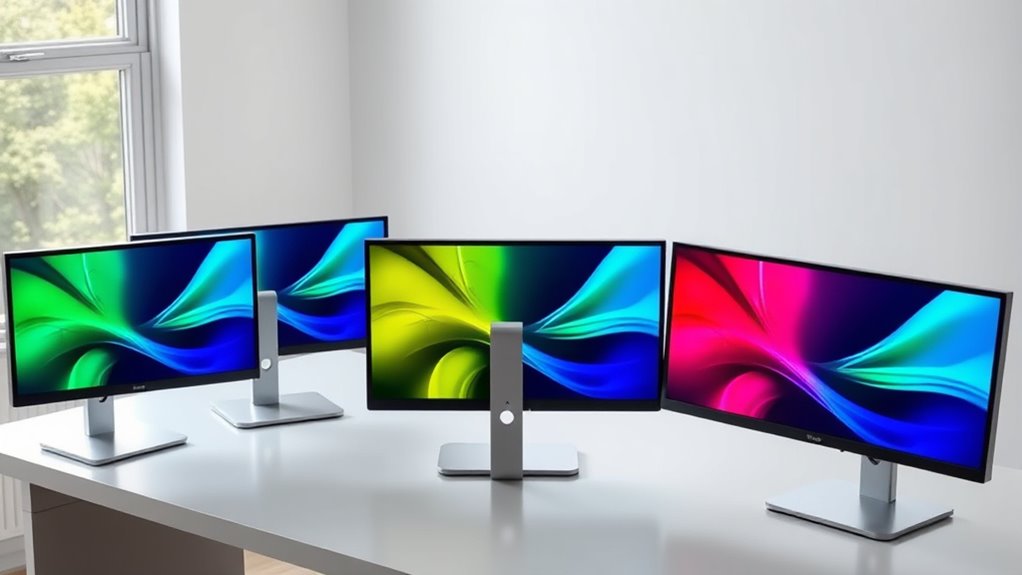

If you are searching for a 4K color E Ink monitor, I’d start with one clarification: none of these four listings establishes a standard 3840 × 2160 4K panel. The supplied resolutions reach 3200 × 2400 on the portable Bigme B13 models, while the desktop-sized Bigme B251 is listed at 3200 × 1800. Those numbers still offer plenty of pixels for reading and documents, but the label in the search query shouldn’t be mistaken for a confirmed 4K specification.

Get furniture and decor delivered free — and shop member deals
- Fast, free delivery on millions of items
- Access to Prime Big Deal Days deals on October 6–7
- Prime Video, Amazon Music and more included
My lead pick is the Bigme B13 with remote control, which pairs a high listed resolution with several display modes in a small format. For a desk-first setup, the Bigme B251 gives you a much larger E Ink workspace and more connection choices, at the cost of a notably low listed refresh rate. The other two B13 listings add useful details such as a matte finish or broad device compatibility, but their specifications also contain unresolved inconsistencies. The real choice is between paper-like viewing and screen size on one side, and motion smoothness, color punch, and dependable specification clarity on the other.
Complete the kit


Key Takeaways
- None of these listings confirms standard 3840 × 2160 4K: the listed resolutions are 3200 × 2400 or 3200 × 1800.
- Best portable feature set: the B13 with remote lists several viewing modes, but its refresh-rate and brightness details are unclear.
- Best for a large desk workspace: the 25.3-inch B251 offers HDMI, DP, and Type-C, though its listed 15 Hz rate is a serious limit for motion.
- Best stated matte-screen option: one B13 listing names a matte finish, 30 Hz refresh, and 200 cd/m² brightness, but gives conflicting resolution figures.
- Color E Ink is a workflow choice, not an LCD substitute: I’d favor it for reading and static work, not vivid media or fast-moving content.
| Bigme B13 13.3-Inch Color E-Paper Monitor with Remote Control |  | Best Overall for a Portable, Mode-Flexible Setup | Screen size: 13.3 inches | Display technology: Kaleido 3 color e-paper | Listed resolution: 3200 × 2400 | VIEW ON AMAZON | See Our Full Breakdown |
| Bigme B251 25.3-inch Color E Ink Monitor |  | Best for a Large, Stationary Reading Workspace | Screen size: 25.3 inches | Display type: Color E Ink | Resolution: 3200 × 1800 (listed as QHD) | VIEW ON AMAZON | See Our Full Breakdown |
| Bigme B13 13.3-Inch Color E-Paper Monitor | | Best for Buyers Who Prioritize a Matte Finish | Display size: 13.3 inches | Display type and finish: E Ink, matte | Display resolution: 3200 × 2400 listed | VIEW ON AMAZON | See Our Full Breakdown |
| Bigme B13 Portable Color E-Ink Monitor 13.3 Inch |  | Best for Broad Device Compatibility | Screen size: 13.3 inches | Resolution: 3200 × 2400 listed | Pixel density: 150 PPI listed | VIEW ON AMAZON | See Our Full Breakdown |
| 4k color e ink monitors for eye comfort | Screen size | Aspect ratio | Refresh rate | Pixel density |
|---|---|---|---|---|
| Bigme B13 13.3-Inch Color E-Pa | 13.3 inches | 4:3 | — | 300 PPI |
| Bigme B251 25.3-inch Color E I | 25.3 inches | 16:9 | 15 Hz | — |
| Bigme B13 13.3-Inch Color E-Pa | — | — | 30 Hz | — |
| Bigme B13 Portable Color E-Ink | 13.3 inches | 4:3 | 30 Hz | 150 PPI listed |
More Details on Our Top Picks
Bigme B13 13.3-Inch Color E-Paper Monitor with Remote Control
I rank this B13 first for buyers who want a small color E Ink screen that can take on more than one role. The listed 3200 × 2400 resolution and 300 PPI claim make it the most compelling portable detail set here for dense text, while extended, mirror, presentation, portrait, and single-display modes make it adaptable to different laptop tasks. Its 4:3 shape also gives pages and documents a less widescreen-heavy layout than the B251’s 16:9 screen.
The included remote is a practical distinction, especially when the monitor sits off to the side or is used for presentation. Compared with the matte-finish B13 listing, though, this version does not specify a matte surface or a brightness unit, so I can’t rank it as confidently for bright rooms. Its supplied refresh information is also contradictory: it mentions 30 FPS and 60 Hz. I would verify the actual operating modes before buying if screen updates matter to your work. The B251 is the better choice for a large fixed workspace; this B13 is the more flexible pick for a portable companion display. It is still not a confirmed 4K screen, and E Ink’s muted color and slower motion make it a poor match for video-heavy use.
Pros:- Listed 3200 × 2400 resolution and 300 PPI
- Supports extended, mirror, presentation, portrait, and single-display modes
- Remote control is included
- Portable 13.3-inch format for use beside a laptop
Cons:- Refresh information conflicts between 30 FPS and 60 Hz
- Brightness is listed without a measurement unit
- The listing does not confirm standard 4K resolution
Best for: Readers and mobile workers who want a compact color E Ink companion display, several layout modes, and a remote control.
Not ideal for: Anyone who needs confirmed 4K resolution, clearly documented refresh behavior, vivid color, or smooth motion for video and animation.
- Screen size:13.3 inches
- Display technology:Kaleido 3 color e-paper
- Listed resolution:3200 × 2400
- Pixel density:300 PPI
- Aspect ratio:4:3
- Refresh details:30 FPS and 60 Hz both listed
- Display modes:Extended, mirror, presentation, portrait, single display
- Weight:1.5 pounds
Our verdict“I’d choose this B13 for portable reading and varied display layouts, provided I could confirm its refresh and brightness details before purchase.”
Bigme B251 25.3-inch Color E Ink Monitor
The B251 is the clear desk-focused choice: its 25.3-inch screen gives long documents, reference material, and side-by-side windows room that none of the 13.3-inch B13 listings can match. HDMI, DisplayPort, Type-C, and USB-A also make it the most connection-flexible entry here. For someone trying to move reading and static office work away from a conventional lit display, the larger canvas may be more useful than the B13’s portability or remote.
That size comes with a real compromise. The supplied 15 Hz refresh rate is the lowest stated rate in this group, so I would keep expectations conservative for scrolling, cursor movement, and any content with frequent updates. Its xRapid technology is described as reducing ghosting and lag, but that claim does not erase the listed refresh limit. The glossy finish is another concern near windows or bright lamps; the matte B13 listing is the safer stated choice for reflection control. At 3200 × 1800, the B251 has a broad QHD workspace, not confirmed 4K resolution. I place it behind the portable B13 overall because of motion limitations, yet it is the strongest fit if screen area matters most and the monitor will stay on a desk.
Pros:- Large 25.3-inch color E Ink screen
- HDMI, DP, Type-C, and USB-A connectivity
- Voice control is described for hands-free operation
- xRapid technology is intended to reduce ghosting and lag
Cons:- Listed 15 Hz refresh rate limits motion-oriented work
- Glossy finish may reflect bright surroundings
- 3200 × 1800 is not standard 4K resolution
Best for: Desk-based readers and knowledge workers who want a large E Ink canvas, several wired connection options, and mostly static content.
Not ideal for: People who scroll rapidly, watch motion-rich video, need a compact monitor, or work in a space with glare-prone lighting.
- Screen size:25.3 inches
- Display type:Color E Ink
- Resolution:3200 × 1800 (listed as QHD)
- Aspect ratio:16:9
- Refresh rate:15 Hz
- Response time:36 ms
- Connectivity:HDMI, DP, Type-C, USB-A
- Screen finish:Glossy
Our verdict“I’d pick the B251 when a large, mostly static E Ink workspace matters more than portability or smooth updates.”
Bigme B13 13.3-Inch Color E-Paper Monitor
This B13 listing is the most specific about its screen surface: it calls the display matte, which may suit readers who find reflections distracting. It also lists a 30 Hz refresh rate and 200 cd/m² brightness, giving a more concrete starting point than the B13 with remote control, whose brightness lacks a unit and whose refresh figures conflict. The compact 13.3-inch size makes it a laptop companion rather than a replacement for a full-size desktop monitor.
Its biggest drawback is that the resolution information does not agree with itself. The listing gives a display resolution of 3200 × 2400, then names 2560 × 1440 as native resolution. I would not buy it on the assumption that both figures describe the same operating mode; check the manufacturer or seller for the actual native signal and panel resolution. The stated 10:1 contrast ratio is also a reminder that color E Ink is not meant to reproduce LCD-like depth or punch. Compared with the first B13, this entry offers the useful matte and brightness details but lacks an included remote in the supplied description. Compared with the B251, it is easier to carry and has a higher stated refresh rate, but far less workspace.
Pros:- Matte display finish is specified
- 30 Hz refresh rate and 200 cd/m² brightness are listed
- USB-C and mini HDMI connections
- Built-in speakers and remote control are described
Cons:- The listed display and native resolutions conflict
- 30 Hz may feel limited with frequent motion
- The 10:1 contrast ratio points to subdued image contrast
Best for: A reader who values a stated matte finish and portable size, and can confirm which resolution figure applies before ordering.
Not ideal for: Buyers who need unambiguous resolution documentation, a large desktop canvas, or strong contrast and saturated color.
- Display size:13.3 inches
- Display type and finish:E Ink, matte
- Display resolution:3200 × 2400 listed
- Native resolution:2560 × 1440 listed
- Refresh rate:30 Hz
- Brightness:200 cd/m²
- Ports:2 USB-C, 1 mini HDMI
- Contrast ratio:10:1
Our verdict“I’d shortlist this matte B13 for paper-like reading, but only after confirming its true native resolution.”
Bigme B13 Portable Color E-Ink Monitor 13.3 Inch
This B13 listing is the most direct about plug-and-play use across different device families. It names USB-C and mini HDMI connections and compatibility with Windows, macOS, iOS, and Android, making it a plausible choice for someone who wants one compact screen to accompany more than one kind of device. Its 4:3 aspect ratio and listed 3200 × 2400 resolution also suit document pages better than a typical widescreen layout.
I rank it fourth because its details need careful checking. The listed 150 PPI appears inconsistent with a 13.3-inch screen at 3200 × 2400, and the description calls that resolution FHD even though it is not the standard FHD pixel count. The 30 Hz figure is clearer, but still points away from fast motion. Compared with the matte B13 listing, this one offers broader named compatibility but does not state a matte finish, brightness, or contrast. Compared with the remote-control B13, it lists a similarly high pixel count but fewer confirmed display modes. All three B13 entries are described as portable, so compatibility—not a proven panel advantage—is the main reason to choose this version. Color E Ink can make static text and images easier to view for some users, but it won’t match a conventional LCD for vivid color.
Pros:- USB-C and mini HDMI connectivity
- Windows, macOS, iOS, and Android compatibility is listed
- Compact 13.3-inch size and 4:3 shape
- 3200 × 2400 resolution is claimed
Cons:- The 150 PPI claim appears inconsistent with the listed size and resolution
- 30 Hz refresh rate is limited for fast-moving content
- No matte finish or brightness figure is supplied
Best for: People seeking a portable E Ink screen for a mix of Windows, macOS, iOS, and Android devices, after checking connection support for their specific device.
Not ideal for: Buyers who need verified pixel density, smooth motion, strong color saturation, or precise documentation of panel performance.
- Screen size:13.3 inches
- Resolution:3200 × 2400 listed
- Pixel density:150 PPI listed
- Display type:Color E Ink
- Aspect ratio:4:3
- Refresh rate:30 Hz
- Connectivity:USB-C, mini HDMI
- Compatibility:Windows, macOS, iOS, Android
Our verdict“I’d choose this B13 for its stated cross-device reach, not for its unclear pixel-density claim or motion performance.”

How We Picked
I ranked these options around the promise of eye comfort from color E Ink, rather than treating every monitor with a high pixel count as a 4K display. I compared the supplied resolution claims, screen size, finish, refresh rate, connectivity, portability, and the amount of specification detail available. A larger panel can ease document work by showing more at once; a compact panel can travel alongside a laptop. Neither advantage removes the motion and color limits associated with this category.
I also gave weight to specification consistency. Several listings contain figures that need buyer verification: one B13 lists both 30 FPS and 60 Hz, another names a 3200 × 2400 display and a 2560 × 1440 native resolution, and the fourth reports 150 PPI alongside a 3200 × 2400 resolution and 13.3-inch size. I report those conflicts instead of resolving them by guesswork. The products are ranked as buying options using the supplied descriptions only; I do not present them as hands-on tested monitors. Since three entries share the B13 name, I treat them as separate listings, not proof of three confirmed hardware revisions.
| 4k color e ink monitors for eye comfort | Connectivity |
|---|---|
| Bigme B13 13.3-Inch Color E-Pa | — |
| Bigme B251 25.3-inch Color E I | HDMI, DP, Type-C, USB-A |
| Bigme B13 13.3-Inch Color E-Pa | — |
| Bigme B13 Portable Color E-Ink | USB-C, mini HDMI |
Factors to Consider When Choosing 4k Color E Ink Monitors For Eye Comfort
I’d choose among these monitors by starting with what you read or create, then checking whether the resolution and connection details suit your devices. Eye comfort is the reason to look at color E Ink; it does not make every E Ink monitor right for every task.Treat “4K” as a search term, not a confirmed specification
None of the four supplied listings confirms the standard 3840 × 2160 pixel count associated with 4K. Three B13 listings claim 3200 × 2400, while the B251 lists 3200 × 1800. Those are substantial resolutions, but buyers who specifically need a 4K input or panel should ask for the exact native resolution and supported signal modes before choosing. The confusion is especially relevant with the matte B13, which names both 3200 × 2400 and 2560 × 1440, and the final B13, whose 150 PPI claim appears at odds with its size and resolution. I would give a clear, verified resolution more weight than a headline label.
Match screen size to the work, not just the desk
The B251 is the only option here that offers a genuinely large desktop viewing area. That can help when comparing documents or keeping reference material beside a working window, although its 15 Hz specification may make frequent interaction feel slow. Each B13 is easier to carry and set beside a laptop, but its 13.3-inch screen provides less room for simultaneous windows. I’d pick a B13 for reading, markup, and occasional secondary-screen duties; I’d pick the B251 when a paper-like surface across a broad fixed workspace matters more than motion speed.
Read refresh-rate claims with your workflow in mind
Refresh rate affects how quickly the displayed image updates. The B251’s listed 15 Hz is a notable limitation, while two B13 listings specify 30 Hz. The remote-control B13 has conflicting 30 FPS and 60 Hz details, so I wouldn’t assume it is faster without confirmation. For static pages, email, and documents, motion may matter less than the display’s reading qualities. For fast scrolling, video, animation, or a workflow that depends on a responsive pointer, conventional LCD or OLED technology is a safer direction. The E Ink advantage in this roundup is the paper-like viewing experience, not fluid motion.
Check finish, lighting, and color expectations
Only one listing explicitly identifies a matte finish; the B251 is described as glossy, which can catch reflections in bright surroundings. The other B13 listings do not provide enough finish detail for a direct comparison. Color E Ink can display color content, but the supplied descriptions also acknowledge lower vibrancy than LCD. I’d think of it as a reading and document surface for charts, magazines, or marked-up pages rather than a display for photo grading, richly colored design work, or entertainment. A matte surface may help with reflections, but it does not resolve differences in contrast, color strength, or refresh behavior.
Verify ports, compatibility, and listing details
Connection options vary: the B251 names HDMI, DP, Type-C, and USB-A; the B13 listings name USB-C and mini HDMI, with one adding compatibility across Windows, macOS, iOS, and Android. Before buying, I’d check whether a particular phone or laptop supports video output over the port you plan to use. I’d also confirm what the seller means by plug-and-play, whether cables are included, and which listed resolution is native. The supplied details do not answer all of those questions. For the most self-contained portable setup, the remote-control B13 has the clearest list of display modes; for connection variety at a desk, the B251 has the advantage.
Frequently Asked Questions
Are any of these monitors true 4K displays?
Not according to the supplied specifications. The listed resolutions are 3200 × 2400 for the B13 models and 3200 × 1800 for the B251; none confirms 3840 × 2160. I’d verify the native panel resolution with the seller if standard 4K is a firm requirement.
Which option is the best fit for long reading sessions?
I’d start with the B13 listings for reading because their compact format suits books, articles, and documents beside a laptop. The matte B13 is the only one that explicitly states a matte screen, while the remote-control B13 lists multiple display modes. The resolution conflict on the matte model and unclear brightness details on the remote model make seller confirmation sensible.
Can I use these monitors for video or gaming?
I would not choose any of these as a main video or gaming display. The B251 lists 15 Hz, and the B13 entries list 30 Hz or conflicting refresh details. Color E Ink also tends to provide less vivid color than LCD displays. These models are better aligned with reading, documents, and relatively static content.
Which model is best for a stationary desk?
The 25.3-inch B251 is the obvious desk-first option because it provides much more screen area than the 13.3-inch B13 monitors and lists HDMI, DP, Type-C, and USB-A. Its 15 Hz refresh rate and glossy finish are meaningful drawbacks, so I’d choose it for static work in a controlled lighting setup rather than rapid scrolling or bright, reflective rooms.
Why are there three B13 listings, and are they the same monitor?
The supplied product information gives all three the Bigme B13 name and a 13.3-inch size, but their details differ. One lists a remote and several screen modes, another identifies a matte finish and conflicting resolution figures, and the third emphasizes device compatibility while giving an inconsistent PPI claim. I can’t confirm from these descriptions whether they are separate hardware revisions or listing variations, so I’d compare the exact seller page and verify the specifications before ordering.
Conclusion
For a portable reading companion with flexible modes, I’d choose the Bigme B13 with remote control, after confirming its refresh and brightness details. For a large desk-based E Ink workspace, I’d pick the B251 only if its 15 Hz limit and glossy finish suit the room and workflow. Readers who specifically want a stated matte screen should investigate the second B13 listing, while people using several device types may prefer the third B13—but both need specification checks. If you require verified 4K, vivid color, or smooth motion, I would skip this group and look for a conventional display that clearly meets those requirements.
Fall Picks
fall essentials
As an affiliate, we earn on qualifying purchases.