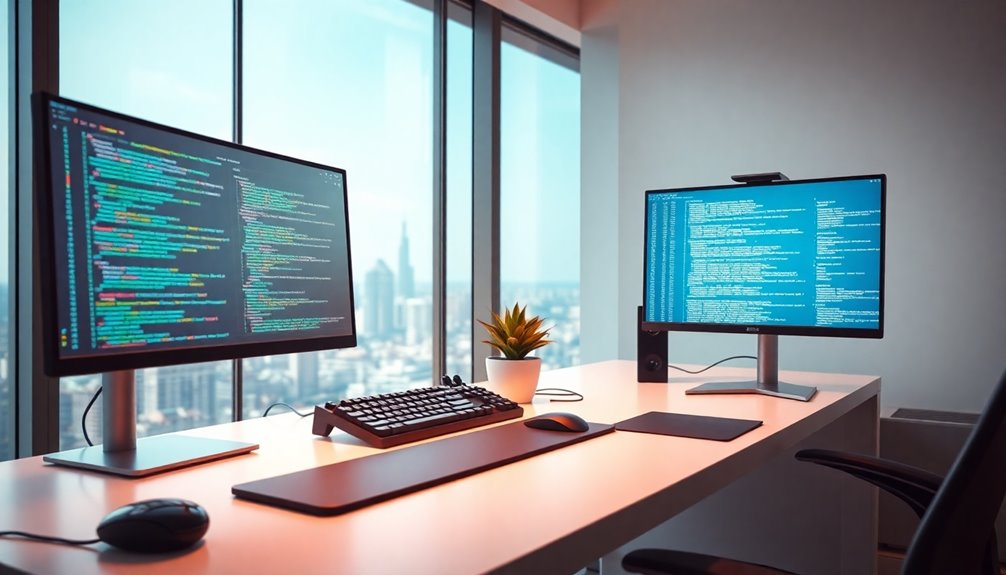

For most programmers, the ASUS ProArt PA278QV is the best overall pick, pairing a sharp 27-inch QHD workspace with an adjustable stand. The BenQ RD280U offers a taller 3:2 4K view for code-heavy work, while the Dell 34 Plus S3425DW gives multitaskers a wide canvas and USB-C connectivity. The main choice is between sharper text, more side-by-side workspace, and a lower-cost screen that may need more compromises in resolution or ergonomics. Screen size alone does not determine comfort: desk depth, scaling, and how you arrange windows matter too. Read on for the full comparison and advice on matching a monitor to your coding setup.

Get furniture and decor delivered free with Prime
- Fast, free delivery on millions of items
- Prime Video, Amazon Music and more included
- Member-only deals all year
Complete the kit


Key Takeaways
- QHD at 27 inches is the most balanced combination in this group: the ASUS ProArt PA278QV and Dell 27 Plus QHD give more workspace for code than the FHD models without demanding an ultrawide desk setup.
- The BenQ RD280U and RD280UA stand apart through their 3:2 4K format, which gives vertical room for long files; that shape favors reading and coding over wide timelines or broad side-by-side layouts.
- Ultrawide models split into distinct desk solutions: the 34-inch options suit two adjacent work windows, while Samsung’s 49-inch Dual QHD model targets users who want a much wider desktop in one display.
- USB-C matters most when it replaces desk clutter: the Dell S3425DW and Samsung 49-inch model are more compelling for laptop users seeking a single-cable setup than for desktop programmers who already have dedicated connections.
- Several lower-resolution picks prioritize basic access or high refresh rates, but their FHD panels offer less room for text and tool windows than the QHD and 4K choices, especially at larger screen sizes.
| ASUS ProArt PA278QV 27-Inch QHD Professional Monitor |  | Best for Color-Critical Coding | Display size: 27 inches | Resolution: 2560 × 1440 (WQHD) | Panel: IPS | VIEW ON AMAZON | See Our Full Breakdown |
| LG 34WR55QK-B 34-Inch Curved UltraWide WQHD Monitor |  | Best for Multitasking | Screen size: 34 inches | Aspect ratio: 21:9 | Resolution: 3440 × 1440 (WQHD) | VIEW ON AMAZON | See Our Full Breakdown |
| BenQ RD280UA 28.2-Inch 4K Programming Monitor |  | Best Dedicated Coding Monitor | Model: RD280UA | Screen size: 28.2 inches | Resolution: 3840 × 2560 | VIEW ON AMAZON | See Our Full Breakdown |
| Dell 24 Plus S2425HSM 23.8-Inch FHD 144Hz Monitor with Speakers, Adjustable Stand, AMD FreeSync, Ash White |  | Best Compact Desk Fit | Screen size: 23.8 inches | Resolution: 1920 × 1080 (FHD) | Refresh rate: 144Hz | VIEW ON AMAZON | See Our Full Breakdown |
| Dell 34 Plus USB-C Curved Monitor S3425DW, 34-inch WQHD, 120Hz |  | Best Premium Ultrawide | Screen size: 34 inches | Aspect ratio: 21:9 | Resolution: 3440 × 1440 | VIEW ON AMAZON | See Our Full Breakdown |
| Acer KB272 G0bi 27-Inch Full HD IPS Gaming Monitor |  | Best for Budget-Friendly, Smooth Scrolling | Screen size: 27 inches | Resolution: 1920 × 1080 (Full HD) | Panel type: IPS | VIEW ON AMAZON | See Our Full Breakdown |
| Samsung 37-inch ViewFinity S8 4K UHD Monitor (S80UD) |  | Best for a One-Screen Workstation | Screen size: 37 inches | Resolution: 4K UHD | Color support: 1.07 billion colors | VIEW ON AMAZON | See Our Full Breakdown |
| Dell SE2426H 23.8-Inch FHD 144Hz IPS Monitor |  | Best Compact High-Refresh Pick | Screen size: 23.8 inches | Resolution: 1920 × 1080 (FHD) | Refresh rate: 144Hz | VIEW ON AMAZON | See Our Full Breakdown |
| LG UltraFine 27UP850K-W 27-Inch 4K UHD IPS Monitor |  | Best for Crisp Text and Color Work | Screen size: 27 inches | Resolution: 3840 × 2160 (4K UHD) | Panel type: IPS | VIEW ON AMAZON | See Our Full Breakdown |
| Samsung 49-Inch Curved Dual QHD Business Monitor with USB-C |  | Best for an Expansive Single-Screen Workspace | Screen size: 49 inches | Resolution: Dual QHD | Aspect ratio: 32:9 | VIEW ON AMAZON | See Our Full Breakdown |
| Samsung 32-Inch S30B Flat FHD Monitor |  | Best for Budget-Conscious Multi-Monitor Setups | Screen size: 32 inches | Resolution: 1920 × 1080 (FHD) | Aspect ratio: 16:9 | VIEW ON AMAZON | See Our Full Breakdown |
| Dell 27 Plus QHD Monitor (S2725DSM), 27-Inch, 144Hz, Ash White |  | Best for Smooth, Sharp Everyday Coding | Model: S2725DSM | Screen size: 27 inches | Resolution: 2560 × 1440 (QHD) | VIEW ON AMAZON | See Our Full Breakdown |
| BenQ RD280U 28.2-Inch 4K 3:2 Programming Monitor |  | Best for Dedicated Coding Workspaces | Model: RD280U | Screen size: 28.2 inches | Resolution: 3840 × 2560 | VIEW ON AMAZON | See Our Full Breakdown |
| Samsung 34-Inch ViewFinity S50GC Ultra-WQHD Monitor |  | Best for Wide Multitasking | Model: LS34C502GANXZA | Screen size: 34 inches | Aspect ratio: 21:9 | VIEW ON AMAZON | See Our Full Breakdown |
| Samsung 27-inch Essential S3 S36GD FHD 1800R Curved Monitor |  | Best Compact Curved Pick | Screen size: 27 inches | Resolution: FHD | Curvature: 1800R | VIEW ON AMAZON | See Our Full Breakdown |
| monitors for programmer | Resolution | Screen size | Refresh rate |
|---|---|---|---|
| ASUS ProArt PA278QV 27-Inch QH | 2560 × 1440 (WQHD) | — | — |
| LG 34WR55QK-B 34-Inch Curved U | 3440 × 1440 (WQHD) | 34 inches | 100Hz |
| BenQ RD280UA 28.2-Inch 4K Prog | 3840 × 2560 | 28.2 inches | — |
| Dell 24 Plus S2425HSM 23.8-Inc | 1920 × 1080 (FHD) | 23.8 inches | 144Hz |
| Dell 34 Plus USB-C Curved Moni | 3440 × 1440 | 34 inches | 120Hz |
| Acer KB272 G0bi 27-Inch Full H | 1920 × 1080 (Full HD) | 27 inches | Up to 120Hz |
| Samsung 37-inch ViewFinity S8 | 4K UHD | 37 inches | — |
| Dell SE2426H 23.8-Inch FHD 144 | 1920 × 1080 (FHD) | 23.8 inches | 144Hz |
| LG UltraFine 27UP850K-W 27-Inc | 3840 × 2160 (4K UHD) | 27 inches | — |
| Samsung 49-Inch Curved Dual QH | Dual QHD | 49 inches | 120Hz |
| Samsung 32-Inch S30B Flat FHD | 1920 × 1080 (FHD) | 32 inches | 75 Hz |
| Dell 27 Plus QHD Monitor | 2560 × 1440 (QHD) | 27 inches | 144Hz |
| BenQ RD280U 28.2-Inch 4K 3:2 P | 3840 × 2560 | 28.2 inches | — |
| Samsung 34-Inch ViewFinity S50 | Ultra-WQHD | 34 inches | 100Hz |
| Samsung 27-inch Essential S3 S | FHD | 27 inches | 100Hz |
More Details on Our Top Picks
ASUS ProArt PA278QV 27-Inch QHD Professional Monitor
The ASUS ProArt PA278QV pairs a practical 27-inch QHD workspace with color accuracy that suits developers who also work on interfaces, graphics, or video. Its 100% sRGB and Rec. 709 coverage and Calman-verified Delta E under 2 make color work a stronger fit here than on the LG 34WR55QK-B, whose wider screen prioritizes side-by-side windows. For everyday coding, QHD gives text more room and detail than a Full HD display such as the Dell 24 Plus S2425HSM.
The stand adjusts for height, pivot, swivel, and tilt, while the USB hub and range of legacy and modern inputs make it easier to fit into an existing desk setup. The tradeoff is a conventional 16:9 workspace: developers who want multiple full-width panes at once may prefer an ultrawide. Its programming-specific eye features are also less specialized than the BenQ RD280UA’s coding modes.
Pros:- QHD resolution gives code more working space and detail than Full HD
- Full sRGB and Rec. 709 coverage with Calman-verified color accuracy
- Stand supports height, pivot, swivel, and tilt adjustments
- USB hub and multiple display inputs suit mixed-age equipment
Cons:- 16:9 layout offers less side-by-side workspace than the LG 34WR55QK-B
- Coding modes are not as specialized as those on the BenQ RD280UA
Best for: Developers who build color-sensitive interfaces or creative assets and want a sharp, adjustable 27-inch screen.
Not ideal for: Programmers who need several wide code and preview panes open at once or want a dedicated ultrawide workspace.
- Display size:27 inches
- Resolution:2560 × 1440 (WQHD)
- Panel:IPS
- Color coverage:100% sRGB, 100% Rec. 709
- Color accuracy:Calman Verified, Delta E < 2
- Connections:DisplayPort, HDMI, DVI-D, Mini DisplayPort, USB hub
- Stand adjustments:Tilt, pivot, swivel, height
- Eye care:Flicker-free backlighting, blue light filter, anti-glare coating
Our verdict“Choose the PA278QV if color-accurate interface work matters alongside a sharp, ergonomic coding display.”
LG 34WR55QK-B 34-Inch Curved UltraWide WQHD Monitor
The LG 34WR55QK-B is the workspace pick for programmers who want an editor, terminal, and documentation visible together without splitting across two monitors. Its 34-inch 21:9 screen supplies more horizontal room than the 27-inch ASUS ProArt PA278QV, while 3440 × 1440 keeps that broad canvas more useful for text than a Full HD ultrawide. USB-C data and up to 65W power delivery can also reduce desk clutter for a compatible laptop.
Picture-by-Picture is handy when switching between two computers or devices, and the 100Hz refresh rate makes scrolling and window movement feel smooth. This model is a better fit for workspace breadth than the BenQ RD280UA, which offers a more coding-focused display format and specialized modes. The LG’s stand adjusts only for height and tilt, and its 5ms response time is less geared to fast gaming than the Dell S3425DW.
Pros:- 34-inch 21:9 workspace fits multiple application windows side by side
- 3440 × 1440 resolution provides more detail than a Full HD ultrawide
- USB-C carries data and up to 65W power to a compatible laptop
- Picture-by-Picture supports two input sources
Cons:- Stand offers height and tilt adjustment but not pivot or swivel
- 5ms response time is less suited to fast-paced gaming than the Dell S3425DW
- OnScreen Control requires a separate software installation
Best for: Laptop-based developers who keep an editor, terminal, and reference material visible side by side.
Not ideal for: Programmers who need extensive stand positioning, coding-specific display modes, or fast gaming response.
- Screen size:34 inches
- Aspect ratio:21:9
- Resolution:3440 × 1440 (WQHD)
- Refresh rate:100Hz
- Response time:5ms
- USB-C power delivery:Up to 65W
- Ports:USB-C, 2 HDMI, 2 USB, DisplayPort, headphone jack
- Stand adjustment:Height and tilt
Our verdict“Pick the LG 34WR55QK-B if you want one broad screen for coding, terminals, and reference windows with laptop USB-C support.”
BenQ RD280UA 28.2-Inch 4K Programming Monitor
The BenQ RD280UA is the most purpose-built coding choice in this group. Its coding modes and 28.2-inch, 3840 × 2560 display are aimed at making code the main event, while the Nano Matte anti-glare, anti-reflective panel helps limit distracting reflections. The flexible arm makes screen positioning easier to tailor than the more limited height-and-tilt stand on the LG 34WR55QK-B.
Compared with the ASUS ProArt PA278QV, the BenQ gives programmers a more specialized set of coding and night-use features; the ASUS, by contrast, provides defined color coverage and a conventional QHD workspace. A 90W USB-C power delivery rating is useful for compatible laptops that need more power than the LG’s 65W connection. This focused approach may be excessive for basic coding, and the supplied product details do not state color coverage or refresh rate, making it harder to judge for color-sensitive or high-refresh workflows.
Pros:- Coding modes are tailored to programming workflows
- 3840 × 2560 resolution provides a detailed workspace
- Nano Matte panel reduces reflections
- Flexible arm and 90W USB-C power delivery support an adaptable laptop desk
Cons:- Product details do not specify color coverage or refresh rate
- Specialized coding features may be unnecessary for general-purpose use
Best for: Developers who spend long sessions reading code and want coding modes, reflection control, and an ergonomic arm.
Not ideal for: Buyers who need stated color coverage or refresh-rate figures to choose a display for color work or gaming.
- Model:RD280UA
- Screen size:28.2 inches
- Resolution:3840 × 2560
- Panel:Nano Matte anti-glare, anti-reflective
- USB-C power delivery:90W
- Stand:Ergonomic flexible arm
- Programming features:Coding modes, MoonHalo backlight
- Eye care:Night Hours Protection, Brightness Intelligence Gen2
Our verdict“Choose the RD280UA if coding-focused modes and glare control matter more than broad color and refresh-rate specifications.”
Dell 24 Plus S2425HSM 23.8-Inch FHD 144Hz Monitor with Speakers, Adjustable Stand, AMD FreeSync, Ash White
The Dell 24 Plus S2425HSM suits programmers who have limited desk space or prefer a smaller screen they can position close by. Its 23.8-inch Full HD panel has less room and detail for code than the 27-inch QHD ASUS ProArt PA278QV, but the compact format may make sense for a secondary workstation or a tight home office. A 144Hz refresh rate with AMD FreeSync also gives scrolling and pointer movement a smoother feel than the slower LG 34WR55QK-B.
The stand supports height, tilt, pivot, and swivel adjustments, and the built-in speakers remove the need for separate audio hardware. Those conveniences come with a coding-specific compromise: Full HD leaves less screen space for large codebases and side-by-side windows than the Dell S3425DW or LG ultrawides. Its gaming-oriented refresh rate is less valuable to developers than sharper text or a wider workspace, so buyers should choose it for fit and flexibility rather than coding density.
Pros:- Compact 23.8-inch size suits smaller work areas
- 144Hz refresh rate and FreeSync support smooth motion
- Stand adjusts for height, tilt, pivot, and swivel
- Built-in dual 3W speakers reduce desk accessories
Cons:- Full HD offers less coding space and detail than QHD or 4K options
- 144Hz is less useful for coding than the extra workspace of the LG 34WR55QK-B
- Brightness is listed without a unit in the supplied specifications
Best for: Developers with a compact desk or secondary workstation who want an adjustable screen and built-in speakers.
Not ideal for: Programmers who routinely compare several files side by side or want sharper text across a larger workspace.
- Screen size:23.8 inches
- Resolution:1920 × 1080 (FHD)
- Refresh rate:144Hz
- Response time:1ms MPRT; 8ms listed
- Contrast ratio:1500:1
- Speakers:Dual 3W
- Ports:2 HDMI ports; 2 component outputs
- Stand adjustments:Height, tilt, pivot, and swivel
Our verdict“Pick the S2425HSM for a compact, adjustable coding setup where built-in audio and smooth motion matter more than resolution.”
Dell 34 Plus USB-C Curved Monitor S3425DW, 34-inch WQHD, 120Hz
The Dell S3425DW combines an expansive 34-inch workspace with a faster 120Hz refresh rate, making it the more motion-focused alternative to the LG 34WR55QK-B. Both offer 3440 × 1440 resolution and USB-C charging up to 65W, but the Dell adds 99% sRGB and 95% DCI-P3 coverage and a 3000:1 VA contrast ratio. That combination suits developers who also edit media or want stronger contrast in dark interfaces, while the LG’s 100Hz panel remains a similar fit for broad everyday multitasking.
The curved 21:9 format gives code, terminal, and preview windows room to sit together, and four USB ports help connect peripherals. Compared with the BenQ RD280UA, this is a conventional ultrawide workspace rather than a programming-specific display with coding modes. The wide panel takes substantial desk space, and its listed brightness of 300 is missing a unit in the supplied data, so brightness comparisons are uncertain.
Pros:- 34-inch 21:9 screen supports side-by-side coding and reference windows
- 120Hz refresh rate is higher than the LG 34WR55QK-B’s 100Hz
- 99% sRGB and 95% DCI-P3 suit color-aware creative work
- USB-C provides up to 65W power delivery, with four USB ports
Cons:- Large curved panel needs substantial desk width
- Brightness is listed as 300 without a unit in the supplied data
- Lacks the programming-specific modes offered by the BenQ RD280UA
Best for: Developers who want a wide multi-window workspace, USB-C laptop charging, and a higher refresh rate for mixed work and play.
Not ideal for: Programmers with limited desk space or those seeking a coding-specific layout and eye-care feature set.
- Screen size:34 inches
- Aspect ratio:21:9
- Resolution:3440 × 1440
- Panel:VA
- Refresh rate:120Hz
- Contrast ratio:3000:1
- Color coverage:99% sRGB, 95% DCI-P3
- USB-C power delivery:Up to 65W
Our verdict“Choose the S3425DW if you want an ultrawide coding workspace with faster motion and broader color coverage for creative work.”
Acer KB272 G0bi 27-Inch Full HD IPS Gaming Monitor
The 120Hz refresh rate gives this 27-inch Acer a smoother feel for scrolling through code and moving windows than a basic 60Hz display. Its IPS panel also keeps text and colors consistent across wide viewing angles. The tradeoff is Full HD resolution on a 27-inch screen: compared with the sharper 27-inch 4K LG UltraFine 27UP850K-W, code and small interface details will look less crisp, and there is less room for side-by-side windows. At 250 nits, it is also a better fit for a controlled office than a bright room. I’d choose it for a programmer who values fluid motion and screen size over pixel density; anyone prioritizing dense text or more workspace should look at a higher-resolution option.
Pros:- 27-inch IPS screen offers wide viewing angles
- Up to 120Hz makes scrolling and motion appear smoother
- Adaptive-Sync support can reduce screen tearing
- Full HD resolution is straightforward to drive
Cons:- Full HD on a 27-inch panel is less sharp than the 4K alternatives
- 250-nit brightness may feel limited in bright workspaces
Best for: Programmers who want a large IPS screen and smoother scrolling for everyday coding without prioritizing high resolution.
Not ideal for: Developers who keep multiple code windows open or need crisp small text, since 27-inch Full HD offers less workspace and sharpness than the 4K LG UltraFine.
- Screen size:27 inches
- Resolution:1920 × 1080 (Full HD)
- Panel type:IPS
- Aspect ratio:16:9
- Refresh rate:Up to 120Hz
- Brightness:250 nits
- Adaptive-Sync:Supported; FreeSync compatible
Our verdict“Choose the Acer for smoother everyday use on a large IPS screen; choose the LG UltraFine if sharper text and more workspace matter more.”
Samsung 37-inch ViewFinity S8 4K UHD Monitor (S80UD)
The 37-inch 4K workspace gives programmers room to keep an editor, documentation, and a terminal visible together, while the built-in KVM and USB-C with up to 90W charging make switching between a work laptop and desktop simpler. Its LAN port adds a wired network connection at the desk. Compared with the 27-inch LG UltraFine 27UP850K-W, this ViewFinity favors screen area and workstation connectivity over a more compact footprint. HDR10 and support for 1.07 billion colors broaden its display features, though the supplied details do not specify brightness, refresh rate, or pixel density. The large panel needs substantial desk space, so it suits a permanent multi-device setup better than a small desk or a programmer who prefers a sharper, more compact screen.
Pros:- 37-inch 4K screen supports several visible work areas
- USB-C provides data transfer and up to 90W charging
- Built-in KVM and LAN simplify a multi-device desk
- Height, tilt, and swivel adjustments support flexible positioning
Cons:- Large screen requires substantial desk space
- Refresh rate and brightness are not specified in the provided product data
Best for: Developers who work across a laptop and desktop and want a large screen, one-cable charging, and built-in device switching.
Not ideal for: Programmers with limited desk depth or those who prefer a compact high-density display such as the 27-inch LG UltraFine.
- Screen size:37 inches
- Resolution:4K UHD
- Color support:1.07 billion colors
- HDR:HDR10
- USB-C charging:Up to 90W
- Connectivity:USB-C, LAN
- Multitasking:Built-in KVM; split screen, Picture-in-Picture, and Picture-by-Picture
- Ergonomics:Height-adjustable, tilts, and swivels
Our verdict“Pick the ViewFinity S8 for a spacious, multi-device workstation if your desk can accommodate its 37-inch screen.”
Dell SE2426H 23.8-Inch FHD 144Hz IPS Monitor
At 23.8 inches, the Dell SE2426H is the compact choice here for a programmer who wants a conventional desk display with fluid motion. Its 144Hz IPS panel makes scrolling and cursor movement feel smoother than on the Full HD Samsung 32-Inch S30B, while the matte surface and 300-nit brightness suit everyday office use. The compact size is easier to fit on a crowded desk, but Full HD gives less room for code and supporting windows than the larger QHD and 4K picks. It has two HDMI ports and AMD FreeSync, yet the supplied connectivity list does not include USB-C. I’d favor this Dell for a small desk and general coding; developers who need dense text or a one-cable laptop setup should choose a higher-resolution or USB-C model.
Pros:- 144Hz refresh rate supports smooth scrolling
- IPS panel has 178-degree viewing angles
- Matte screen and 300-nit brightness suit typical office lighting
- TÜV Rheinland 3-star eye comfort certification
Cons:- Full HD resolution offers less workspace and text detail than QHD or 4K options
- Connectivity is limited to two HDMI ports in the listed specs
Best for: Programmers with a small desk who want an IPS panel, comfortable viewing features, and smooth scrolling for everyday coding.
Not ideal for: Developers who need more code visible at once or want USB-C docking, since this is a Full HD monitor with two HDMI ports.
- Screen size:23.8 inches
- Resolution:1920 × 1080 (FHD)
- Refresh rate:144Hz
- Panel technology:IPS
- Brightness:300 nits
- Viewing angle:178°
- Ports:2 HDMI
- Adaptive sync:AMD FreeSync
Our verdict“Choose the Dell SE2426H for a compact coding desk and smooth motion, but step up to a higher-resolution option for more usable text space.”
LG UltraFine 27UP850K-W 27-Inch 4K UHD IPS Monitor
The 27-inch 4K resolution is the strongest reason to choose this LG for programming: it gives small text and detailed interfaces more definition than the Full HD Acer KB272 G0bi, with more room to work at a comfortable scale. Its USB-C connection with up to 90W power delivery can simplify a laptop desk, and the adjustable stand includes height, tilt, and pivot for changing posture or viewing a vertical document. Up to 95% DCI-P3 coverage and DisplayHDR 400 support add value for developers who also work with visual content. Compared with the larger Samsung ViewFinity S8, this model takes less desk space but offers fewer listed workstation features, such as a built-in KVM and LAN port. It is a balanced sharpness pick, though the supplied data does not state a refresh rate.
Pros:- 4K resolution keeps text and interface details sharp on a 27-inch screen
- USB-C supports data and up to 90W power delivery
- Height, tilt, and pivot adjustments allow flexible positioning
- DisplayHDR 400 and up to 95% DCI-P3 suit mixed coding and visual work
Cons:- Smaller workspace than the 37-inch Samsung ViewFinity S8
- Refresh rate is not specified in the provided product data
Best for: Laptop-based developers who want sharp code, a flexible stand, USB-C charging, and enough color coverage for occasional visual work.
Not ideal for: Programmers seeking a very large shared workspace or built-in KVM and LAN, which are listed on the 37-inch Samsung ViewFinity S8.
- Screen size:27 inches
- Resolution:3840 × 2160 (4K UHD)
- Panel type:IPS
- HDR:VESA DisplayHDR 400
- Color gamut:Up to 95% DCI-P3
- USB-C power delivery:Up to 90W
- Connectivity:DisplayPort, 2 HDMI, 2 USB 3.0, headphone jack
- Stand adjustments:Height, tilt, and pivot
Our verdict“Choose the LG UltraFine for sharp 4K text and a flexible USB-C laptop setup in a desk-friendly 27-inch size.”
Samsung 49-Inch Curved Dual QHD Business Monitor with USB-C
This Samsung’s 49-inch, 32:9 Dual QHD screen can replace a multi-monitor layout with one continuous workspace, useful when a code editor, terminal, and reference window all need to stay visible. The 1000R curve brings the wide panel around the viewer, while USB-C with 90W charging and a 120Hz refresh rate add convenience for laptop work and smooth scrolling. Compared with the 37-inch Samsung ViewFinity S8, it offers a much wider layout but gives up the stated 4K resolution and built-in KVM. The 49-inch width also demands a large desk, and the supplied details do not specify individual USB port types or counts. This is a specialized fit for developers who want one panoramic screen; a standard 16:9 display is easier to place in a compact workspace.
Pros:- 32:9 Dual QHD layout provides broad space for multiple windows
- 1000R curvature wraps the wide screen around the viewing position
- USB-C supports up to 90W charging
- 120Hz refresh rate supports smoother scrolling
Cons:- 49-inch width requires substantial desk space
- Listed data does not specify USB port types or counts
- No built-in KVM is listed, unlike the Samsung ViewFinity S8
Best for: Developers with a wide desk who want an uninterrupted workspace for coding, terminals, and reference material on one screen.
Not ideal for: Programmers with limited desk space or those who need a compact 4K display with a built-in KVM, such as the Samsung ViewFinity S8.
- Screen size:49 inches
- Resolution:Dual QHD
- Aspect ratio:32:9
- Curvature:1000R
- Refresh rate:120Hz
- HDR:VESA DisplayHDR 400
- USB-C charging:90W
- Connectivity:DisplayPort, 2 HDMI inputs, USB, USB-C
Our verdict“Choose this Samsung if you have room for a panoramic desk display and want several coding windows visible without a monitor split.”
Samsung 32-Inch S30B Flat FHD Monitor
The S30B’s 32-inch screen and three-sided borderless design give programmers room to keep a code editor and reference material visible side by side, and the narrow borders suit a paired display. Its Full HD resolution is the main compromise: at this size, text and interface details will look less crisp than on the 27-inch QHD Dell S2725DSM. The 75Hz refresh rate and FreeSync can make scrolling and pointer movement feel smoother than on a basic 60Hz screen, though they matter less for coding than resolution and workspace. Eye Saver Mode and Flicker Free are useful additions for long sessions, while HDMI and DisplayPort offer flexible connections. I’d choose it for screen area and simple multi-monitor expansion, but skip it if sharp text is your priority.
Pros:- 32-inch panel offers room for multiple coding windows
- Three-sided borderless design works well beside a second monitor
- 75Hz refresh rate and AMD FreeSync support smoother motion
- HDMI, DisplayPort, Eye Saver Mode, and Flicker Free are included
Cons:- FHD resolution looks less sharp at 32 inches than QHD or 4K alternatives
- 250 cd/m² brightness may be limiting in a bright workspace
Best for: Programmers who want a large screen for side-by-side windows or a borderless multi-monitor setup and are comfortable with FHD text sharpness.
Not ideal for: Developers who read small text all day and want crisp detail; the 32-inch FHD panel is less sharp than the 27-inch QHD Dell S2725DSM.
- Screen size:32 inches
- Resolution:1920 × 1080 (FHD)
- Aspect ratio:16:9
- Refresh rate:75 Hz
- Contrast ratio:4000:1
- Brightness:250 cd/m²
- Viewing angle:178 degrees
- Connectivity:HDMI, DisplayPort
Our verdict“Choose the S30B for a spacious, easy-to-pair coding display if you value screen size over fine text detail.”
Dell 27 Plus QHD Monitor (S2725DSM), 27-Inch, 144Hz, Ash White
The Dell S2725DSM offers a practical balance for a programmer who wants sharper text than FHD without moving to a 4K display. Its 27-inch QHD resolution gives code and interface elements more definition than the Samsung S30B’s 32-inch FHD panel, while the 144Hz refresh rate makes scrolling feel fluid during long browsing and editing sessions. The adjustable stand adds real desk flexibility: height, tilt, pivot, and swivel help position the screen for a comfortable coding setup. Integrated speakers and TÜV-certified eye comfort features round it out for everyday use. Compared with the programming-focused BenQ RD280U, though, this is a conventional 16:9 monitor without coding modes or a taller 3:2 workspace. Its speed is welcome, but it is not the key reason to buy it.
Pros:- QHD resolution provides sharper text than FHD alternatives
- 144Hz refresh rate supports smooth scrolling and pointer motion
- Stand adjusts for height, tilt, pivot, and swivel
- Dual 3W speakers and TÜV-certified eye comfort features are built in
Cons:- 16:9 layout provides less vertical coding space than the BenQ RD280U’s 3:2 screen
- No USB-C or KVM features are listed
Best for: Developers who want crisp QHD text, a fully adjustable stand, and smooth scrolling in a general-purpose 27-inch monitor.
Not ideal for: Programmers seeking a coding-specific layout, extra vertical space, or USB-C docking; the BenQ RD280U is better aligned with those needs.
- Model:S2725DSM
- Screen size:27 inches
- Resolution:2560 × 1440 (QHD)
- Refresh rate:144Hz
- Response time:1ms MPRT
- Contrast ratio:1500:1
- Speakers:Dual 3W
- Connectivity:HDMI, DisplayPort 1.4
- Stand adjustments:Height, tilt, pivot, swivel
Our verdict“Pick the S2725DSM for a sharp, adjustable everyday coding display with smoother motion than standard office monitors.”
BenQ RD280U 28.2-Inch 4K 3:2 Programming Monitor
The RD280U is the most programming-specific pick in this group. Its 3:2, 3840 × 2560 display provides more vertical room for code than the 16:9 Dell S2725DSM, which can mean less scrolling through files and documentation. BenQ’s Nano Matte panel and coding modes are aimed at keeping code readable under varied lighting, while MoonHalo backlighting adds gentle ambient illumination for desk work. With 90W USB-C and KVM, it can also simplify a setup that switches between two computers; those features are more directly useful to a developer than the Samsung ViewFinity S50GC’s ultrawide format. The caveat is the renewed condition, along with limited details about ports and ergonomics. I’d favor its layout for coding, but verify the unit’s condition and included accessories before choosing it.
Pros:- 3:2 resolution offers more vertical workspace than standard 16:9 monitors
- Coding modes and Nano Matte panel target code readability
- 90W USB-C can connect and charge a compatible laptop
- KVM supports switching between computers and MoonHalo provides backlighting
Cons:- Listed as renewed rather than new
- Port and ergonomic adjustment details are limited
Best for: Developers who spend most of their screen time reading code and documentation and want a tall 3:2 workspace with USB-C and KVM.
Not ideal for: Buyers who require a new monitor or need clearly documented port selection and stand adjustments; product details for those areas are limited.
- Model:RD280U
- Screen size:28.2 inches
- Resolution:3840 × 2560
- Aspect ratio:3:2
- Panel:Nano Matte
- USB-C power delivery:90W
- Features:Coding modes, MoonHalo backlight, KVM, eye-care features
- Condition:Renewed
Our verdict“Choose the RD280U if a tall, coding-focused screen and built-in KVM matter more than the uncertainty of a renewed unit.”
Samsung 34-Inch ViewFinity S50GC Ultra-WQHD Monitor
The ViewFinity S50GC gives programmers a broad 21:9 Ultra-WQHD canvas for keeping an editor, terminal, and browser visible at once. That layout suits side-by-side work better than the 16:9 Dell S2725DSM, while the Dell offers a more compact footprint and adjustable stand. The Samsung’s Picture-by-Picture and Picture-in-Picture modes add flexibility for viewing two sources, a useful distinction for developers working across machines. Its 100Hz refresh rate and FreeSync also help motion feel smooth, and eye-care features support extended sessions. There are tradeoffs: the 5ms response time is less suited to fast gaming, and no USB ports are listed for connecting peripherals or simplifying a desk. I’d choose it for broad, window-heavy workflows, not for USB-C docking or a vertically oriented coding layout.
Pros:- 21:9 Ultra-WQHD layout supports side-by-side coding and reference windows
- Picture-by-Picture and Picture-in-Picture support multiple input sources
- 100Hz refresh rate and AMD FreeSync support smoother motion
- Eye Saver Mode and Flicker Free features are included
Cons:- No USB ports are listed for peripherals or docking
- 5ms response time is less suited to fast-paced gaming
- Wide format offers less vertical workspace than the BenQ RD280U’s 3:2 screen
Best for: Developers who routinely keep several applications visible side by side or need to view two input sources at once.
Not ideal for: Programmers who need USB hub connectivity, laptop docking, or a compact screen; no USB ports are listed and the 34-inch panel occupies substantial desk space.
- Model:LS34C502GANXZA
- Screen size:34 inches
- Aspect ratio:21:9
- Resolution:Ultra-WQHD
- Refresh rate:100Hz
- Response time:5ms
- Brightness:300 cd/m² typical
- Inputs:2 HDMI 2.2, 1 DisplayPort 1.2
- Features:HDR10, AMD FreeSync, Picture-by-Picture, Picture-in-Picture
Our verdict“Pick the ViewFinity S50GC if your coding workflow benefits from a wide, multi-window desktop and multiple video inputs.”
Samsung 27-inch Essential S3 S36GD FHD 1800R Curved Monitor
The Essential S3 is a straightforward choice for a programmer who wants a modestly sized screen with a curve and a faster-than-basic refresh rate. Its 27-inch FHD panel is easier to fit on a smaller desk than the 34-inch ViewFinity S50GC, but it cannot match that model’s Ultra-WQHD room for simultaneous windows. The 1800R curve and 100Hz refresh rate may make everyday viewing feel more enveloping and scrolling smoother, yet neither adds the text detail that a QHD screen such as the Dell S2725DSM provides. TÜV-certified blue light and flicker reduction support longer sessions. The product details do not specify ports, so I’d check that its connections suit your computer before buying. It makes sense when size and curved viewing matter more than resolution or workflow features.
Pros:- 27-inch format is more compact than the 34-inch Samsung ViewFinity S50GC
- 1800R curve creates a more enveloping viewing shape
- 100Hz refresh rate supports smoother motion
- TÜV-certified blue light and flicker reduction features are included
Cons:- FHD resolution provides less text detail than the QHD Dell S2725DSM
- Port and connectivity details are not specified
- Smaller 16:9 workspace cannot match the ViewFinity S50GC for side-by-side windows
Best for: Programmers with limited desk space who prefer a curved screen for everyday coding, browsing, and media.
Not ideal for: Developers who need crisp small text, a broad multi-window workspace, or confirmed connection options; the FHD resolution and unspecified ports are limitations.
- Screen size:27 inches
- Resolution:FHD
- Curvature:1800R
- Refresh rate:100Hz
- Series:Essential S3 (S36GD)
- Eye comfort:TÜV-certified blue light reduction and flicker reduction
Our verdict“Choose the Essential S3 for a compact curved screen and smooth everyday viewing if FHD sharpness meets your needs.”

How We Picked
I ranked these monitors by how well their screen format, resolution, ergonomics, and connections support long programming sessions and everyday workstation tasks. A sharp, readable image and enough room for an editor plus reference material mattered more than gaming-focused refresh rates. I also weighed stand adjustability, USB-C usefulness, and whether a monitor’s size and shape fit a realistic desk setup.
The order reflects different compromises, not a single winning specification. The ASUS ProArt PA278QV leads as a balanced QHD choice; the BenQ 3:2 screens earn attention for vertical code space, and the ultrawides suit buyers who organize work side by side. FHD models rank lower for text-heavy work because they provide less desktop detail, though they can still make sense for simpler setups or tighter budgets. Since the product list spans very different sizes and formats, buyers should treat each ranking as a guide to fit as well as capability.
Factors to Consider When Choosing Monitors For Programmers
Choosing a programming monitor starts with how you work at your desk, not with the largest number on a spec sheet. I would match screen shape, resolution, and connections to the windows I keep open and the computer I use.
Match Screen Shape to Your Work
A conventional 16:9 screen is easy to place and works well for a single editor, documentation, and occasional split windows. A 21:9 ultrawide can keep an editor and browser visible side by side, though it needs enough desk width and may not replace two displays for everyone. The BenQ 3:2 format in this roundup takes the opposite approach, giving more vertical room for source files and documents. That can reduce scrolling, but it leaves less horizontal room for very wide code panes or multiple broad windows. Think about whether you usually tile windows horizontally or stack them vertically before choosing a shape.
Choose Resolution for Readable Text
Resolution and physical size work together: a larger screen with the same pixel count can make text look less dense. QHD at 27 inches is a useful middle ground for many desks, while 4K can make fine text and detailed interfaces look sharper when scaling is set comfortably. Higher resolution does not automatically mean more usable space, since operating system scaling can enlarge interface elements. Before buying, check that your computer can drive the chosen resolution at the refresh rate you want. Avoid choosing on resolution alone if you sit close to the screen or prefer larger text.
Treat Ergonomics as Part of the Display
Programming often means looking at a fixed point for hours, so screen height and viewing distance affect comfort. An adjustable stand can help position the top of the screen near eye level and reduce the urge to hunch. If a monitor has limited adjustment, a compatible arm or riser may solve the problem, but it adds cost and setup work. Large curved screens also need enough desk depth to keep their edges at a comfortable viewing angle. Measure your desk and check the stand’s footprint before committing to a wide or tall model.
Decide Whether USB-C Simplifies Your Desk
USB-C can carry video and, on suitable models, power and data through one connection, which is handy for a laptop that moves between desk and bag. The benefit depends on the monitor’s actual ports and charging capability, so verify those details against your laptop’s requirements. Desktop users with separate power, display, and peripheral connections may get less value from a USB-C hub. Also check whether the monitor’s ports remain accessible when it is mounted on an arm. A single cable is convenient only when it supports the devices and accessories you actually use.
Do Not Confuse Refresh Rate With Coding Clarity
A higher refresh rate can make scrolling and cursor movement feel smoother, and it may matter if you also play games. For reading code, panel resolution, text rendering, and a comfortable size usually deserve priority. Several FHD choices here pair high refresh rates with less desktop detail, so compare the tradeoff against QHD or 4K models before deciding. Check your computer’s graphics output too, since it must support the resolution and refresh combination. Pay extra for speed when it serves a real part of your routine, not just because the number is larger.
Plan for Your Window Layout and Desk
One big screen can simplify a setup, but it does not suit every workflow. A 34-inch ultrawide favors two adjacent windows, whereas a 49-inch model can host several panes but takes substantial physical space. A moderate 27-inch screen may be easier to position and pair with an existing monitor. Consider whether your editor, terminal, browser, and video calls need to be visible at once or only switched between. Sketching your usual window layout and measuring available width can prevent buying more screen than your desk or habits can use.
Frequently Asked Questions
Is QHD enough for a 27-inch programming monitor, or should I choose 4K?
QHD at 27 inches gives a clear step up from FHD in workspace while keeping scaling straightforward for many users. A 4K model can render finer text and interfaces, but you may need scaling to keep text comfortable, which changes how much content fits on screen. The BenQ 3:2 models also offer extra vertical room, a benefit that is separate from pixel density. Choose based on your viewing distance, eyesight, operating system, and whether sharper detail or simpler sizing matters more to you.
Will a 34-inch ultrawide replace two monitors for coding?
It can replace two monitors if your main need is keeping an editor and reference window beside each other. An ultrawide avoids a center bezel, but it does not give the same vertical arrangement as two stacked screens, and some applications may not make good use of the width. Check that your computer supports the monitor’s native resolution and that your desk can accommodate its width. If you rely on separate full-screen workspaces or want a second display at a different angle, two monitors may still fit better.
Is a 49-inch Dual QHD monitor practical for a home coding desk?
It can be practical if you have a wide, deep desk and regularly keep several windows visible at once. Its broad desktop can reduce the need to switch among an editor, terminal, and reference material, but the physical footprint and window management take adjustment. Dual QHD means the panel has the horizontal pixel space of two QHD displays, so your computer must handle that output. Measure the usable desk width and viewing distance before choosing it over a 27-inch screen or a 34-inch ultrawide.
Should I choose a monitor with USB-C if I use a laptop?
USB-C is useful when the monitor can carry your laptop’s video signal and provide enough charging power through the same cable. Some monitors have USB-C for video but limited power delivery or fewer hub functions, so compare the port specifications with your laptop’s needs. A desktop-only setup may gain little from these features. If you dock and undock often, the simpler connection can be worth prioritizing over a higher refresh rate you rarely notice.
Can an FHD monitor work well for programming, or is QHD a necessary upgrade?
FHD can work well on a smaller screen or for a basic setup where cost, compatibility, or simplicity leads the decision. At 27 inches and above, however, the lower pixel density can make text look less crisp than QHD or 4K at a similar viewing distance. The FHD options in this roundup may suit casual coding or a secondary display, while QHD is the stronger general-purpose choice for text-heavy work. If possible, compare text at your usual desk distance before deciding.
Conclusion
For a balanced main coding display, I would start with the ASUS ProArt PA278QV. The BenQ RD280U is my pick for programmers who value a taller code view, while the BenQ RD280UA offers the same distinctive 3:2 direction for buyers comparing that variant. For a wider workspace with USB-C, consider the Dell 34 Plus S3425DW; for a much larger multiwindow canvas, the Samsung 49-inch ViewFinity is the premium choice if your desk can accommodate it. Beginners seeking a straightforward screen can start with a 27-inch QHD model such as the Dell 27 Plus, while the lower-cost FHD options suit lighter needs or a secondary display. Choose the format that matches your desk and window habits, then narrow the decision by resolution and connections.
Halloween Picks
halloween
As an affiliate, we earn on qualifying purchases.