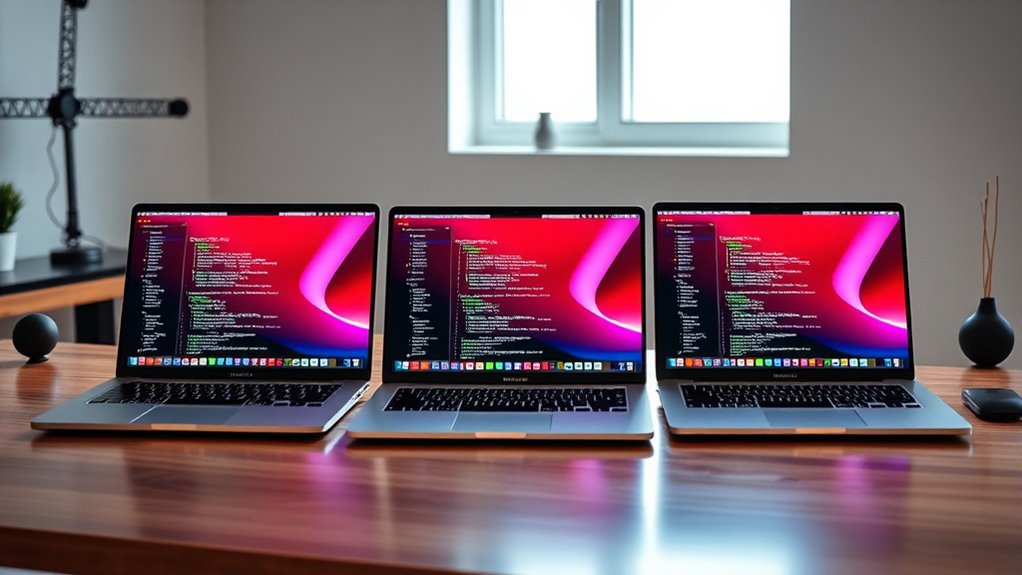

Picking a MacBook Pro for software development in 2026 comes down to three questions: how much compile horsepower you need, how much unified memory your toolchain eats, and whether you want a 14-inch or 16-inch screen. Apple’s current lineup spans everything from the base M5 chip with 16GB of memory to the M5 Max with a 40-core GPU and 48GB, and the gap between those ends of the range is enormous — both in capability and in what you’ll pay.

Get furniture and decor delivered free with Prime
- Fast, free delivery on millions of items
- Prime Video, Amazon Music and more included
- Member-only deals all year
My top pick for most developers is the 14.2-inch MacBook Pro with the M5 Pro chip, 24GB of unified memory, and a 1TB SSD. It hits the sweet spot where parallel compilation, containerized workloads, and local AI tooling all run comfortably, without stepping up to the price and weight of the Max chip. If you spend your days training models, building large-scale projects, or running heavy GPU workloads, the 16.2-inch M5 Max with 48GB is the machine that clears every hurdle. And for developers on a tighter budget whose work is mostly editors, terminals, and a local dev server, the base M5 14-inch is far more capable than its entry-level position suggests.
The main tradeoffs I weigh throughout this roundup: Pro versus Max silicon, 16GB versus 24GB+ of unified memory, and portability versus screen real estate. Here’s how the five options stack up.
Complete the kit


Key Takeaways
- The 14-inch M5 Pro with 24GB unified memory is the best all-round dev machine — enough headroom for containers, parallel builds, and local AI tooling without Max-tier pricing.
- The M5 Max with 48GB and a 2TB SSD is only worth it for GPU-heavy ML work, massive monorepos, or developers who never want to hit a memory ceiling.
- The base M5 with 16GB is fine for web, scripting, and mobile dev on a budget, but 16GB of unified memory becomes a constraint once you add containers, IDEs, and browsers.
- The 16.2-inch M5 Pro trades portability for a 18-core CPU and a 20-core GPU — the better fit if your desk, not your backpack, hosts the machine.
- The Silver 14-inch M5 Pro and the Space Black 14-inch M5 Pro are near-identical internally; choosing between them is about finish preference and availability, not performance.
| Apple 2026 MacBook Pro 14.2-inch M5 Pro (15-core CPU, 16-core GPU), 24GB, 1TB SSD – Silver |  | Best Overall for Software Development | Chip: Apple M5 Pro | CPU / GPU: 15-core CPU / 16-core GPU | Display: 14.2-inch Liquid Retina XDR, 1600 nits peak | VIEW ON AMAZON | See Our Full Breakdown |
| Apple 14.2-inch MacBook Pro with M5 Pro, 15-core CPU, 16-core GPU, 24GB, 1TB SSD – Space Black |  | Best Overall Alternative (Space Black) | Processor: Apple M5 Pro, 15-core CPU | Graphics: 16-core GPU | Display: 14.2-inch Liquid Retina XDR | VIEW ON AMAZON | See Our Full Breakdown |
| Apple 2026 MacBook Pro 16.2-inch M5 Pro (18-core CPU, 20-core GPU), 24GB, 1TB SSD – Space Black |  | Best for Desk-Based Development | Processor: Apple M5 Pro (18-core CPU, 20-core GPU) | Display: 16.2-inch Liquid Retina XDR, 1600 nits peak | Memory: 24GB unified | VIEW ON AMAZON | See Our Full Breakdown |
| Apple 2025 MacBook Pro 14-inch with M5 chip, 16GB, 1TB SSD – Space Black |  | Best Value for Developers | Chip: Apple M5 | CPU / GPU: 10-core CPU / 10-core GPU | Display: 14.2-inch Liquid Retina XDR, up to 1600 nits | VIEW ON AMAZON | See Our Full Breakdown |
| Apple 16.2-inch MacBook Pro with M5 Max, 18-core CPU, 40-core GPU, 48GB, 2TB SSD | | Best Premium Pick for Heavy Workloads | Chip: Apple M5 Max | CPU / GPU: 18-core CPU / 40-core GPU | Display: 16.2-inch Liquid Retina XDR | VIEW ON AMAZON | See Our Full Breakdown |
| macbook pro for software development | Display | Storage | Ports | Color |
|---|---|---|---|---|
| Apple 2026 MacBook Pro 14.2-in | 14.2-inch Liquid Retina XDR, 1600 nits peak | 1TB SSD | 3x Thunderbolt 5, MagSafe 3, HDMI, SDXC, headphone jack | Silver |
| Apple 14.2-inch MacBook Pro wi | 14.2-inch Liquid Retina XDR | 1TB SSD | 3x Thunderbolt 5, MagSafe 3, SDXC, HDMI, headphone jack | Space Black |
| Apple 2026 MacBook Pro 16.2-in | 16.2-inch Liquid Retina XDR, 1600 nits peak | 1TB SSD | 3x Thunderbolt 5, MagSafe 3, SDXC, HDMI, headphone jack | Space Black |
| Apple 2025 MacBook Pro 14-inch | 14.2-inch Liquid Retina XDR, up to 1600 nits | 1TB SSD | 3x Thunderbolt 4, MagSafe 3, SDXC, HDMI, headphone jack | Space Black |
| Apple 16.2-inch MacBook Pro wi | 16.2-inch Liquid Retina XDR | 2TB SSD | 3x Thunderbolt 5, MagSafe 3, SDXC, HDMI, headphone jack | Space Black |
More Details on Our Top Picks
Apple 2026 MacBook Pro 14.2-inch M5 Pro (15-core CPU, 16-core GPU), 24GB, 1TB SSD – Silver
This Silver 14-inch MacBook Pro with the M5 Pro chip, 24GB of unified memory, and a 1TB SSD is the configuration I’d point most developers toward, and the reasoning is straightforward: it matches the demands of modern development almost exactly. Twenty-four gigabytes of unified memory is the number where you can run an IDE like IntelliJ or Xcode, a Docker environment with several containers, a stack of browsers, and a local LLM inference server — all at once — without the memory pressure that throttles everything on a 16GB machine.
The 15-core CPU handles parallel compilation well, and the GPU’s Neural Accelerators give local AI coding assistants and small model inference a real boost compared with the base M5. Compared with the 16-inch M5 Pro further down this list, you give up three CPU cores and four GPU cores, but you gain a machine that’s noticeably easier to carry every day — a fair trade for developers whose laptop actually leaves the desk. Compared with the base M5 model, you gain a third more memory, Thunderbolt 5 instead of Thunderbolt 4, and support for a third external display, which is a meaningful upgrade for multi-monitor setups.
The drawbacks are real but predictable. Apple pricing puts this well above the base M5, and if your development work is mostly editing scripts and running a dev server, that extra spend buys headroom you won’t use. The Silver finish is also purely cosmetic — the Space Black sibling (my next pick) is the same machine internally, so the choice between them comes down to aesthetics and whichever configuration is available at your preferred storage tier.
Pros:- M5 Pro chip with GPU Neural Accelerators handles local AI workloads and parallel builds comfortably
- 24GB unified memory gives real headroom for containers, IDEs, and browsers running together
- Thunderbolt 5 and support for up to three external displays suit multi-monitor dev setups
- Full performance on battery as well as plugged in
Cons:- Premium Apple pricing well above the base M5 configuration
- Capped at three external displays unless you step up to the M5 Max
Best for: Professional developers who need a portable machine with memory headroom for containers, IDEs, and local AI tooling
Not ideal for: Developers whose workload is light enough for the base M5, or whose GPU/ML demands genuinely require the M5 Max
- Chip:Apple M5 Pro
- CPU / GPU:15-core CPU / 16-core GPU
- Display:14.2-inch Liquid Retina XDR, 1600 nits peak
- Unified Memory:24GB
- Storage:1TB SSD
- Ports:3x Thunderbolt 5, MagSafe 3, HDMI, SDXC, headphone jack
- Wireless:Wi-Fi 7, Bluetooth 6 (Apple N1)
- External Displays:Up to 3
- Color:Silver
Our verdict“The most balanced MacBook Pro for software development in 2026 — enough power and memory for professional work without paying for Max-tier capability you may never touch.”
Apple 14.2-inch MacBook Pro with M5 Pro, 15-core CPU, 16-core GPU, 24GB, 1TB SSD – Space Black
Internally, this Space Black 14-inch MacBook Pro is the same machine as my top pick: identical M5 Pro silicon, identical 24GB of unified memory, identical 1TB SSD, and the same Thunderbolt 5 port array. So why does it deserve its own entry? Because configuration availability and finish genuinely affect buying decisions, and if this Space Black variant is the one in stock or discounted at your preferred spec, there is no performance reason to pass it over.
For a developer, everything I value in the Silver model applies here. The 24GB of unified memory is the headline for me — it’s the difference between closing tabs to free memory and just working. The 16-core GPU with Neural Accelerators puts it well ahead of the base M5 for anything involving on-device AI, and the three Thunderbolt 5 ports plus SDXC slot and HDMI mean most developers won’t need a dongle for their dock. One practical note on the finish: Space Black resists fingerprints better than earlier dark Apple finishes, but it shows micro-abrasions more readily than Silver if your laptop travels without a sleeve.
The tradeoffs mirror the Silver model’s. You’re still limited to three external displays — the M5 Max is the only path to four — and the price premium over the base M5 is substantial for anyone whose toolchain is light. And unlike the 16-inch M5 Pro, you settle for the 15-core CPU rather than the 18-core, which shows up in clean-build times on large projects. For most developers that gap is minutes per build at most, but teams working on very large codebases may feel it.
Pros:- Same strong M5 Pro performance and 24GB memory as the top pick
- Space Black finish with good fingerprint resistance
- Full port selection including Thunderbolt 5, HDMI, and SDXC
- All-day battery life with full performance on or off charger
Cons:- Capped at three external displays without the M5 Max
- Dark finish shows micro-abrasions more than Silver over time
Best for: Developers who want the top pick’s exact spec in the darker finish, or who find this variant more readily available
Not ideal for: Anyone hoping for a performance difference over the Silver model — there isn’t one
- Processor:Apple M5 Pro, 15-core CPU
- Graphics:16-core GPU
- Display:14.2-inch Liquid Retina XDR
- Memory:24GB unified
- Storage:1TB SSD
- Ports:3x Thunderbolt 5, MagSafe 3, SDXC, HDMI, headphone jack
- Wireless:Wi-Fi 7, Bluetooth 6
- External Displays:Up to 3
- Color:Space Black
Our verdict“A cosmetic alternative to my top pick rather than a different machine — pick whichever finish and availability suits you.”
Apple 2026 MacBook Pro 16.2-inch M5 Pro (18-core CPU, 20-core GPU), 24GB, 1TB SSD – Space Black
This 16-inch MacBook Pro takes the M5 Pro formula and stretches it in both directions: a physically larger chassis with a 16.2-inch Liquid Retina XDR display, and a binned-up chip with an 18-core CPU and 20-core GPU. For developers, that CPU bump is the story — three extra performance cores translate directly into faster clean builds and faster test suites on sizable codebases, and the extra GPU cores help if you’re doing any local ML experimentation alongside your day job.
The screen is the other argument. A 16.2-inch panel is genuinely usable as a single-display development machine — split an editor and a terminal side by side without squinting — where the 14-inch really wants an external monitor for that workflow. Compared with the 14-inch M5 Pro models above, this is the better machine if your laptop mostly lives on a desk. Compared with the M5 Max below, it delivers the same memory capacity and the same three-display support for less money; what you give up is GPU grunt and the Max’s path to a fourth display and higher memory tiers.
The downsides are physical and financial. A 16-inch MacBook Pro is a big, heavy laptop to schlep through an airport or to a coffee shop, and Apple’s pricing for the larger chassis plus the faster Pro bin adds up quickly. Windows alternatives at this size cost less for comparable raw specs, though they don’t match the per-watt efficiency or the battery performance Apple Silicon delivers. If you dock at home and travel occasionally, those drawbacks shrink; if you commute daily with the machine on your shoulder, they don’t.
Pros:- 18-core CPU delivers faster clean builds and test runs than the 14-inch M5 Pro
- 16.2-inch display is genuinely usable as a single-screen dev setup
- 24GB unified memory matches the 14-inch Pro configuration
- Full port selection with Thunderbolt 5, HDMI, SDXC, and MagSafe 3
Cons:- Large and heavy for regular travel compared with the 14-inch models
- Premium pricing well above comparable Windows alternatives
- Only three Thunderbolt ports for users with heavier peripheral needs
Best for: Developers with large codebases who work mostly at a desk and want faster builds plus a bigger screen
Not ideal for: Daily commuters and travelers who will feel the size and weight of a 16-inch machine
- Processor:Apple M5 Pro (18-core CPU, 20-core GPU)
- Display:16.2-inch Liquid Retina XDR, 1600 nits peak
- Memory:24GB unified
- Storage:1TB SSD
- Wireless:Wi-Fi 7, Bluetooth 6 (Apple N1)
- Ports:3x Thunderbolt 5, MagSafe 3, SDXC, HDMI, headphone jack
- Camera:12MP Center Stage
- External Displays:Up to 3
- Color:Space Black
Our verdict“The desk-bound developer’s MacBook Pro — more cores and more screen than the 14-inch Pro, without the M5 Max’s full price leap.”
Apple 2025 MacBook Pro 14-inch with M5 chip, 16GB, 1TB SSD – Space Black
The base M5 MacBook Pro is the entry point to the Pro line, and for a lot of developers it’s honestly enough. If your daily work is web development, scripting, backend services in Go or Node, or mobile development on moderate projects, a 10-core CPU compiles quickly, the machine stays silent, and the same 1TB SSD as the pricier models means you’re not hurting for repository or toolchain space. The chassis, display, camera, and speakers are all the same MacBook Pro quality as the rest of this list.
But the 16GB of unified memory is the constraint that defines this machine, and I want to be direct about it. Unlike storage, memory on Apple Silicon cannot be upgraded, and 16GB fills fast when you combine a heavyweight IDE, Docker Desktop with a few containers, a browser with twenty tabs, and Slack. Compared with the M5 Pro models above, you also drop to Thunderbolt 4 instead of Thunderbolt 5 and to two external displays instead of three — a real limitation if your ideal setup is a triple-monitor battle station. The base M5 also lacks the GPU Neural Accelerator density of the Pro chip, so heavier local AI tooling is off the table.
Where this pick makes the most sense is as a deliberate value decision: you’re accepting a memory ceiling and fewer display outputs in exchange for a meaningfully lower price, while keeping the Pro-level display, build, and battery. Students, junior developers, and anyone whose toolchain is lightweight should be happy here. Anyone running large containerized environments or doing ML work should save up for the 24GB M5 Pro instead — the frustration of memory pressure isn’t worth the savings.
Pros:- Lowest entry price into the MacBook Pro lineup with the same 1TB SSD as pricier models
- Same excellent 14.2-inch Liquid Retina XDR display and build as the Pro models
- 10-core M5 CPU handles everyday compilation and dev servers capably
- Full port selection including MagSafe, HDMI, and SDXC
Cons:- 16GB unified memory is a hard ceiling you can never raise
- Thunderbolt 4 rather than Thunderbolt 5, and only two external displays
- Underpowered for local AI and GPU-heavy workloads
Best for: Students, junior developers, and web/scripting developers with lightweight toolchains
Not ideal for: Developers running heavy containerized environments, large monorepos, or local AI workloads
- Chip:Apple M5
- CPU / GPU:10-core CPU / 10-core GPU
- Display:14.2-inch Liquid Retina XDR, up to 1600 nits
- Memory:16GB unified
- Storage:1TB SSD
- Ports:3x Thunderbolt 4, MagSafe 3, SDXC, HDMI, headphone jack
- External Displays:Up to 2
- Battery:All-day
- Color:Space Black
Our verdict“The smart budget choice for developers with modest workloads — just go in knowing 16GB is the ceiling, not the starting point.”
Apple 16.2-inch MacBook Pro with M5 Max, 18-core CPU, 40-core GPU, 48GB, 2TB SSD
The M5 Max is the no-compromise option, and this configuration — 40-core GPU, 48GB of unified memory, and a 2TB SSD — is built for developers whose work would make the other machines in this lineup sweat. Training and fine-tuning models locally, running large local LLMs, compiling enormous monorepos, juggling multiple heavyweight VMs: this is the tier where those workloads stop being a compromise. The 48GB of memory in particular changes what’s possible — large parameter models that won’t fit on a 24GB machine run comfortably here.
Compared with the 16-inch M5 Pro, the differences are stark where they matter: double the GPU cores for anything CUDA-adjacent in Apple’s ecosystem, double the storage, and a memory ceiling that you realistically won’t hit in day-to-day development. The Max chip also opens the door to a fourth external display for buyers who configure accordingly, which no M5 Pro model offers. Against every other pick here, this is simply a different class of machine.
What you pay for that class, beyond the obvious price premium, is weight and pragmatism. At 4.73 pounds, this is the heaviest laptop in the lineup, and carrying it daily is a commitment. The battery is strong but Apple doesn’t publish a specific runtime figure for this configuration, and heavy GPU workloads will drain it faster than the lighter chips. If your development work is conventional — apps, services, websites — the M5 Pro models deliver perhaps 90% of the experience for considerably less money, which makes this a specialist’s tool rather than a default choice.
Pros:- 40-core GPU handles local model training and GPU-intensive workloads
- 48GB unified memory runs large local LLMs and heavy multi-VM setups without pressure
- 2TB SSD gives long-term room for models, containers, and repositories
- 16.2-inch display and Thunderbolt 5 connectivity for serious desk setups
Cons:- Heaviest machine in the lineup at 4.73 pounds
- Substantially more expensive than the M5 Pro configurations
- No published battery runtime figure for this configuration
Best for: ML engineers, developers training local models, and teams working on massive codebases who need maximum memory and GPU
Not ideal for: Typical app and web developers, or anyone who carries their laptop everywhere — it’s heavy and overpowered for that work
- Chip:Apple M5 Max
- CPU / GPU:18-core CPU / 40-core GPU
- Display:16.2-inch Liquid Retina XDR
- Memory:48GB unified
- Storage:2TB SSD
- Wireless:Wi-Fi 7, Bluetooth 6
- Ports:3x Thunderbolt 5, MagSafe 3, SDXC, HDMI, headphone jack
- Weight:4.73 pounds
- Color:Space Black
Our verdict“The specialist’s MacBook Pro — worth every dollar if your work needs the GPU and memory, wasteful if it doesn’t.”

How We Picked
I evaluated each MacBook Pro through a single lens: how well it serves a working software developer, not a general buyer. That changed the weighting considerably. A brilliant display matters less than sustained compile performance; speaker quality matters less than unified memory capacity, because memory is the one thing on an Apple Silicon Mac you can never upgrade later.
My criteria broke into four buckets. First, CPU and GPU headroom — multi-core throughput for parallel builds, and GPU capability for developers touching local AI or ML workloads. Second, memory and storage configuration: I treated 24GB as the practical baseline for professional development in 2026 and 1TB of storage as the comfortable floor for repositories, toolchains, and container images. Third, connectivity and external display support, since most developers dock to one or more monitors, and the jump from Thunderbolt 4 to Thunderbolt 5 and from two to three external displays is a real productivity difference. Fourth, portability and battery, because a machine that delivers full performance unplugged is a genuine advantage for anyone who codes from cafés, offices, and airports in the same week.
I also compared each model against its siblings rather than in isolation. The value of any MacBook Pro becomes clear only when you can see what the next tier up or down gives up — and I’ve made those tradeoffs explicit in every review below.
| macbook pro for software development | Chip | Wireless | External Displays | Color |
|---|---|---|---|---|
| Apple 2026 MacBook Pro 14.2-in | Apple M5 Pro | Wi-Fi 7, Bluetooth 6 (Apple N1) | Up to 3 | Silver |
| Apple 14.2-inch MacBook Pro wi | — | Wi-Fi 7, Bluetooth 6 | Up to 3 | Space Black |
| Apple 2026 MacBook Pro 16.2-in | — | Wi-Fi 7, Bluetooth 6 (Apple N1) | Up to 3 | Space Black |
| Apple 2025 MacBook Pro 14-inch | Apple M5 | — | Up to 2 | Space Black |
| Apple 16.2-inch MacBook Pro wi | Apple M5 Max | Wi-Fi 7, Bluetooth 6 | — | Space Black |
Factors to Consider When Choosing Macbook Pro For Software Development
Before choosing a specific configuration, it helps to understand which specs actually move the needle for software development — and which ones Apple markets harder than developers need.Unified Memory: The One Spec You Can’t Fix Later
Memory on Apple Silicon is soldered to the chip and cannot be upgraded after purchase, making it the single most consequential decision. For development in 2026, I treat 16GB as a workable floor for light toolchains and 24GB as the professional standard. If you run containers, multiple IDE windows, and local AI tooling together, 16GB will produce memory pressure and swap. 48GB, as on the M5 Max, is for people who know why they need it — large local models, heavy virtualization — rather than a general safety margin.
Chip Tier: M5 vs M5 Pro vs M5 Max
The base M5 with its 10-core CPU handles everyday development capably. The M5 Pro adds CPU cores for faster parallel builds, a stronger GPU with Neural Accelerators for local AI work, Thunderbolt 5, and a third external display — the tier where most professional developers land. The M5 Max doubles down on GPU cores and unlocks higher memory configurations; it’s a specialist purchase for ML and GPU-heavy work. The honest framing: for conventional app and web development, the Pro chip delivers nearly everything the Max does at a much lower price.
Screen Size and Portability
The 14.2-inch models are the portable choice, light enough for daily commuting while still offering an excellent display. The 16.2-inch models work as standalone development machines — enough panel to split an editor and terminal comfortably — but weigh over 4.5 pounds and dominate a backpack. My rule of thumb: if the laptop leaves the house most days, choose 14 inches and add an external monitor at your desk; if it mostly stays docked, the 16-inch earns its size.
Storage and Connectivity
Every model in this lineup ships with at least a 1TB SSD, which comfortably fits repositories, toolchains, and container images for years — the M5 Max doubles that to 2TB for model weights and large datasets. On connectivity, Thunderbolt 5 on the Pro and Max chips delivers faster external storage and more display bandwidth than Thunderbolt 4 on the base M5. Also count your monitors: the base M5 supports two external displays, the Pro chips support three, and only the Max opens the door to four.
Frequently Asked Questions
Is 16GB of unified memory enough for software development?
It depends entirely on your toolchain. For web development, scripting, backend services, and a single IDE, 16GB works fine and keeps the entry price down. The trouble starts when you layer a heavyweight IDE like IntelliJ or Android Studio on top of Docker Desktop with several containers, a browser full of tabs, and communication apps — that combination routinely pushes past 16GB and forces swapping, which degrades everything at once. Since memory on Apple Silicon can never be upgraded, I recommend 24GB for anyone who expects their workload to grow or who already runs containers daily, treating the 16GB base model as a deliberate budget choice rather than a default.
Does the M5 Max make sense if I’m not doing machine learning?
For most developers, no. The M5 Max’s advantages concentrate in its 40-core GPU and its access to higher memory tiers — exactly the resources that ML training, local LLM inference, and GPU-compute workloads consume. If you’re building apps, services, or websites, the M5 Pro models deliver comparable CPU performance, the same memory in the 24GB configurations, and nearly identical day-to-day responsiveness for considerably less money and less weight. The Max becomes rational when compile times on enormous monorepos matter at scale, when you run multiple heavy VMs, or when you simply want a machine you’ll never outgrow — but paying for idle GPU capacity is a poor trade for conventional development work.
14-inch or 16-inch MacBook Pro for a developer?
Let your commuting habits decide. The 14.2-inch models are light and manageable enough to carry daily, and paired with an external monitor at your desk they cover every workflow well. The 16.2-inch panel is genuinely productive as a single-screen machine — splitting an editor and terminal side by side without squinting — but it weighs over 4.5 pounds and takes up real space in a bag. Note also that in the M5 Pro tier, the 16-inch ships with a faster 18-core CPU versus the 14-inch’s 15-core, so the larger machine isn’t only about screen size; large-codebase teams may notice the difference in clean-build times. If your laptop mostly lives on a desk, the 16-inch is worth it; if it travels, stick with 14.
How much difference does Thunderbolt 5 make compared with Thunderbolt 4?
For most desk setups, less than you’d expect — both drive multiple high-resolution external displays and fast external SSDs. Where Thunderbolt 5 pulls ahead is bandwidth-heavy development use: very fast external NVMe storage for large build artifacts or datasets, high-bandwidth docks driving multiple high-refresh displays simultaneously, and future headroom as peripheral standards mature. It ships on the M5 Pro and M5 Max models, while the base M5 stays on Thunderbolt 4. I wouldn’t choose a machine on Thunderbolt 5 alone, but combined with the Pro chip’s extra cores and third-display support, it’s part of why the M5 Pro tier is my default recommendation for professional developers.
Can I run Docker and Linux containers well on these MacBook Pros?
Yes, and Apple Silicon has matured considerably for containerized development. Docker and similar tools run Linux ARM64 images natively with excellent performance, and the memory you choose matters far more than the chip tier — containers are the main reason I push developers from 16GB to 24GB, since each container image and running process draws from the same unified memory pool as everything else. The M5 Pro’s 24GB configuration handles a realistic multi-service development environment with room to spare, while the M5 Max’s 48GB accommodates heavyweight orchestration setups and multiple VMs. The one caveat is images published only for x86 architectures, which run under emulation with a performance penalty, though this has become increasingly rare.
Conclusion
Matching the right MacBook Pro to your situation is easier once you’re honest about your workload. For professional developers who want one machine to cover everything — builds, containers, editors, occasional local AI — my recommendation is the 14.2-inch M5 Pro with 24GB and 1TB in either finish; it’s the configuration that balances power, memory, and portability best in this lineup.
If you’re a student, junior developer, or working with a light toolchain, the base M5 14-inch with 16GB gets you the same display, build, and battery for less — just accept the memory ceiling and two-display limit consciously. If you’re a desk-based developer on a large codebase, the 16.2-inch M5 Pro with its 18-core CPU is the better fit, trading portability for faster builds and a bigger screen. And if you’re an ML engineer or someone whose work genuinely saturates GPU and memory, the M5 Max with 48GB and 2TB is the only machine here that won’t hold you back — a specialist tool that justifies its price only for the people who need it.
The common thread: buy the memory your future workload needs, not the memory your current one uses, because that’s the one decision on an Apple Silicon Mac you can never revise.
Fall Picks

Philips Hue Essential Starter Kit with Bridge and 4 E26 Smart Bulbs
As an affiliate, we earn on qualifying purchases.