
TL;DR

Get furniture and decor delivered free — and shop member deals
- Fast, free delivery on millions of items
- Access to Prime Big Deal Days deals on October 6–7
- Prime Video, Amazon Music and more included
Building your own AI workstation used to save money, but recent component shortages and price spikes mean prebuilt systems can now be just as affordable or even cheaper. The choice now hinges on control, support, and how quickly you need the machine ready to go.
Picture this: you’re ready to dive into AI projects. You’ve read about the thrill of customizing your own machine and saving a few bucks. But as you start pricing components, a surprising truth hits you—building might no longer be the cheaper route. The AI boom has changed everything.
In 2026, the old “build is cheaper” mantra is outdated. Component shortages, price spikes, and bulk discounts mean prebuilt AI workstations can match or beat DIY costs. So, the real question isn’t just about money—it’s about speed, support, control, and how you want to work. This article breaks down the core tradeoffs, so you can pick the right path for your needs.
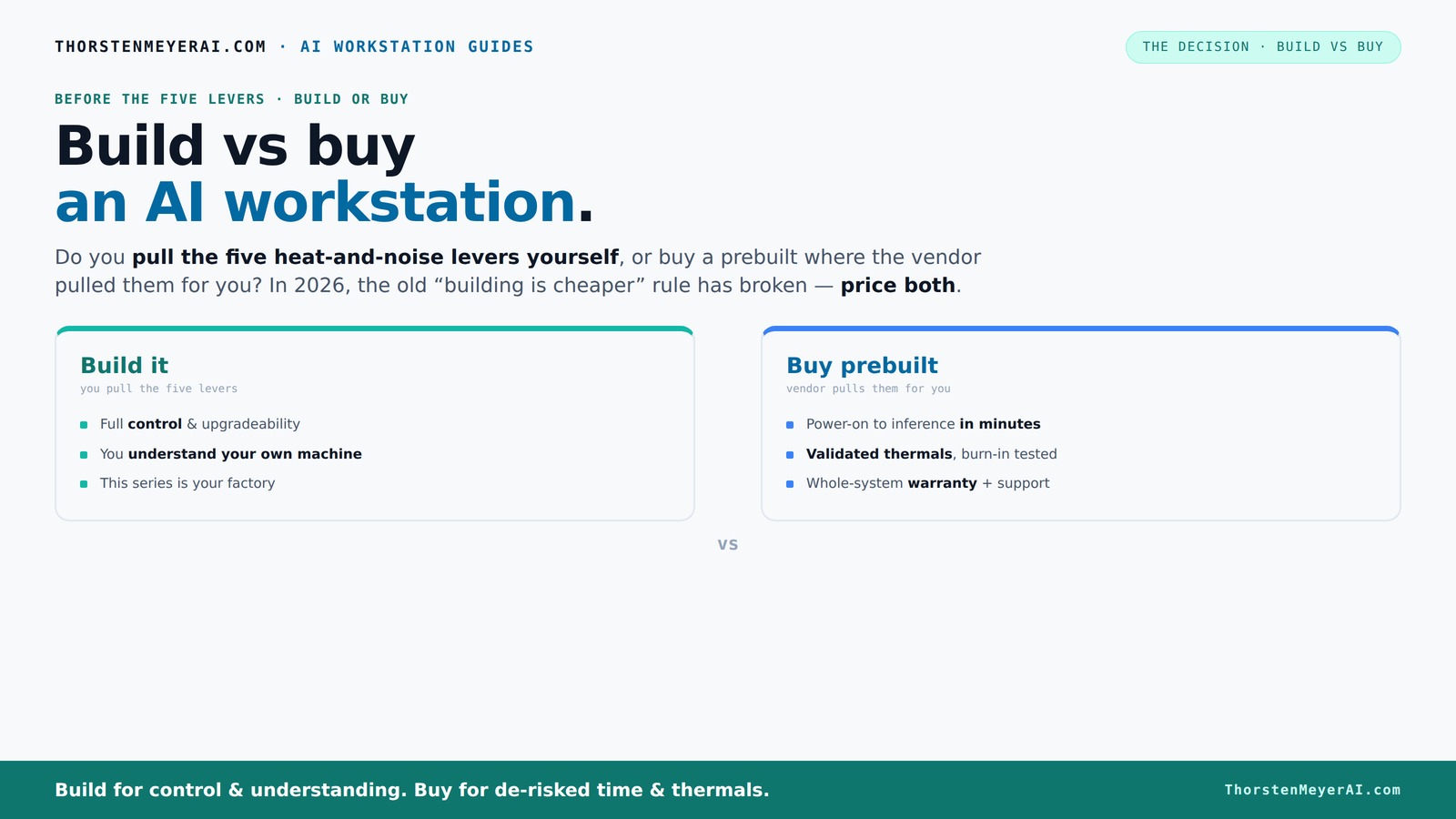
Build vs buy
an AI workstation.
The real question behind this whole series: do you pull the five heat-and-noise levers yourself, or buy a prebuilt where the vendor pulled them for you? And in 2026, the old “building is cheaper” rule has broken. Match your situation in Part 3.
Key Takeaways
- Component shortages and bulk discounts mean prebuilt AI workstations can be as cheap or cheaper than DIY in 2026.
- Prebuilts offer validated thermals, faster deployment, and support, which are critical for professional or time-sensitive projects.
- Building your own rig gives control over every component and cooling but requires time, skill, and troubleshooting.
- Choose based on workload—multiple GPUs for training, single high-VRAM GPU for inference, or specific hardware for niche tasks.
- Cost is just one factor; support, control, and speed often matter more for serious AI work.
As an affiliate, we earn on qualifying purchases.
What Exactly Is an AI Workstation? Why It Matters
An AI workstation is a high-powered computer designed for tasks like training models, running inference, or data science. It’s equipped with top-tier GPUs, fast CPUs, lots of RAM, and tailored cooling. Think of it as a race car built for AI—speed, stability, and reliability are key.
For example, a machine with dual NVIDIA RTX 4090s, 128GB RAM, and NVMe SSDs can handle complex neural networks or process massive datasets without breaking a sweat. This isn’t your average desktop—it's a dedicated tool for AI mastery.
Choosing the right hardware impacts everything—speed, thermal noise, and how long your machine stays relevant. Whether you’re doing local LLM inference or heavy training, understanding what makes a workstation special helps you decide if you should build or buy.
Build vs Buy in 2026: The Big Shift You Need to Know
For years, building your own AI workstation meant saving money. That’s what everyone believed. But in 2026, that’s no longer the case.
The reason? Component shortages and skyrocketing prices—especially for GPUs, DDR5 RAM, and SSDs. A DIY build that used to cost under $1,500 now easily hits $2,000 or more, often matching or exceeding prebuilt prices.
Major manufacturers like Lambda or BIZON buy components in bulk, locking in lower prices and offering systems at a price point that’s hard to beat. Sometimes, a prebuilt system with premium cooling, validation, and a warranty costs less than sourcing every part yourself.
So, in 2026, the decision isn’t just about saving money—it’s about whether you want control or convenience. Prices are close enough now that other factors carry more weight.
The 5 Levers of a High-Power AI Workstation — Who Pulls Them?
Building or buying a rig is all about managing heat, noise, and stability. These are the five levers: undervolting the GPU, matching cooling, optimizing airflow, tuning fans, and proper placement.
If you buy prebuilt, the vendor pulls these levers for you—validated, tested, and tuned for maximum performance and minimum noise. Systems from Lambda or Puget come with pre-optimized fan curves, water cooling, and burn-in tests, saving you hours of trial and error.
Building it yourself puts you in charge. You choose a quiet GPU, like the NVIDIA RTX 4080 or 4090, undervolt it using tools like this guide. Pick a case with sound-dampening materials, set up airflow according to these tips, and tune your fans for silent operation.
In the end, it’s a battle of control vs convenience.
When Buying Prebuilt Makes Your Life Easier
If you value plug-and-play, prebuilt is the way to go. It arrives ready with OS, drivers, and AI frameworks like CUDA, TensorFlow, or PyTorch installed and tested.
Imagine opening your new BIZON system, flicking the power, and instantly starting your AI training or inference. No fuss, no compatibility issues, no driver updates. Plus, you get a warranty and support—key if things go wrong mid-project.
For professionals or teams on tight schedules, this means less downtime and more focus on your work. The cost of the support and validation is often worth it.
When Building Yourself Is Still a Good Call
Building your own rig remains attractive if you enjoy tinkering or need a very specific setup. Maybe you want a machine with three GPUs, 256GB RAM, or a custom cooling loop.
It’s perfect for hobbyists, students, or those on a tight budget willing to invest time. You learn exactly what’s inside, can upgrade components easily, and tailor every part for your workload.
Plus, if you’re comfortable with troubleshooting, you can often save money—especially if you already own some parts or find deals on hardware.
For example, selecting a quiet GPU combined with a custom cooler can make a big difference in noise and thermal performance.
Cost Breakdown: What You Pay for When You Build or Buy
| Factor | Build Cost | Prebuilt Cost |
|---|---|---|
| Hardware Components | $1,200–$2,500 | $1,800–$2,500 |
| Assembly & Testing | Time & Effort | Included |
| Support & Warranty | Limited, DIY support | Extended, vendor-backed |
| Cooling & Noise Tuning | Extra effort, expertise needed | Pre-optimized, validated |
| Hidden Costs | Compatibility issues, troubleshooting | Support, shipping |
In 2026, these costs blur. Prebuilts often include support, validated thermals, and software pre-installed, which can tip the scale in their favor. Remember, the cheapest initial price isn’t always the cheapest over time.
Which Hardware Priorities Matter for Your Use Case
Choosing the right hardware depends on what you plan to do. For training large models, multiple GPUs with lots of VRAM are key. For inference or smaller projects, a single high-end GPU might suffice.
For example, if you're doing real-time image generation, a quiet GPU like the RTX 4090 with 24GB VRAM is ideal. If you’re training a new LLM, consider dual GPUs or even a small cluster.
CPU, RAM, and storage also matter—fast NVMe SSDs and plenty of RAM keep data flowing smoothly. Prioritize based on your workload to avoid spending on unnecessary parts.
The Pros and Cons of Prebuilt Systems
Pros: Ready to run, validated thermals, warranty support, less setup hassle, tested for high loads. Systems like Lambda or Puget come with performance tuning and burn-in.
Cons: Higher upfront cost, less control over specific parts, limited upgrade paths, and you’re dependent on vendor support. Customization options are often limited compared to DIY.
For example, a prebuilt system may come with a water-cooled setup that’s whisper-quiet and thermally optimized—perfect for long training sessions without overheating or noise distractions.
The Pros and Cons of Building Yourself
Pros: Total control over hardware, potential cost savings on certain parts, full upgradeability, and the satisfaction of building it yourself. You can select specific cooling, noise levels, and performance tuning.
Cons: Time-consuming, requires technical skill, potential compatibility issues, and no single point of support. You also face the risk of hidden costs if parts don’t work together.
For instance, choosing a quiet case and undervolting your GPU can dramatically reduce noise, but it takes effort and experience.
Who Should Buy Prebuilt? Who Should Build?
Buy prebuilt if you need immediate deployment, want guaranteed thermals, or lack the time and expertise for assembly. Professionals, small teams, or hobbyists who prioritize reliability and support find prebuilt ideal.
Build if you enjoy hardware tinkering, need a highly customized setup, or want to learn. If your project requires specific GPU counts or you’re on a tight budget, DIY might still be best.
For example, a researcher running large-scale inference might prefer a prebuilt with validated cooling. Meanwhile, a hobbyist experimenting with custom cooling loops benefits from building their own.
Final Tips: Make Your Choice Based on Your Needs
Assess your workload, timeline, budget, and technical skills. Use tools like Amazon to compare prices and read reviews. Remember: a well-tuned, prebuilt system can save you days of setup and troubleshooting.
If control and customization excite you, and you have time, building your own rig offers unmatched learning and flexibility. But if you need reliability and speed, a prebuilt is a smarter move.
Frequently Asked Questions
Is it actually cheaper to build my own AI workstation in 2026?
Not necessarily. Due to component shortages and bulk discounts, prebuilt systems often cost the same or less than sourcing parts individually. Always price both options for your specific configuration.How much performance do I lose with a prebuilt system?
Most prebuilt systems are thoroughly tested and optimized for thermal and noise performance. While you might tweak a DIY machine more precisely, prebuilts often match or exceed DIY stability, especially under sustained load.Can I upgrade a prebuilt later?
Yes, but upgradeability varies. Many prebuilts allow RAM and storage upgrades, but GPU or CPU swaps can be limited by proprietary parts or tight cases. Check the warranty terms first.When does cloud become more cost-effective than hardware?
Cloud is often cheaper for sporadic or short-term projects. For ongoing, intensive work, owning hardware can save money long-term—especially with recent price shifts in hardware costs.How important is vendor support for AI workstations?
Support is critical if you're running long training sessions or working in production. A good warranty reduces downtime, and vendor validation ensures your machine won’t throttle under heavy loads.Conclusion
In 2026, your decision to build or buy hinges more on how you want to work than on saving a few bucks. If you value quick deployment, proven stability, and support, a prebuilt system is often the smarter choice.
But if you love tinkering, customizing, or want to learn every nut and bolt, building your own rig remains rewarding. Either way, focus on what your project demands, not just the sticker price.
Halloween Picks
halloween
As an affiliate, we earn on qualifying purchases.