For ultrawide monitors for productivity, I’d start with the Samsung Viewfinity S65UA: its QHD workspace, USB-C, height adjustment, and 100Hz refresh make it a well-rounded desk display. The Dell 34 Plus S3425DW stands out for buyers who want USB-C, while Samsung’s 49-inch Business Curved model offers a much wider dual-QHD canvas for extensive multitasking. The main tradeoffs are screen size versus desk space, sharper QHD detail versus lower-resolution WFHD models, and work-focused features versus gaming extras. I’ve ranked these options by how well their stated features support everyday work, not by gaming specifications alone. Read on for the full breakdown and help matching a monitor to your desk and workflow.

Get furniture and decor delivered free — and shop member deals
- Fast, free delivery on millions of items
- Access to Prime Big Deal Days deals on October 6–7
- Prime Video, Amazon Music and more included
Complete the kit


Key Takeaways
The Samsung Viewfinity S65UA is my best overall fit because it combines QHD, USB-C, a height-adjustable stand, and a 100Hz refresh rate without relying on gaming-first features.
USB-C and screen size separate the productivity standouts. The Dell 34 Plus S3425DW is a practical 34-inch USB-C option, while the Samsung 49-inch Business Curved model is better suited to workflows that benefit from a single, much wider dual-QHD workspace.
Resolution matters more for desk work than headline refresh rates. The LG 34U530A-W uses WFHD, while QHD choices such as the LG 34WR55QK-B, Samsung ViewFinity S50GC, and MSI PRO MP341CQ E12 offer more vertical detail for text and documents.
Several gaming-branded models can still suit mixed-use desks, including the SANSUI 34-inch 200Hz, Alienware AW3425DWM, Samsung Odyssey G5, and Sceptre C345B-QUT168, but their gaming emphasis does not automatically improve office workflows.
There is a useful middle ground between standard 34-inch and extra-wide 49-inch screens. The Amzfast 49-inch and Samsung Odyssey G9 G91F offer dual-QHD breadth, while the LG 34U650A-B, LG 34U60ZB-B, and Samsung Viewfinity S65UA are more manageable for many desks; the LG 34U60ZB-B and MSI model also list 120Hz refresh rates.
| Samsung Viewfinity S65UA 34-Inch Ultrawide QHD Curved Monitor |  | Best Overall for Laptop Workstations | Screen size: 34 inches | Aspect ratio: 21:9 | Resolution: 3440 × 1440 | VIEW ON AMAZON | See Our Full Breakdown |
| SANSUI 34-Inch Curved UWQHD Gaming Monitor, 200Hz |  | Best High-Refresh Option | Screen size: 34 inches | Resolution: 3440 × 1440 | Aspect ratio: 21:9 | VIEW ON AMAZON | See Our Full Breakdown |
| Amzfast 49-Inch Curved Dual QHD Gaming Monitor, 120Hz |  | Best for Wide-Canvas Multitasking | Screen size: 49 inches | Resolution: 5120 × 1440 (Dual QHD) | Aspect ratio: 32:9 | VIEW ON AMAZON | See Our Full Breakdown |
| LG 34U530A-W 34-inch UltraWide WFHD IPS Computer Monitor |  | Best for Flexible Seating | Screen size: 34 inches | Resolution: 2560 × 1080 (WFHD) | Aspect ratio: 21:9 | VIEW ON AMAZON | See Our Full Breakdown |
| Samsung 34-inch Odyssey G5 Ultra-Wide Gaming Monitor |  | Best for Gaming-First Desks | Screen size: 34 inches | Resolution: WQHD ultrawide | Curvature: 1000R | VIEW ON AMAZON | See Our Full Breakdown |
| Alienware 34 Curved Gaming Monitor AW3425DWM |  | Best for Work and Play | Screen size: 34 inches | Resolution: 3440 × 1440 (WQHD) | Aspect ratio: 21:9 | VIEW ON AMAZON | See Our Full Breakdown |
| Samsung 49″ Business Curved Ultrawide Dual QHD Computer Monitor (LS49C954UANXZA) |  | Best for Replacing a Dual-Monitor Setup | Screen size: 49 inches | Resolution: Dual QHD | Aspect ratio: 32:9 | VIEW ON AMAZON | See Our Full Breakdown |
| LG 34U650A-B 34-inch UltraWide IPS WQHD Curved Monitor, Black |  | Best for Color-Conscious Office Work | Screen size: 34 inches | Resolution: 3440 × 1440 (WQHD) | Panel type: IPS | VIEW ON AMAZON | See Our Full Breakdown |
| Dell 34 Plus S3425DW 34-Inch Curved WQHD USB-C Monitor |  | Best for High-Refresh Multitasking | Screen size: 34 inches | Resolution: 3440 × 1440 | Aspect ratio: 21:9 | VIEW ON AMAZON | See Our Full Breakdown |
| LG 34WR55QK-B 34-inch UltraWide WQHD Curved Computer Monitor |  | Best for a Laptop-First Desk | Screen size: 34 inches | Resolution: 3440 × 1440 (WQHD) | Aspect ratio: 21:9 | VIEW ON AMAZON | See Our Full Breakdown |
| Samsung ViewFinity S50GC Series 34″ Ultra-WQHD Monitor |  | Best Overall for Everyday Productivity | Screen size: 34 inches | Resolution: Ultra-WQHD | Aspect ratio: 21:9 | VIEW ON AMAZON | See Our Full Breakdown |
| Samsung 49-inch Odyssey G9 (G91F) Curved Gaming Monitor |  | Best for a Panoramic Multiwindow Desk | Screen size: 49 inches | Resolution: DQHD | Aspect ratio: 32:9 | VIEW ON AMAZON | See Our Full Breakdown |
| LG 34U60ZB-B 34-inch UltraWide WQHD 120Hz HDR10 1800R Curved Monitor, Black |  | Best for Customizable Screen Layouts | Screen size: 34 inches | Resolution: 3440×1440 (WQHD) | Aspect ratio: 21:9 | VIEW ON AMAZON | See Our Full Breakdown |
| Sceptre 34-Inch Curved Ultrawide WQHD Monitor (C345B-QUT168) |  | Best for Work and Play with Built-In Speakers | Screen size: 34 inches | Resolution: 3440 × 1440 (WQHD) | Aspect ratio: 21:9 | VIEW ON AMAZON | See Our Full Breakdown |
| MSI PRO MP341CQ E12 34-Inch UWQHD Curved Monitor, 120Hz, Adaptive-Sync |  | Best for Eye-Comfort Features and Flexible Mounting | Screen size: 34 inches | Resolution: 3440 × 1440 (UWQHD) | Aspect ratio: 21:9 | VIEW ON AMAZON | See Our Full Breakdown |
| ultrawide monitors for productivity | Screen size | Resolution | Refresh rate | Aspect ratio |
|---|---|---|---|---|
| Samsung Viewfinity S65UA 34-In | 34 inches | 3440 × 1440 | 100Hz | 21:9 |
| SANSUI 34-Inch Curved UWQHD Ga | 34 inches | 3440 × 1440 | 200Hz | 21:9 |
| Amzfast 49-Inch Curved Dual QH | 49 inches | 5120 × 1440 (Dual QHD) | 120Hz via DisplayPort 1.4 | 32:9 |
| LG 34U530A-W 34-inch UltraWide | 34 inches | 2560 × 1080 (WFHD) | 100Hz | 21:9 |
| Samsung 34-inch Odyssey G5 Ult | 34 inches | WQHD ultrawide | 165Hz | — |
| Alienware 34 Curved Gaming Mon | 34 inches | 3440 × 1440 (WQHD) | 180Hz | 21:9 |
| Samsung 49" Business Curved Ul | 49 inches | Dual QHD | 120Hz | 32:9 |
| LG 34U650A-B 34-inch UltraWide | 34 inches | 3440 × 1440 (WQHD) | 100Hz | — |
| Dell 34 Plus S3425DW 34-Inch C | 34 inches | 3440 × 1440 | Up to 120Hz | 21:9 |
| LG 34WR55QK-B 34-inch UltraWid | 34 inches | 3440 × 1440 (WQHD) | 100Hz | 21:9 |
| Samsung ViewFinity S50GC Serie | 34 inches | Ultra-WQHD | 100Hz | 21:9 |
| Samsung 49-inch Odyssey G9 | 49 inches | DQHD | 144Hz | 32:9 |
| LG 34U60ZB-B 34-inch UltraWide | 34 inches | 3440×1440 (WQHD) | 120Hz | 21:9 |
| Sceptre 34-Inch Curved Ultrawi | 34 inches | 3440 × 1440 (WQHD) | Up to 165Hz | 21:9 |
| MSI PRO MP341CQ E12 34-Inch UW | 34 inches | 3440 × 1440 (UWQHD) | 120Hz | 21:9 |
More Details on Our Top Picks
Samsung Viewfinity S65UA 34-Inch Ultrawide QHD Curved Monitor
The Viewfinity S65UA is my strongest all-round pick for a laptop-based desk, pairing a 34-inch, 3440 × 1440 workspace with 90W USB-C power delivery so one cable can handle the display connection and laptop charging. Its 1000R curve wraps the screen around the viewing area, while the height-adjustable stand and eye-care features suit long work sessions. Compared with the LG 34U530A-W, the Samsung provides sharper QHD resolution for text and side-by-side windows, though the LG offers swivel adjustment and an IPS panel. The S65UA’s 100Hz refresh rate is smooth for everyday use, but its stand lacks swivel and pivot, and its HDR10 support is less of a productivity draw than its connectivity. Choose it for a tidy laptop setup, not extensive stand positioning.
Pros:- 3440 × 1440 resolution provides room for multiple readable windows
- USB-C delivers up to 90W power for a streamlined laptop connection
- 1000R curve and TUV-certified eye-care features suit long work sessions
- 100Hz refresh rate and FreeSync support smoother motion
Cons:- Stand adjusts for height but not swivel or pivot
- Strong curvature may feel less natural for some flat-screen workflows
Best for: Laptop users who want a sharp ultrawide workspace and single-cable USB-C charging at their desk
Not ideal for: People who need swivel or pivot adjustment, or who want a monitor with a more flexible stand
- Screen size:34 inches
- Aspect ratio:21:9
- Resolution:3440 × 1440
- Curvature:1000R
- Refresh rate:100Hz
- USB-C power delivery:Up to 90W
- HDR:HDR10
Our verdict“Choose the S65UA for a sharp, USB-C-connected laptop workstation, unless flexible stand adjustment is a priority.”
SANSUI 34-Inch Curved UWQHD Gaming Monitor, 200Hz
The SANSUI suits a desk where fast motion matters alongside a usable work canvas. Its 3440 × 1440 resolution gives documents and apps more horizontal room than a standard widescreen, while the 200Hz refresh rate and FreeSync can make scrolling and compatible games feel fluid. Picture-in-picture and picture-by-picture also let users view two sources without relying only on software window layouts. Compared with the Samsung Viewfinity S65UA, this model favors motion and input flexibility over laptop convenience: it has two HDMI 2.1 ports and DisplayPort, but no USB-C power delivery. The 1500R curve is gentler than the Samsung’s 1000R curve, yet the stand only tilts. With no built-in speakers, it is a stronger fit for users with separate audio and a fixed seating position.
Pros:- 3440 × 1440 resolution creates a broad workspace for side-by-side apps
- 200Hz refresh rate and FreeSync support smooth motion
- Picture-in-picture and picture-by-picture support multiple sources
- Two HDMI 2.1 ports and DisplayPort 1.4 offer flexible video connections
Cons:- Stand supports tilt only, limiting ergonomic positioning
- No built-in speakers
- Does not offer USB-C laptop charging
Best for: People who split their desk time between productivity and high-refresh gaming, especially those connecting several video sources
Not ideal for: Laptop-first workers who want one-cable charging, built-in speakers, or a stand with height adjustment
- Screen size:34 inches
- Resolution:3440 × 1440
- Aspect ratio:21:9
- Curvature:1500R
- Refresh rate:200Hz
- Panel type:Fast VA LED
- Ports:DisplayPort 1.4, 2 × HDMI 2.1, 3.5mm audio
Our verdict“Pick the SANSUI if high refresh and multiple video inputs matter more than USB-C charging and stand flexibility.”
Amzfast 49-Inch Curved Dual QHD Gaming Monitor, 120Hz
For buyers who want to keep many work windows visible at once, the Amzfast offers a distinctly wider canvas than the 34-inch models here. Its 49-inch, 32:9 Dual QHD display gives two QHD-width zones without a center bezel, useful for large spreadsheets, timelines, and several open apps. Picture-by-picture and picture-in-picture add ways to work with multiple connected sources. Compared with the Samsung Viewfinity S65UA, this monitor has far more horizontal space and a more adjustable stand, but the Samsung is easier to fit on a typical desk and adds 90W USB-C charging. The Amzfast’s height, swivel, and tilt adjustments help with positioning, though its 120Hz mode is available only through DisplayPort 1.4. Check desk width and your intended connection before choosing this unusually broad screen.
Pros:- 32:9 Dual QHD screen provides extensive horizontal workspace without a center bezel
- PIP and PBP support workflows involving multiple connected sources
- Stand adjusts for height, swivel, and tilt
- Two DisplayPort inputs and two HDMI inputs support several devices
Cons:- 120Hz refresh rate is available only through DisplayPort 1.4
- 49-inch width requires substantial desk space
- No USB-C power delivery is listed
Best for: Spreadsheet, editing, and research users who routinely keep several full-size windows open at the same time
Not ideal for: People with limited desk space or laptop users who want a one-cable USB-C connection
- Screen size:49 inches
- Resolution:5120 × 1440 (Dual QHD)
- Aspect ratio:32:9
- Curvature:1500R
- Refresh rate:120Hz via DisplayPort 1.4
- Stand adjustment:0–110 mm height, 20° left/right swivel, -5° to +20° tilt
- Ports:2 × HDMI 2.0, 2 × DisplayPort 1.4
Our verdict“Choose the Amzfast when a single extra-wide canvas matters more than compact size or USB-C convenience.”
LG 34U530A-W 34-inch UltraWide WFHD IPS Computer Monitor
The LG 34U530A-W is the pick for buyers who value an adjustable viewing position and a straightforward ultrawide layout over fine text detail. Its 34-inch IPS screen, 21:9 shape, and 100Hz refresh rate provide room for a pair of common work windows, while height, tilt, and swivel adjustments make it easier to align the screen with different desks or seating positions. Built-in speakers and USB-C add convenience for a simple work setup. The tradeoff is 2560 × 1080 WFHD resolution: compared with the Samsung Viewfinity S65UA’s 3440 × 1440 panel, this LG has fewer pixels across the same 34-inch size, so text and detailed spreadsheets will look less crisp. Its combination of an adjustable stand and IPS panel is appealing, but buyers focused on sharpness should favor a QHD alternative.
Pros:- IPS panel and 21:9 format support broad, practical work layouts
- Height, tilt, and swivel adjustments offer more positioning options than the SANSUI
- USB Type-C, HDMI, and DisplayPort provide multiple connection choices
- Built-in speakers handle basic audio without separate desktop speakers
Cons:- 2560 × 1080 resolution is less sharp than 3440 × 1440 at this screen size
- No built-in USB hub or extra USB ports are listed
- Built-in speakers may not suit users who need richer audio
Best for: Office users who need a 34-inch ultrawide with an adjustable stand, built-in speakers, and everyday connectivity
Not ideal for: People who work with dense spreadsheets, small text, or detailed layouts and want QHD sharpness at 34 inches
- Screen size:34 inches
- Resolution:2560 × 1080 (WFHD)
- Aspect ratio:21:9
- Panel type:IPS
- Refresh rate:100Hz
- Stand adjustments:Height, tilt, swivel
- Connectivity:HDMI, DisplayPort, USB Type-C
Our verdict“Pick the LG for adjustable positioning and a simple all-in-one setup, but choose a QHD model for sharper text.”
Samsung 34-inch Odyssey G5 Ultra-Wide Gaming Monitor
The Odyssey G5 makes sense for a productivity setup that also needs a pronounced gaming focus. Its 34-inch ultrawide WQHD screen leaves room for work windows, while the 1000R curve draws the edges toward the viewer and the 165Hz refresh rate supports fluid motion in games. FreeSync Premium helps reduce tearing with compatible systems. Against the Samsung Viewfinity S65UA, the Odyssey prioritizes gaming response and refresh over desk-work extras: the Viewfinity includes 90W USB-C charging and eye-care features, while the G5 emphasizes 165Hz motion and a 1ms MPRT claim. The VA panel and deep curve may appeal to gaming-oriented users, but VA motion can show blur, and the provided specifications do not list USB-C or ergonomic stand adjustments. It is less suited to a laptop-centered office than the Viewfinity.
Pros:- WQHD ultrawide resolution gives work apps useful horizontal space
- 165Hz refresh rate and 1ms MPRT support fast gaming motion
- 1000R curve creates an immersive viewing shape
- AMD FreeSync Premium helps reduce tearing with compatible systems
Cons:- VA panel may show more motion blur than some alternatives
- USB-C connectivity and stand adjustments are not listed in the supplied specifications
- Strong 1000R curve may not suit every desk layout or work preference
Best for: PC users who want an ultrawide for gaming after work and still need room for everyday multitasking
Not ideal for: Laptop-focused professionals who need USB-C charging or buyers who prioritize extensive ergonomic adjustments
- Screen size:34 inches
- Resolution:WQHD ultrawide
- Curvature:1000R
- Refresh rate:165Hz
- Response time:1ms MPRT
- Panel type:VA
- Sync technology:AMD FreeSync Premium
Our verdict“Choose the Odyssey G5 for a gaming-led desk that still needs ultrawide workspace, not a USB-C-focused office setup.”
Alienware 34 Curved Gaming Monitor AW3425DWM
I rank the Alienware as the productivity pick for people who also want serious gaming performance. Its 34-inch, 3440 × 1440 screen gives you room for side-by-side windows, while the 1500R curve keeps the wide image within a comfortable view. The 180Hz refresh rate is a bigger advantage for games than spreadsheets, but it also makes scrolling and motion look especially smooth. Compared with the Dell 34 Plus S3425DW, it offers a faster refresh rate; the Dell, though, adds USB-C connectivity that better suits a laptop-centered desk. Alienware’s 95% DCI-P3 coverage supports vivid visuals, but DisplayHDR 400 is basic HDR, and the 21-pound weight calls for a sturdy desk or arm. I’d skip it if office work is your only priority.
Pros:- 3440 × 1440 resolution provides space for multiple work windows.
- 180Hz refresh rate keeps motion and scrolling fluid.
- 95% DCI-P3 color coverage supports vivid creative and entertainment content.
- Low blue light technology and a matte screen support long sessions.
Cons:- USB-C connectivity is not listed, unlike the Dell 34 Plus S3425DW.
- DisplayHDR 400 offers only entry-level HDR performance.
- Its 21-pound weight may limit placement options.
Best for: People who split their desk time between productivity tasks and fast-paced gaming, and want a single wide display for both.
Not ideal for: Laptop-first office workers who want USB-C charging from the monitor, or buyers with a light-duty desk that may not suit its 21-pound weight.
- Screen size:34 inches
- Resolution:3440 × 1440 (WQHD)
- Aspect ratio:21:9
- Refresh rate:180Hz
- Curve:1500R
- Color gamut:95% DCI-P3
- HDR:VESA DisplayHDR 400
- Weight:21 lb
Our verdict“Choose the Alienware if your ultrawide needs to handle demanding gaming as well as everyday multitasking.”
Samsung 49″ Business Curved Ultrawide Dual QHD Computer Monitor (LS49C954UANXZA)
I give this Samsung the strongest case for replacing two monitors with one uninterrupted workspace. Its 49-inch, 32:9 Dual QHD panel can keep several work areas visible at once, without a center bezel splitting documents or timelines. The 90W USB-C charging also lets compatible laptops connect and charge through one cable, a more complete desk setup than the LG 34WR55QK-B’s 65W USB-C power delivery. At 120Hz, the Samsung also feels better suited to smooth everyday motion than basic office displays. The tradeoff is physical: its 1000R curve and broad footprint need a deep, wide desk, while the LG’s 34-inch format is easier to place. DisplayHDR 400 remains modest, so I’d choose it for workspace breadth and docking, not for standout HDR viewing.
Pros:- 32:9 Dual QHD workspace can replace a pair of side-by-side screens.
- USB-C supports up to 90W laptop charging.
- 120Hz refresh rate supports smooth scrolling and motion.
- Height-adjustable stand and built-in speakers reduce accessory needs.
Cons:- Its 49-inch width requires substantial desk space.
- The 1000R curve may feel too pronounced for some desk layouts.
- DisplayHDR 400 provides limited HDR impact.
Best for: People managing several documents, spreadsheets, or editing windows at once who have desk space for a 49-inch display and want USB-C laptop charging.
Not ideal for: Anyone with a compact desk or who prefers a conventional dual-monitor arrangement; the 49-inch width and pronounced curve can dominate a small workspace.
- Screen size:49 inches
- Resolution:Dual QHD
- Aspect ratio:32:9
- Curve:1000R
- Refresh rate:120Hz
- USB-C power delivery:90W
- Video inputs:DisplayPort, 2 × HDMI
- HDR:VESA DisplayHDR 400
Our verdict“Pick this Samsung if maximizing one-screen workspace and simplifying laptop docking matter more than keeping a compact setup.”
LG 34U650A-B 34-inch UltraWide IPS WQHD Curved Monitor, Black
I’d pick the LG 34U650A-B for a work desk where color consistency and an easy-to-place curve matter more than gaming speed. Its IPS panel and 99% sRGB coverage suit documents, web content, and everyday creative work, while the 3800R curve is gentler than the Samsung 49-inch monitor’s 1000R wraparound. The adjustable stand adds flexibility for long work sessions, and built-in speakers keep the setup simple. Compared with the LG 34WR55QK-B, this model’s stated USB-C power delivery reaches 96W rather than 65W, giving compatible laptops more charging headroom. That advantage is balanced by a 100Hz refresh rate and 5ms response time, which are less suited to competitive gaming than the Alienware AW3425DWM. I’d also pass if your workspace needs a flat screen.
Pros:- IPS panel with 99% sRGB coverage is suited to everyday color-aware work.
- USB-C supports up to 96W power delivery.
- Stand adjusts for tilt, swivel, and height.
- Built-in speakers simplify a basic desk setup.
Cons:- 100Hz refresh rate and 5ms response time trail the gaming-focused Alienware.
- Curved screen may not suit every desk or viewing preference.
- HDR10 support does not establish high-end HDR performance.
Best for: Office professionals and casual creative users who want an IPS ultrawide, accurate sRGB coverage, adjustable positioning, and strong USB-C laptop charging.
Not ideal for: Competitive gamers or buyers who require a flat monitor; its 100Hz refresh rate, 5ms response time, and curved design may not fit those needs.
- Screen size:34 inches
- Resolution:3440 × 1440 (WQHD)
- Panel type:IPS
- Refresh rate:100Hz
- Response time:5ms
- Color coverage:99% sRGB
- USB-C power delivery:Up to 96W
- Stand adjustments:Tilt, swivel, height
Our verdict“Choose this LG for a color-conscious office setup that benefits from adjustable ergonomics and higher-wattage USB-C charging.”
Dell 34 Plus S3425DW 34-Inch Curved WQHD USB-C Monitor
The Dell makes a strong case for a fast, everyday work display without leaning as heavily into gaming as the Alienware AW3425DWM. Its 34-inch WQHD screen and 120Hz refresh rate give spreadsheets, scrolling, and window movement more room and smoother motion, while the VA panel’s 3000:1 contrast helps text and darker content stand apart. With USB-C charging up to 65W, it is a more practical laptop desk monitor than the Alienware, though the LG 34U650A-B offers higher stated USB-C power delivery. Dell’s 99% sRGB and 95% DCI-P3 coverage also suit varied work and media use. The limits are its 300-nit brightness and moderate charging output, which may be restrictive in bright rooms or for power-hungry laptops. I’d choose it for balance, not maximum brightness or gaming speed.
Pros:- 120Hz refresh rate supports smooth everyday scrolling and multitasking.
- USB-C provides up to 65W power delivery for compatible laptops.
- 99% sRGB and 95% DCI-P3 coverage suit varied visual work.
- ComfortView Plus supports eye comfort during extended use.
Cons:- 65W USB-C output may be insufficient for some high-power laptops.
- 300-nit brightness may be limiting in brightly lit rooms.
- At 20.7 pounds, it may be less convenient to reposition.
Best for: Laptop users who want a 34-inch WQHD workspace, smoother-than-standard motion, broad color coverage, and USB-C charging in one monitor.
Not ideal for: People using high-power laptops that need more than 65W charging, or those working in very bright rooms who need a higher-brightness display.
- Screen size:34 inches
- Resolution:3440 × 1440
- Aspect ratio:21:9
- Panel type:VA
- Refresh rate:Up to 120Hz
- Contrast ratio:3000:1
- USB-C power delivery:Up to 65W
- Weight:20.7 lb
Our verdict“Choose the Dell for a balanced, laptop-friendly ultrawide with smoother motion than standard office monitors.”
LG 34WR55QK-B 34-inch UltraWide WQHD Curved Computer Monitor
I see the LG 34WR55QK-B as a straightforward choice for a laptop-centered workspace: its USB-C connection with 65W power delivery can reduce cable clutter while supporting charging, data transfer, and an external display connection. The 34-inch, 3440 × 1440 screen gives you ample room for two work windows, and its 100Hz refresh rate makes routine motion smoother than on a basic 60Hz monitor. Compared with the Dell 34 Plus S3425DW, it has a lower listed refresh rate, but its tilt-and-height stand and 99% sRGB coverage make it a capable office-focused option. The LG 34U650A-B is the better fit if you need its stated 96W USB-C charging. Here, 65W can fall short for some laptops, and the curved panel may not suit every desk. OnScreen Control also requires software installation.
Pros:- USB-C supports up to 65W power delivery and data transfer.
- 3440 × 1440 resolution supports side-by-side work windows.
- Height and tilt adjustments help tailor screen position.
- 100Hz refresh rate and 99% sRGB coverage suit general work and media.
Cons:- 65W charging may not meet the needs of some higher-power laptops.
- Curved design may not fit every desk or viewing preference.
- OnScreen Control features require software installation.
Best for: Laptop users who want a single-cable desk setup, a wide WQHD workspace, and stand adjustments for a fixed office workstation.
Not ideal for: Owners of laptops that need more than 65W charging, or users who prefer a flat panel or do not want to install monitor-control software.
- Screen size:34 inches
- Resolution:3440 × 1440 (WQHD)
- Aspect ratio:21:9
- Refresh rate:100Hz
- Response time:5ms
- Color gamut:99% sRGB
- USB-C power delivery:65W
- Stand adjustments:Tilt, height
Our verdict“Choose this LG for a laptop-first desk that needs wide-screen multitasking and USB-C charging without a more gaming-focused feature set.”
Samsung ViewFinity S50GC Series 34″ Ultra-WQHD Monitor
I’d rank the Samsung ViewFinity S50GC as the most balanced pick here for everyday office work: its 34-inch, 21:9 Ultra-WQHD screen gives spreadsheets, documents, and reference windows room side by side without the desk-spanning footprint of the 49-inch Odyssey G9. PIP and PBP add practical ways to view multiple sources, and the ambient light sensor and Eye Saver Mode suit long work sessions. Its 100Hz refresh rate also makes scrolling and video feel smoother than a basic office display. The tradeoff is a 300 cd/m² brightness rating that may feel limited in a sunlit room, and the listed specs don’t include speakers. Compared with the LG 34U60ZB-B, it offers less refresh headroom but adds picture-by-picture tools.
Pros:- 21:9 Ultra-WQHD screen supports side-by-side work without a 49-inch footprint.
- PIP and PBP provide options for viewing multiple input sources.
- 100Hz refresh rate supports smoother scrolling and video.
- Eye Saver Mode and an ambient light sensor support longer viewing sessions.
Cons:- 300 cd/m² brightness may be limiting in bright rooms.
- Built-in speakers are not listed in the provided specifications.
Best for: Office workers who want a straightforward 34-inch ultrawide for documents, spreadsheets, and occasional split-source viewing.
Not ideal for: People working in very bright rooms or anyone who needs built-in audio, since brightness is moderate and speakers are not listed.
- Screen size:34 inches
- Resolution:Ultra-WQHD
- Aspect ratio:21:9
- Refresh rate:100Hz
- Brightness:300 cd/m²
- Contrast ratio:3000:1
- Connectivity:2x HDMI 2.0, 1x DisplayPort 1.2
- Productivity features:PIP, PBP, Eye Saver Mode, ambient light sensor
Our verdict“Choose the S50GC for a versatile, mid-size productivity workspace with useful split-source features, but not for bright rooms or speaker-free setups.”
Samsung 49-inch Odyssey G9 (G91F) Curved Gaming Monitor
I’d choose the Samsung Odyssey G9 when one continuous desktop matters more than keeping a compact setup. Its 49-inch, 32:9 DQHD display offers far more horizontal room than the 34-inch Sceptre C345B-QUT168, making it suited to keeping several work windows visible at once. The 1000R curve helps bring the broad screen toward the viewer, while 144Hz and 1ms response specs are a bonus for gaming and fast motion rather than a productivity requirement. That scale comes with real setup demands: it needs substantial desk space, and the supplied data doesn’t list connectivity or ergonomic adjustments, so check your setup needs carefully. Compared with Samsung’s 34-inch ViewFinity S50GC, this is a more expansive but less space-conscious choice.
Pros:- 49-inch 32:9 DQHD screen provides a broad continuous workspace.
- 1000R curvature brings the wide display toward the viewer.
- 144Hz refresh rate and 1ms response time also suit fast-paced gaming.
- DisplayHDR 600 and AMD FreeSync Premium Pro are specified.
Cons:- The large display requires substantial desk space.
- Provided product data does not specify ports or stand adjustment.
Best for: Analysts, editors, and multitaskers who keep several full-size work windows open and have a deep, wide desk.
Not ideal for: Laptop users with limited desk space or buyers who need confirmed port selection and stand-adjustment details before choosing.
- Screen size:49 inches
- Resolution:DQHD
- Aspect ratio:32:9
- Curvature:1000R
- Refresh rate:144Hz
- Response time:1ms
- HDR support:DisplayHDR 600
- Sync technology:AMD FreeSync Premium Pro
Our verdict“Pick the Odyssey G9 for a panoramic, multiwindow workstation if your desk can accommodate it and you can confirm the connections you need.”
LG 34U60ZB-B 34-inch UltraWide WQHD 120Hz HDR10 1800R Curved Monitor, Black
The LG 34U60ZB-B stands out for people who want software help organizing a wide desktop, not just more pixels. LG Switch offers up to 11 screen layouts, giving users quick ways to arrange work windows; that makes it a more layout-focused pick than the Samsung ViewFinity S50GC, whose listed strengths include PIP and PBP instead. Its 3440×1440 resolution across a 34-inch, 21:9 screen leaves room for multitasking, and the 120Hz refresh rate keeps motion smooth. The 99% sRGB coverage is useful for general color-aware work, though this is not a substitute for a specialized professional display. The main omission is built-in audio; you’ll need separate speakers or headphones. Tilt and height adjustment also offer more positioning flexibility than a tilt-only stand.
Pros:- LG Switch software offers up to 11 screen layouts.
- 3440×1440 resolution and 21:9 format support side-by-side work.
- 120Hz refresh rate supports smooth scrolling and video.
- 99% sRGB coverage and tilt-and-height-adjustable stand are specified.
Cons:- Built-in speakers are not listed.
- HDR10 support does not make it a specialized professional HDR display.
Best for: People who regularly switch between document, browser, and meeting layouts and want a 34-inch screen with adjustable height.
Not ideal for: Buyers who want integrated speakers or a display intended for specialized color-critical production.
- Screen size:34 inches
- Resolution:3440×1440 (WQHD)
- Aspect ratio:21:9
- Refresh rate:120Hz
- Curve radius:1800R
- Color gamut:99% sRGB
- Connectivity:DisplayPort, HDMI, headphone jack
- Stand adjustment:Tilt and height adjustable
Our verdict“Choose the LG 34U60ZB-B if quick software-based window layouts and an adjustable stand matter more than built-in sound.”
Sceptre 34-Inch Curved Ultrawide WQHD Monitor (C345B-QUT168)
I’d give the Sceptre C345B-QUT168 a distinct place for buyers who want one ultrawide to handle office tasks and gaming, with built-in speakers avoiding a separate audio purchase. Its 34-inch, 3440×1440 screen provides the same general workspace size as the LG 34U60ZB-B, but Sceptre pushes the gaming side harder with up to 165Hz and AMD FreeSync Premium. That extra refresh capacity is more relevant to compatible games than to spreadsheets or email. The 1500R curve gives the screen a more pronounced wrap than the LG’s 1800R design. There are compromises for desk work: 280 cd/m² brightness may be limiting in bright spaces, and its 15.3-pound weight calls for a sturdy setup. The LG offers height adjustment; Sceptre’s listed specs don’t.
Pros:- 3440×1440 resolution and 21:9 aspect ratio support a wide work area.
- Up to 165Hz refresh rate and AMD FreeSync Premium suit gaming.
- Built-in speakers provide audio without separate desktop speakers.
- Two HDMI and two DisplayPort connections are listed.
Cons:- 280 cd/m² brightness may be insufficient in very bright rooms.
- At 15.3 pounds, it needs a sturdy desk or compatible mount.
- Height adjustment is not listed.
Best for: Home-office users who also play games and want a 34-inch ultrawide with built-in speakers and a high refresh rate.
Not ideal for: People with bright workspaces, lightweight monitor-arm setups, or a need for a height-adjustable stand.
- Screen size:34 inches
- Resolution:3440 × 1440 (WQHD)
- Aspect ratio:21:9
- Panel type:VA
- Refresh rate:Up to 165Hz
- Brightness:280 cd/m²
- Connectivity:2x HDMI, 2x DisplayPort
- Weight:15.3 lbs
Our verdict“Pick the Sceptre for a gaming-capable productivity screen with built-in audio, but choose a more adjustable or brighter model for demanding office setups.”
MSI PRO MP341CQ E12 34-Inch UWQHD Curved Monitor, 120Hz, Adaptive-Sync
The MSI PRO MP341CQ E12 is a sensible fit for a work-first setup where eye-comfort features and mounting options matter more than a detailed color specification. Its 34-inch, 3440 × 1440 screen gives multitaskers the familiar 21:9 workspace found on the LG 34U60ZB-B, and 120Hz with Adaptive-Sync supports smoother motion for scrolling and compatible video. Flicker Free and Low Blue Light features are aimed at extended viewing, while VESA support lets you replace the tilt-only stand setup with a compatible arm. The caveat is incomplete and inconsistent panel information: the title identifies VA, while the description says IPS. The supplied data also lacks brightness and color-coverage figures, making it harder to judge for color-sensitive work than the LG.
Pros:- 3440 × 1440 resolution and 21:9 aspect ratio provide a wide work area.
- 120Hz refresh rate and Adaptive-Sync support smoother motion.
- Flicker Free and Low Blue Light features are specified.
- 100 × 100mm VESA mounting and tilt adjustment offer setup flexibility.
Cons:- Panel type is inconsistent in the supplied data, listed as both VA and IPS.
- Brightness and color coverage are not specified.
Best for: Remote workers who want a 34-inch ultrawide with low-blue-light features and the option to use a VESA mount.
Not ideal for: Color-focused creators or spec-conscious buyers who need confirmed panel type, brightness, and color coverage.
- Screen size:34 inches
- Resolution:3440 × 1440 (UWQHD)
- Aspect ratio:21:9
- Refresh rate:120Hz
- Panel type:VA in title; IPS in description
- Ports:HDMI 2.0b, DisplayPort 1.4a
- Stand adjustment:Tilt: -5° to 20°
- VESA mount:100 × 100mm
- Eye comfort:TÜV Rheinland Flicker Free and Low Blue Light
Our verdict“Choose the MSI for eye-comfort features and VESA flexibility, but look elsewhere if you need verified panel and color details.”
How We Picked
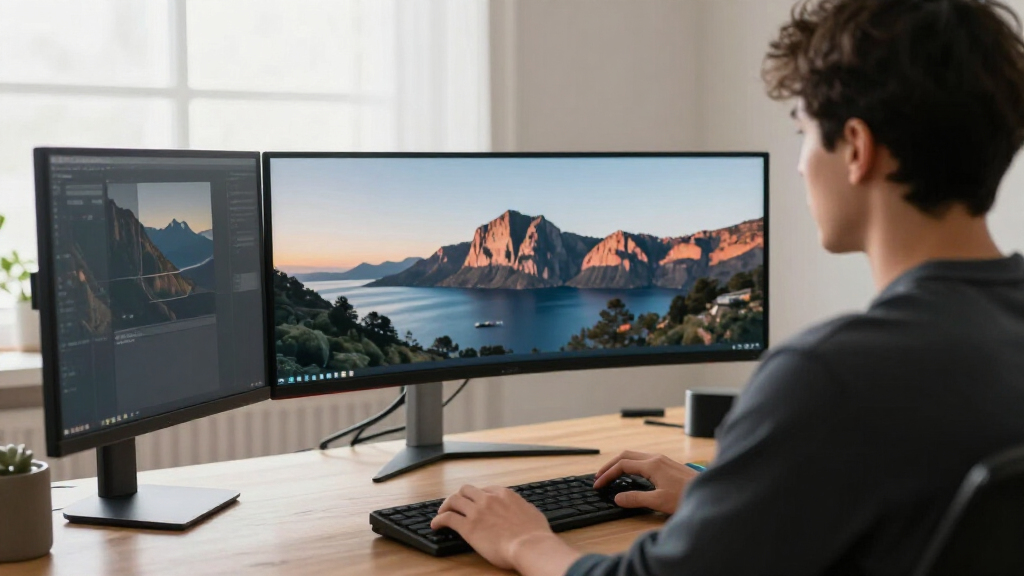
I compared the listed monitors by the features that affect everyday work: usable resolution, screen area, connectivity called out in the product names, stand adjustability, panel type where specified, and refresh rate. I gave more weight to a clear, comfortable workspace and practical setup than to gaming-oriented refresh rates or branding. I also treated 34-inch and 49-inch models as different kinds of tools: the former are easier to fit into typical desks, while the latter can reduce the need to arrange multiple windows across separate displays.
The ranking favors models whose listed features support a broad range of work, which puts the Samsung Viewfinity S65UA near the top. USB-C options such as the Dell 34 Plus S3425DW earn attention for simpler laptop-centered setups, and the Samsung 49-inch Business Curved model is a stronger fit for buyers who specifically need a very wide canvas. Gaming-focused monitors remain in the roundup, but they rank by their usefulness for work as well as their stated gaming features. Where product names provide limited detail, I avoid assuming unlisted ports, ergonomic adjustments, or panel capabilities.
Factors to Consider When Choosing Ultrawide Monitors For Productivity
I’d choose an ultrawide by starting with the work it needs to make easier, then checking whether the monitor fits the desk and computer. These factors help separate a useful productivity upgrade from a large display whose extra width or speed may go unused.
Match Resolution to the Work You Read
Resolution shapes how much readable information fits on screen, not just how sharp a movie looks. For spreadsheets, code, and side-by-side documents, I’d favor a QHD or dual-QHD model over WFHD when the budget and computer support it. WFHD can still be a sensible fit for general office tasks, but its lower pixel count gives you less room for fine text and dense layouts. Check the monitor’s native resolution against your usual scaling settings, since a very wide screen does not automatically create more vertical workspace. Avoid choosing by diagonal measurement alone: two ultrawides of similar width can present meaningfully different amounts of detail.
Measure the Desk Before Choosing 34 or 49 Inches
A 49-inch dual-QHD display can put several windows in one continuous view, but its width calls for a deep, open desk and a comfortable viewing distance. A 34-inch model usually fits more easily and can be a more balanced choice when the monitor shares space with notebooks, speakers, or a laptop. Measure the desk’s usable width and depth, including room for the stand and any nearby walls or shelves. Also think about how often you turn your head between windows; more screen area helps only when the content remains comfortable to scan. I’d choose the largest size that suits the space and viewing habits, rather than treating maximum width as the goal.
Check the Whole Laptop Connection
USB-C can simplify a laptop desk, but the label alone does not tell you everything about the connection. Before buying, confirm that the exact model supports the video signal, charging power, and any peripheral connections your setup needs. If your work computer connects through HDMI or DisplayPort, check that the monitor has a suitable port and that the cable supports the chosen resolution and refresh rate. A display with limited connection options may still be fine for a fixed desktop, while a laptop that moves between home and office benefits more from a simpler plug-in routine. I would treat connectivity as a workflow requirement, not a bonus feature.
Prioritize Ergonomics for Long Work Sessions
Stand adjustment can matter more than a modest increase in refresh rate when you spend hours at the screen. Look for explicit details about height, tilt, and swivel rather than assuming every monitor offers the same range of movement. A curved display can help keep the edges of a wide panel within a more consistent viewing angle, but the curve is personal and may not suit every task or desk. Check whether the stand can bring the screen to eye level, and allow room for a monitor arm if the supplied stand does not fit your setup. I’d also check that the display’s footprint leaves space for your keyboard and other daily tools.
Pay for Refresh Rate Only When Your Work Benefits
A higher refresh rate can make scrolling and pointer movement look smoother, and it can support gaming after work. For documents, email, and spreadsheets, resolution, text clarity, and ergonomics usually have a larger effect on day-to-day comfort. I would not pick a 200Hz display over a sharper, better-connected option solely because its refresh number is higher. Also confirm that your computer can drive the monitor at its native resolution and preferred refresh rate; the display and connection both affect what you can use. Mixed-use buyers may appreciate extra speed, while office-first buyers can put more attention on workspace and setup.
Frequently Asked Questions
Is a 34-inch ultrawide or a 49-inch dual-QHD monitor better for working with several windows?
I’d choose 34 inches for a more manageable footprint and a straightforward upgrade from a standard monitor. A 49-inch dual-QHD screen can keep more windows visible at once, which may suit spreadsheet-heavy work, editing, or frequent cross-referencing. That extra width needs adequate desk space and a viewing distance that lets you scan the full panel comfortably. If you rarely keep more than two windows open, the larger display may take up space without changing your workflow much. Compare the width and resolution against your desk before choosing by screen size alone.
Does USB-C mean I can connect and charge my laptop with one cable?
Not always; USB-C describes the connector, but the supported functions vary by monitor. I’d check the exact model specifications for video over USB-C and the amount of laptop charging power it supplies. A monitor may pass video but provide too little power for a particular laptop, or it may not include the peripheral connections you want. Confirm that your computer also supports video output through its USB-C port. If those details do not match, a separate power adapter or video cable may still be needed.
Is WFHD resolution enough for office work on an ultrawide?
WFHD can work well for email, web apps, and general documents, especially if you prefer larger on-screen text. For dense spreadsheets, coding, or detailed side-by-side documents, I’d lean toward QHD because the added pixels provide more room for content. The right choice also depends on viewing distance and your operating system’s scaling preferences. A wide aspect ratio does not compensate for lower vertical detail when you need to see more rows or lines. Compare native resolutions, not just screen dimensions, before deciding.
Should I choose a curved monitor for spreadsheets and writing?
A curve can make the far edges of a wide screen feel easier to view without turning your head as much, particularly on larger panels. It is not a requirement for productivity, and the effect depends on screen size, curvature, desk depth, and personal preference. I’d give more weight to resolution, stand position, and comfortable text viewing than to curvature alone. If you work on straight-line drawings or frequently share the display with someone beside you, a flatter panel may suit your needs better. When possible, view a curved screen in person before committing to a strong curve.
Is a gaming ultrawide a sensible choice for an office-first setup?
It can be, particularly if you also play games and the monitor has the resolution and connections your work requires. Gaming-focused models in this roundup advertise features such as higher refresh rates, but those specs do not guarantee better document clarity or a more adjustable stand. I’d compare the actual resolution, connectivity, and ergonomic details with a work-focused alternative before choosing. If office tasks dominate, spend attention on comfortable text, useful workspace, and laptop compatibility first. A mixed-use buyer can then treat gaming features as a welcome extra rather than the main reason to buy.
Conclusion
For most desk-based work, I’d choose the Samsung Viewfinity S65UA as the best overall because its listed QHD resolution, USB-C, height-adjustable stand, and 100Hz refresh combine useful work features in a 34-inch format. My best value in feature balance is the LG 34U60ZB-B, which pairs WQHD with a listed 120Hz refresh rate without stepping up to a 49-inch screen. For a best premium, extra-wide workspace, I’d look at the Samsung 49-inch Business Curved dual-QHD model; buyers who want the broadest gaming-oriented canvas can compare it with the Amzfast 49-inch and Odyssey G9 G91F. The best beginner-friendly direction is a 34-inch QHD model such as the LG 34WR55QK-B, which avoids the space demands of a 49-inch display. For a specific laptop-centered setup, consider the Dell 34 Plus S3425DW for its listed USB-C connection, and verify the exact charging and video details before purchase. Match the screen to your desk, resolution needs, and connection setup, and the right pick should become clear.
Halloween Picks
halloween
As an affiliate, we earn on qualifying purchases.